WhatsApp Marketing Message Templates for Ads & Promotions
In today’s fast-moving digital world, businesses need quick, effective, and personalized communication to grab customer attention. WhatsApp marketing has emerged as one of the most powerful tools for direct engagement, high open rates, and better conversions.
Using the WhatsApp Business API, businesses can send structured, automated, and scalable messages through pre-approved templates. These templates help maintain consistency, improve response rates, and save time.
In this blog, we’ll explore the best Bulk WhatsApp marketing templates, real WhatsApp marketing message examples, and ready-to-use formats you can apply for ads, promotions, reminders, and more.
What is a WhatsApp Message Template?
A WhatsApp message template is a pre-approved format that businesses use to communicate with customers efficiently at scale. It is especially useful for sending updates, promotions, and notifications outside the usual response window.
By using bulk WhatsApp message templates and a well-structured whatsapp marketing template, businesses can ensure consistent communication while still keeping messages personalized. Referring to practical WhatsApp marketing message examples also helps in crafting effective messages that connect better with the audience.
Overall, a thoughtfully designed whatsapp template for marketing reduces manual effort and makes communication more streamlined, relevant, and engaging.
Why Do You Need WhatsApp Business Message Templates?
Using structured WhatsApp business message samples helps brands communicate faster and more professionally.
Here’s why templates are essential:
- They reduce response time drastically
- Ensure uniform brand communication
- Increase customer trust
- Enable automation at scale
- Improve campaign performance
A well-crafted whatsapp business template can directly impact how customers perceive your brand.
How to Create a WhatsApp Message Template
Creating a high-performing template isn’t just about writing – it’s about strategy. Follow these steps:
- Identify your purpose (promotion, support, update)
- Keep the message concise and impactful
- Personalize with dynamic fields like name or product
- Add a clear CTA (Shop Now, Book Now, Learn More)
- Avoid spam-like language
- Use tools like an AI Template generator or WhatsApp message generator
Always test multiple variations to find what works best.
Explore the Best WhatsApp Message Templates for a Powerful WhatsApp Marketing Platform Strategy
Whatsapp Promotion Message Template
Promotional messages are the backbone of WhatsApp marketing. A good whatsapp promotion message sample should create urgency and drive action. Here are some whatsapp promotional messages examples
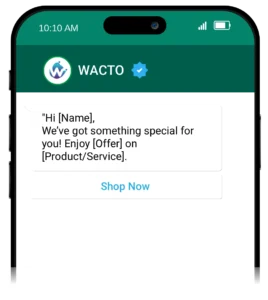
Promotional Offer Messages
Definition: Used to highlight special offers and encourage immediate action.
Offer Message Template:
Discount & Deal Alerts
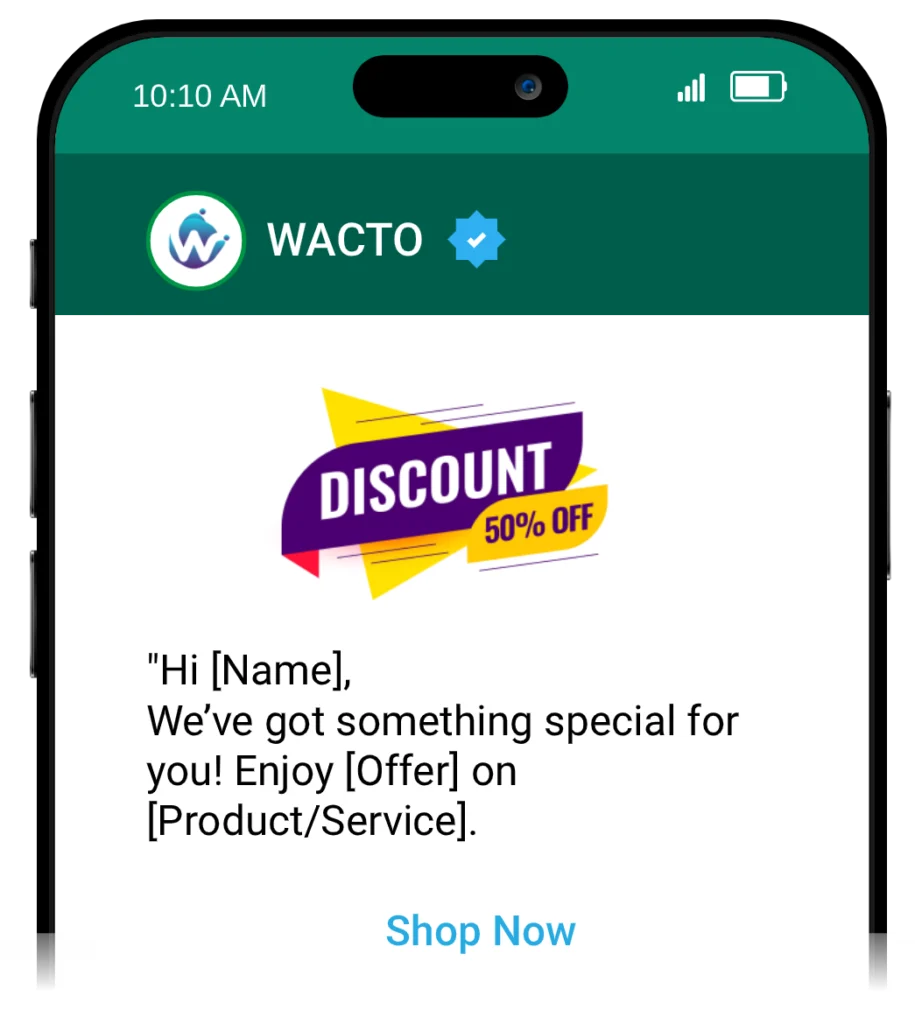
Definition: Used to notify users about limited-time discounts or exclusive deals.
Discount Message Template:
New Product Launch Messages
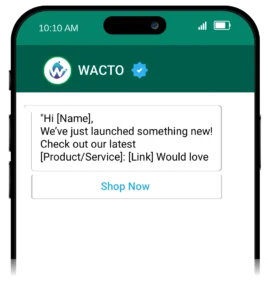
Definition: Used to announce newly launched products or services.
New Product Launch Message Template:
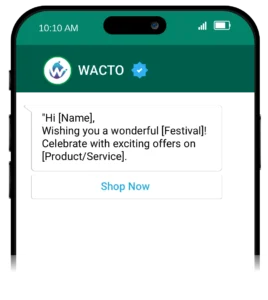
Festival Campaign Messages
Definition: Used to connect with customers during festive occasions while promoting offers.
Festival Campaign Template:
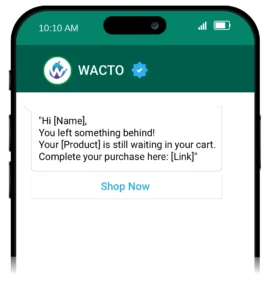
Abandoned Cart Reminders
Definition: Used to remind users about items left in their cart and encourage purchase completion.
Abandoned Cart Reminders Message Template:
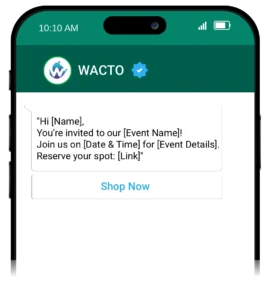
Event Invitation Messages
Definition: Used to invite users to webinars, launches, or special events.
Event Invitation Messages Template:
Whatsapp Advertising Message Templates
Turning ad clicks into conversations is the real goal. A strong whatsapp advertising sample should be clear and action-driven.
Example 1: Quick Engagement Ad
“Hi! Looking for the best options in [Category]?
Let us help you—click here: [Link]”
Example 2: Urgency-Based Ad
“Last chance!
Your exclusive deal expires today.
Claim now: [Link]”
WhatsApp Broadcast Message Templates
WhatsApp Broadcasting allows you to reach multiple users at once without losing personalization.
“Hi [Name],
We’ve just launched new offers you’ll love!
Check them out here: [Link]”
WhatsApp Greeting Message templates
Used to welcome new users or customers when they first interact with your business on WhatsApp. These messages create a positive first impression, introduce your brand, and let customers know that support or assistance is available.
“Hello [Name],
Welcome to [Brand Name]!
We’re here to help you anytime.”
WhatsApp Appointment scheduling templates
Used to confirm, schedule, or remind customers about appointments. These messages help ensure clarity on booking details, reduce no-shows, and keep customers informed about their scheduled time.
“Hi [Name],
Your booking is confirmed for [Date].
Looking forward to seeing you!”
WhatsApp Notification Message templates
Used to inform users about important updates, actions, or system-generated events related to their account, orders, or requests. These messages keep customers informed in real time and provide quick access to relevant details.
“Hi [Name],
Your request has been successfully processed.
View details here: [Link]”
Learn More about WhatsApp Business Notifications to Boost Customer Engagement and Sales
Whatsapp Auto Reply Message Sample
Auto replies ensure customers are never left waiting.
Example 1:
“Thanks for messaging us!
Our team will respond shortly.”
Example 2:
“We’re currently unavailable, but we’ll get back to you during business hours.”
WhatsApp Reminder Message Sample
Sending timely reminders improves conversions and reduces drop-offs.
Example 1:
“Hi [Name],
Just a quick reminder about your upcoming appointment.”
Example 2:
“Friendly reminder: Your payment is due soon.
Complete it here: [Link]”
Types of WhatsApp Transactional Message Templates
Transactional messages are essential for delivering real-time updates. Using a WhatsApp Transactional message Sample ensures clarity and trust.
Order Confirmation Messages
Used to immediately confirm that a customer’s order has been successfully placed, giving them assurance and order details.
Order Confirmation Messages Template:
“Hi [Name],
Thank you for your order! Your order #[ID] has been successfully placed.
We’re currently processing it and will notify you once it’s shipped.
You can track your order here: [Link]”
Payment Confirmation Notifications
Sent after a successful transaction to confirm that the payment has been received and processed.
Payment Confirmation Notifications Template:
“Hi [Name],
We’ve successfully received your payment of ₹[Amount] for order #[ID].
Your transaction has been completed securely.
If you need any assistance, feel free to contact us.”
Shipping & Delivery Updates
Keeps customers informed about the status of their order, reducing uncertainty and support queries.
Shipping & Delivery Updates Template:
“Hi [Name],
Great news! Your order #[ID] has been shipped and is on its way to you.
Expected delivery: [Date]
Track your shipment here: [Link]”
OTP & Verification Messages
Used for secure authentication during login, signup, or transactions by sending a one-time password.
OTP & Verification Message Template
“Hi [Name],
Your verification code is [OTP].
Please use this code to complete your verification process.
This code is valid for [X minutes].
Do not share it with anyone.”
Appointment Reminder Messages
Helps reduce no-shows by reminding customers about their upcoming appointments.
Appointment Reminder Message Template:
“Hi [Name],
This is a reminder for your upcoming appointment on [Date] at [Time].
We look forward to seeing you.
If you need to reschedule, please click here: [Link]”
Account Activation Message
Sent after successful registration to confirm that the user’s account is active and ready to use.
Account Activation Message Template:
“Hi [Name],
Your account has been successfully activated.
You can now log in and start using our services.
Access your account here: [Link]”
Billing & Invoice Messages
Notifies customers about generated invoices and provides access for viewing or downloading.
Billing & Invoice Message Template:
“Hi [Name],
Your invoice for order #[ID] has been generated.
Amount: ₹[Amount]
You can view or download your invoice here: [Link]”
Subscription Renewal Alerts
Informs users about upcoming renewals so they can take action if needed.
Subscription Renewal Alerts Message
“Hi [Name],
Your subscription plan will be renewed on [Date].
Amount to be charged: ₹[Amount]
To manage or cancel your subscription, click here: [Link]”
Password Reset Messages
Provides a secure link for users to reset their password in case they forget it.
Password Reset Message Template:
“Hi [Name],
We received a request to reset your password.
You can securely reset it using the link below: [Link]
If you didn’t request this, please ignore this message.”
WhatsApp Account Info Report Sample
Used to send a quick summary of a customer’s account details, including orders, balance, and recent activity.
“Hi [Name],
Here’s a quick summary of your account:
Orders: [Number]
Balance Due: ₹[Amount]
Last Activity: [Date] More details: [Link]”
Conclusion
WhatsApp marketing is no longer optional—it has become essential for modern businesses. By using a well-designed whatsapp message template and the right template for WhatsApp message, you can create faster and more meaningful customer interactions.
Tools like a WhatsApp message generator and structured whatsapp Business API message template systems further simplify communication and improve efficiency.
From promotional campaigns to transactional updates, templates help you scale without losing personalization. By leveraging automation and continuously refining your messaging approach, you can turn simple interactions into real business results.