

How to Send Secure Payments via WhatsApp Business API
Digital payments are rapidly evolving, and businesses are constantly looking for faster and more convenient ways to accept Secure payments from customers. One of the most innovative solutions today is the WhatsApp Business API payment feature, which allows companies to collect payments directly through WhatsApp conversations.
With billions of users worldwide, WhatsApp has become more than just a messaging app—it is now a powerful platform for customer support, marketing, and secure digital payments. Businesses can easily send invoices, payment links, and reminders through chat, making transactions seamless and convenient for customers.
In this guide, we will explain how the WhatsApp payment system works, how businesses can integrate it with their operations, and the safest ways to send and receive money using WhatsApp.
Features of WhatsApp Business Payment
The WhatsApp Business payment feature allows businesses to send payment requests, invoices, and digital payment links directly to customers through chat. Instead of redirecting customers to external payment pages, businesses can enable the WhatsApp business payment option inside their messaging workflow.
This feature helps companies simplify transactions while improving the customer experience. Customers can review products, confirm orders, and make secure payments without leaving the conversation.
Businesses can use WhatsApp payments for:
- Product purchases
- Service bookings
- Subscription payments
- Invoice settlements
- Order confirmations
With integrated payment solutions, companies can create a smooth checkout experience that reduces friction and increases conversions.
WhatsApp App Payment – How It Works
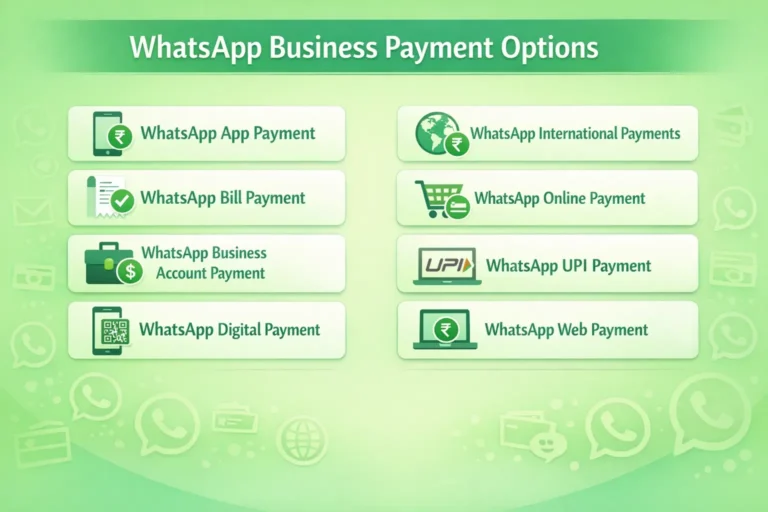
The WhatsApp App Payment system works by linking a user’s bank account or digital wallet to the WhatsApp application. Once the account is connected, users can send or receive payments directly within the chat interface.
The payment process usually involves:
- Selecting the payment option inside the chat
- Entering the payment amount
- Confirming the transaction using UPI or secure authentication
This system is designed to be fast, secure, and convenient for everyday transactions.
WhatsApp Bill Payment for Businesses
Businesses can also use WhatsApp bill payment reminders and invoice collection. Companies can send automated billing messages that include payment links or payment instructions.
This feature is useful for industries like:
- Telecom services
- Utilities and subscriptions
- Education institutes
- Hospitals and clinics
- Ecommerce businesses
By sending WhatsApp bill payment notifications, businesses reduce delays and encourage faster settlements.
WhatsApp Business Account Payment Setup
Setting up a WhatsApp Business account payment system requires integrating the WhatsApp Business API with an approved payment gateway or banking partner.
The typical setup process includes:
- Creating a verified WhatsApp Business account
- Connecting a payment provider or gateway
- Configuring payment templates and workflows
- Testing secure transaction flows
Once the setup is complete, businesses can start sending payment requests and collecting payments through WhatsApp conversations.
WhatsApp Digital Payment Methods
WhatsApp supports several digital payment methods depending on the region and integration partners.
Common payment methods include:
- UPI payments
- Debit and credit cards
- Net banking
- Digital wallets
- Payment gateway links
WhatsApp International Payments – Is It Supported?
Many businesses wonder whether WhatsApp international payments are possible. Currently, payment features are limited to specific countries where WhatsApp Pay has regulatory approval.
While international peer-to-peer payments may not always be supported directly within WhatsApp, businesses can still send international payment links through integrated payment gateways using the WhatsApp Business API.
These options make it easier for customers to complete transactions quickly without switching platforms.
WhatsApp Online Payment Integration via API
With WhatsApp online payment integration via API, companies can automate payment requests and confirmations.
This allows businesses to:
- Send payment links automatically after order confirmation
- Notify customers about pending payments
- Trigger payment reminders
- Confirm successful transactions
WhatsApp API integration help streamline the entire payment journey, making it faster and more efficient for both businesses and customers.
WhatsApp UPI Payment for Indian Businesses
In India, WhatsApp UPI payment is one of the most widely used digital payment methods. Customers can link their bank accounts via UPI and make instant transfers directly from WhatsApp.
This feature enables businesses to accept quick secure payments while benefiting from India’s widely adopted UPI infrastructure.
Advantages include:
- Instant bank transfers
- Secure authentication
- No need for separate payment apps
- Faster checkout experience for customers
How to Send Money through WhatsApp Business API Securely
Sending payments through WhatsApp can be done safely when proper security measures are followed. The platform uses strong encryption to protect transactions and personal data.
Businesses can enable money transfer through WhatsApp by integrating payment gateways or using the WhatsApp Pay system where available.
Customers can perform money transfer in WhatsApp through a few simple steps:
- Open the chat with the recipient
- Select the payment option
- Enter the amount to transfer
- Confirm the payment using UPI PIN or authentication
Users can send money via WhatsApp for services, purchases, or personal transfers. Businesses can also send money on WhatsApp as refunds, incentives, or payouts.
Using secure authentication methods ensures that customers can send money using WhatsApp safely without worrying about fraud.
How to Set Up WhatsApp Business Payment Methods
Businesses looking to enable WhatsApp payments must configure their payment infrastructure properly.
To pay with WhatsApp or allow customers to pay via WhatsApp, businesses must connect their messaging system with a payment provider or gateway.
The setup process typically includes:
- Creating a WhatsApp Business API account
- Integrating a supported payment gateway
- Setting up payment templates and notifications
- Testing the payment flow
Once the system is ready, customers can easily pay using WhatsApp during conversations. This simplifies checkout processes and increases customer convenience.
With integrated payment systems, companies can manage secure payments in WhatsApp directly through their messaging interface.
How to Make Payments via WhatsApp Pay: QR, UPI & App
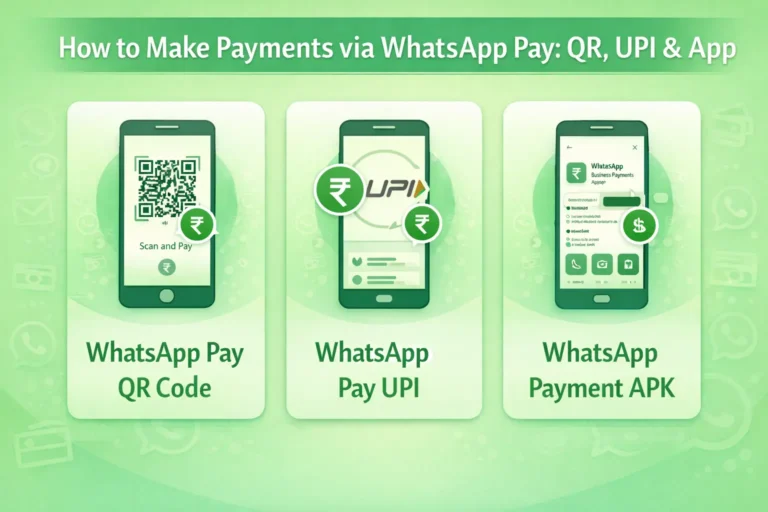
WhatsApp offers multiple payment methods to make digital transactions easier. Businesses and individuals can use QR codes, UPI transfers, or the WhatsApp Pay app to complete payments quickly.
WhatsApp Pay QR Code – How to Send and Receive Payments
WhatsApp Pay QR code allows users to scan and send payments instantly. Businesses can display QR codes in stores, invoices, or websites.
Customers simply:
- Scan the QR code
- Enter the payment amount
- Confirm using UPI authentication
This method is quick and widely used for offline and online transactions.
WhatsApp Pay UPI – Linking Bank Accounts for Instant Transfers
WhatsApp Pay UPI allows users to link their bank accounts directly to the WhatsApp app. Once linked, payments can be transferred instantly between accounts.
This system eliminates the need for separate payment apps and allows customers to complete transactions within their chat window.
WhatsApp Payment APK – Installing and Setting Up the App
To access payment features, users may need to install the latest WhatsApp Payment APK or update their existing WhatsApp application.
After installation, users can:
- Link their bank account
- Set up UPI authentication
- Enable payment options in chats
Once configured, users can send and receive payments securely using the WhatsApp Business platform.
Conclusion
The WhatsApp Business API payment system is transforming how businesses collect payments and interact with customers. By combining messaging and payments in one platform, companies can simplify transactions, improve customer experience, and accelerate digital commerce.
From UPI payments and QR codes to payment links and API integrations, WhatsApp provides multiple ways to enable secure and convenient transactions.
As digital communication and digital payments continue to merge, WhatsApp will likely play an even bigger role in the future of online business transactions.







