How to Send WhatsApp Broadcast Message to Reach Thousands Instantly
If you’ve ever sat there, forwarding the same message to dozens (or hundreds) of people one by one… you know it’s not just boring—it’s a total time killer. That’s where the magic of WhatsApp broadcast message comes in.
It’s basically your shortcut to talking to a crowd without actually creating a noisy group chat. Everyone gets your message privately, but you only typed it once. No awkward “who’s this?” replies from strangers. No endless notifications from people sending thumbs-up emojis.
What is WhatsApp Broadcast?
A WhatsApp broadcast is kind of like making an announcement, but in a way that still feels personal.
Imagine you run a little bakery. You’ve just introduced a new chocolate lava cake, and you want 150 regular customers to know about it. Instead of sending 150 individual messages, you just pop them into a broadcast list on WhatsApp, write one tasty-sounding update, and send. Each person gets it in their chat with you—like it was meant just for them.
How does Whatsapp Broadcast Limit Works
Here’s the not-so-fun part: the standard WhatsApp Business App lets you send a broadcast to only 256 contacts at a time. If your customer list is bigger than that, you’re stuck repeating the process over and over.
The fix? Use the WhatsApp Business API. With it (and a tool like WACTO), you can send broadcast messages on WhatsApp to thousands of people—without breaking rules or your sanity.
If you’re wondering about the WhatsApp broadcast message limit, businesses using the standard app may face restrictions when sending messages to larger audiences. Understanding the broadcast limit in WhatsApp helps you choose the right solution
WhatsApp Broadcast List vs WhatsApp Broadcast Group – Don’t Confuse Them
People often mix these up:
- A broadcast group in WhatsApp doesn’t actually exist. Usually, people mean a group chat, where everyone can see and reply to each other’s messages.
- A broadcast list on WhatsApp is different—it keeps every conversation one-on-one. The recipients won’t know who else got the message.
For marketing, promotions, or important updates, the broadcast list whatsApp limit is your best friend.
How to Send Broadcast Message in WhatsApp
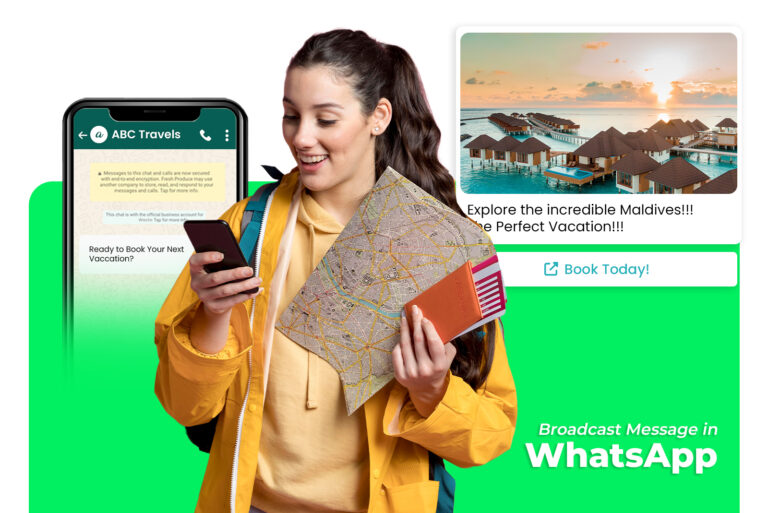
How to Use WhatsApp Business Broadcast Messages
- Open WhatsApp and tap the three dots (top-right).
- Select New Broadcast.
- Add your contacts.
- Write your message.
How to Broadcast Message on WhatsApp
Some ideas that work really well:
- Promos & discounts – “20% off for orders today only.”
- Event reminders – “Don’t forget, our webinar starts at 6 PM.”
- Service updates – “Our store will be closed for maintenance this Friday.”
- New arrivals – “Fresh stock just in—check it out!”
Examples of WhatsApp Broadcast Messages
Businesses send personalized offers, updates, and promotions at scale while improving engagement and customer response rates.
- Promotional offer messages for customers
- Festival and seasonal greeting broadcasts
- Order confirmation and delivery updates
- Event invitations and reminder messages
- Product launch and discount announcement messages
How to Send Messages to Multiple Contacts
Sending messages in many contacts saves time and ensures frequent communication with your audience. Whether it is for publicity, reminder, or update, promotes engagement once.
With the right tool, you can also personalize messages when sending to bulk, which makes humans feel human rather than your communication automated. This approach increases reaction rates and strengthens customer relationship.
Automating bulk messaging also reduces errors and manual work. This allows businesses to focus on strategy and creative materials while the system basically handles communication.
Tips to Make Your WhatsApp Broadcast Channel Work Better
- Keep it short. Nobody wants to read an essay in WhatsApp.
- Personalize if possible (use their name).
- Avoid sounding like spam. (No need for 10 emojis or ALL CAPS.)
- Make sure you have permission before sending marketing messages.
Breaking the 256 Barrier
For bigger lists, the WhatsApp Business API Solution is the way to go. Using WACTO, you can:
- Import contact lists directly from Google Sheets.
- Schedule and automate broadcast WhatsApp group-style campaigns.
- Track who opened, clicked, or replied to your message.
It’s basically your broadcast feature—on steroids.
Final Thoughts
The broadcast feature in WhatsApp is one of the easiest, fastest ways to connect with your audience. It keeps conversations personal, yet lets you talk to hundreds (or thousands) at once.
Start small—maybe with a weekend offer or an event reminder. Once you get the WhatsApp broadcast software, upgrade to the WhatsApp Business API so you can forget about limits and focus on growing your reach.
Because in business, the faster you can reach people, the faster they can respond—and that’s exactly what keeps you ahead.
Frequently asked questions
Is WhatsApp broadcast available on WhatsApp Web?
Yes — you can create and send broadcast messages from WhatsApp Web on a desktop browser, just like on the mobile app.
Can you send media (photos, videos, documents) via broadcast?
Yes — you can send images, videos, audio, and documents through a WhatsApp broadcast list.
Why is my WhatsApp Broadcast message not delivered?
Your broadcast message won’t be delivered if the recipient hasn’t saved your number in their contacts. Only contacts who have your number saved will receive the message. Also check your internet connection and ensure the recipient’s WhatsApp is active.
How do you forward a message to a WhatsApp Broadcast list?
Yes, you can! Long-press the message → tap the Forward icon → select your Broadcast List → hit Send. The message goes to all contacts on the list as individual private messages.
How many contacts can be added in a WhatsApp Broadcast list?
You can add up to 256 contacts in a single WhatsApp Broadcast list. Need to reach more people? Simply create multiple broadcast lists.