
How to Send Secure Payments via WhatsApp Business API | Complete Guide
How to Send Secure Payments via WhatsApp Business API Digital payments are rapidly evolving, and businesses are constantly looking for faster and more convenient ways to accept Secure payments from customers. One of the most innovative solutions today is the WhatsApp Business API payment feature, which allows companies to collect payments directly through WhatsApp conversations. With billions of users worldwide, WhatsApp has become more than just a messaging app—it is now a powerful platform for customer support, marketing, and secure digital payments. Businesses can easily send invoices, payment links, and reminders through chat, making transactions seamless and convenient for customers. In this guide, we will explain how the WhatsApp payment system works, how businesses can integrate it with their operations, and the safest ways to send and receive money using WhatsApp. Features of WhatsApp Business Payment The WhatsApp Business payment feature allows businesses to send payment requests, invoices, and digital payment links directly to customers through chat. Instead of redirecting customers to external payment pages, businesses can enable the WhatsApp business payment option inside their messaging workflow. This feature helps companies simplify transactions while improving the customer experience. Customers can review products, confirm orders, and make secure payments without leaving the conversation. Businesses can use WhatsApp payments for: Product purchases Service bookings Subscription payments Invoice settlements Order confirmations With integrated payment solutions, companies can create a smooth checkout experience that reduces friction and increases conversions. WhatsApp App Payment – How It Works The WhatsApp App Payment system works by linking a user’s bank account or digital wallet to the WhatsApp application. Once the account is connected, users can send or receive payments directly within the chat interface. The payment process usually involves: Selecting the payment option inside the chat Entering the payment amount Confirming the transaction using UPI or secure authentication This system is designed to be fast, secure, and convenient for everyday transactions. WhatsApp Bill Payment for Businesses Businesses can also use WhatsApp bill payment reminders and invoice collection. Companies can send automated billing messages that include payment links or payment instructions. This feature is useful for industries like: Telecom services Utilities and subscriptions Education institutes Hospitals and clinics Ecommerce businesses By sending WhatsApp bill payment notifications, businesses reduce delays and encourage faster settlements. WhatsApp Business Account Payment Setup Setting up a WhatsApp Business account payment system requires integrating the WhatsApp Business API with an approved payment gateway or banking partner. The typical setup process includes: Creating a verified WhatsApp Business account Connecting a payment provider or gateway Configuring payment templates and workflows Testing secure transaction flows Once the setup is complete, businesses can start sending payment requests and collecting payments through WhatsApp conversations. WhatsApp Digital Payment Methods WhatsApp supports several digital payment methods depending on the region and integration partners. Common payment methods include: UPI payments Debit and credit cards Net banking Digital wallets Payment gateway links WhatsApp International Payments – Is It Supported? Many businesses wonder whether WhatsApp international payments are possible. Currently, payment features are limited to specific countries where WhatsApp Pay has regulatory approval. While international peer-to-peer payments may not always be supported directly within WhatsApp, businesses can still send international payment links through integrated payment gateways using the WhatsApp Business API. These options make it easier for customers to complete transactions quickly without switching platforms. WhatsApp Online Payment Integration via API With WhatsApp online payment integration via API, companies can automate payment requests and confirmations. This allows businesses to: Send payment links automatically after order confirmation Notify customers about pending payments Trigger payment reminders Confirm successful transactions WhatsApp API integration help streamline the entire payment journey, making it faster and more efficient for both businesses and customers. WhatsApp UPI Payment for Indian Businesses In India, WhatsApp UPI payment is one of the most widely used digital payment methods. Customers can link their bank accounts via UPI and make instant transfers directly from WhatsApp. This feature enables businesses to accept quick secure payments while benefiting from India’s widely adopted UPI infrastructure. Advantages include: Instant bank transfers Secure authentication No need for separate payment apps Faster checkout experience for customers How to Send Money through WhatsApp Business API Securely Sending payments through WhatsApp can be done safely when proper security measures are followed. The platform uses strong encryption to protect transactions and personal data. Businesses can enable money transfer through WhatsApp by integrating payment gateways or using the WhatsApp Pay system where available. Customers can perform money transfer in WhatsApp through a few simple steps: Open the chat with the recipient Select the payment option Enter the amount to transfer Confirm the payment using UPI PIN or authentication Users can send money via WhatsApp for services, purchases, or personal transfers. Businesses can also send money on WhatsApp as refunds, incentives, or payouts. Using secure authentication methods ensures that customers can send money using WhatsApp safely without worrying about fraud. How to Set Up WhatsApp Business Payment Methods Businesses looking to enable WhatsApp payments must configure their payment infrastructure properly. To pay with WhatsApp or allow customers to pay via WhatsApp, businesses must connect their messaging system with a payment provider or gateway. The setup process typically includes: Creating a WhatsApp Business API account Integrating a supported payment gateway Setting up payment templates and notifications Testing the payment flow Once the system is ready, customers can easily pay using WhatsApp during conversations. This simplifies checkout processes and increases customer convenience. With integrated payment systems, companies can manage secure payments in WhatsApp directly through their messaging interface. How to Make Payments via WhatsApp Pay: QR, UPI & App WhatsApp offers multiple payment methods to make digital transactions easier. Businesses and individuals can use QR codes, UPI transfers, or the WhatsApp Pay app to complete payments quickly. WhatsApp Pay QR Code – How to Send and Receive Payments WhatsApp Pay QR code allows users to scan and send payments instantly. Businesses can display QR codes in stores, invoices, or websites. Customers simply: Scan the QR code Enter the payment
Whatsapp Introduction Message Strategies for Small Businesses
Whatsapp Introduction Message Strategies for Small Businesses When a customer clicks on your whatsapp chat button or scans your QR code, the very first thing they see is your introduction message. This opening message sets the tone for the entire conversation. For small businesses a thoughtful Whatsapp introduction message can instantly build trust, encourage engagement, and lead to higher conversions. Whether you’re a cafe taking orders, a local boutique sending updates, or a services provider answering queries, your first impression matters. Here’s how to craft, automate, and optimize your Whatsapp introduction messages to drive real results. Key Elements of a Introduction message on WhatsApp Every high performing Introduction message in WhatsApp has a few things in common: Warm Greeting: A friendly Hi or Hello that feels personal. Clear Identity: Mention your business name right away. Purpose Settlement: Briefly tell them what they can do on your Whatsapp channel order, ask questions, book services. Call to Action: Suggest the next step (reply, click a menu button, browse a catalog). Optional Personal Touch: Emojis or your name at the end can make it feel human and approachable. Types of Introduction Messages in Whatsapp Business Introduction Message Introduce your company, build trust, and set a professional tone. Example: “Hello! We are Annamalaiyar Travels, providing reliable travel solutions across Tamil Nadu. Let’s make your journey smooth and memorable!” Service/Offering Introduction Message Highlight your main services or products to capture interest. Example: “Hi! We offer WhatsApp API automation for businesses to handle chats faster and increase sales effortlessly.” Service/Offering Introduction Message Highlight your main services or products to capture interest. Example: “Hi! We offer WhatsApp API automation for businesses to handle chats faster and increase sales effortlessly.” Team Introduction Message Showcase your team to make interactions more personal and trustworthy. Example: “Meet our expert team! I’m Koushik, handling digital marketing, and we’re here to help you grow your business.” Onboarding Introduction Message Welcome new customers or employees and guide them through initial steps. Example: “Welcome aboard! Start by exploring our platform and completing your profile to unlock all features instantly.” Promotional Introduction Message Introduce a new offer, discount, or feature to grab attention quickly. Example: “Hello! Grab 20% off on our premium WhatsApp Business API plans this week. Don’t miss out!” Event/Update Introduction Message Share updates, events, or announcements to keep your audience engaged. Example: “Hi there! Join us for our Free Webinar on WhatsApp Automation this Friday at 5 PM. Reserve your spot now!” WhatsApp Introduction Message Templates General Welcome: “Hello! You’ve reached [Business Name]. We’re excited to help you with our services and offers. How can we assist you today?” E-commerce Store: “Hi there! Browse our latest catalog right here on WhatsApp. Reply ‘SHOP’ to get started or ask us any questions.” Service Appointment: “Welcome to [Business Name]! Book your appointment in just two taps. Reply ‘BOOK’ to see available slots.” Support/FAQ: “Thanks for reaching out to [Business Name]. Our team will reply shortly. Meanwhile, here’s a quick FAQ to get you started: [link].” Using WhatsApp message templates like these ensures consistency but still allows for personalization. How to Write an Introduction Message for Whatsapp group Writing your own WhatsApp Group Introduction Message doesn’t have to be hard. Start with a blank chat and follow these steps: Think Like a Customer: What would you want to know in the first 5 seconds? Keep it Short: Aim for 1-3 lines max. Be Clear, Not Salesy: Explain benefits before pitching. Use Conversational Tone: Avoid stiff languages and imagine speaking face to face. Add a Simple CTA: Reply, Yes Click the button below View our Catalog. Creating an introduction message in WhatsApp groups is all about clarity and connection. It should be friendly, informative, and interesting to make a great impression. If you follow the tips mentioned above, it will be easy to make the members of the WhatsApp group feel welcome and ready to engage in conversations. How to Automate Whatsapp Introduction Messages Easily Automate saves you time and ensures a consistent experience. Using tools like WACTO or similar Whatsapp business automation platforms, you can: Set up instant greeting messages for new chats Trigger specific intro messages based on source ( Facebook ads, website widgets, OR Code). Collect customer details automatically. Route chats to the right team member with an internal assignment system. This allows small businesses to appear always on even after hours without hiring more staff. Best Practices for Whatsapp Business Introduction Messages Here are some pro tips to make your intros stand out: Personalize When Possible: Include the customer’s first name if you’ve collected it from a form or ad. Keep it Mobile Friendly: Use short sentences, bullet points, and emojis. Provide Clear Options: Quick reply buttons or menus help customers navigate. Respect Privacy: Don’t ask for too much information upfront, build trust gradually. Test and Measure: Track open rates, reply rates, and conversions to refine your approach. Why Small Businesses Should Care A well-crafted Whatsapp introduction message can: Reduce bounce rates from ads. Speed up lead qualifications Improve customer satisfaction and loyalty. Increase conversions from casual chats to paying customers. When combined with Whatsapp AI chatbot tools, broadcast messages, and automation features, your intro messages become the first step in a seamless sales and support journey. Final Thoughts Your Whatsapp introduction message is your digital handshake. For small businesses, it’s often the difference between a one-time click and a lifelong customer. By understanding the key elements, exploring different types, using templates and leveraging automation, you’ll create a warm welcome that converts. Start experimenting today. Your next big sale might begin with just one great Whatsapp introduction message. Join WACTO today and start connecting with your customers instantly. As a trusted WhatsApp Chatbot Provider in India, we make business messaging easy and smart.
WhatsApp Chatbot for Ecommerce: Benefits & Use Cases
WhatsApp Chatbot for Ecommerce: Benefits & Use Cases The WhatsApp Chatbot for Ecommerce is changing the way online stores communicate with customers. The WhatsApp Chatbot allows for instant responses to customer queries, product recommendations, and order updates, all within WhatsApp. Businesses can automate customer support, reduce response time, and increase sales with ease. By utilizing a WhatsApp Chatbot for Ecommerce, a seamless customer experience is ensured. Why WhatsApp Chatbot is Essential for Ecommerce Businesses A WhatsApp chatbot facilitates customer interactions by offering instant responses to customer inquiries about products, order updates, or other support needs. It improves the customer shopping experience by saving time and increasing customer satisfaction. For eCommerce businesses, a WhatsApp chatbot increases customer interactions, generates more sales, and performs tasks efficiently. Why Customers Choose WhatsApp for Online Shopping Customers choose WhatsApp because it is fast, trusted, and easy to use for product inquiries, order status, and customer support. Customers can communicate instantly without having to log in to a website or wait for emails. This enhances customer satisfaction and the possibility of making quick sales. Challenges of Manual Customer Support in Ecommerce Stores Manual support may be slow, expensive, and hard to handle during peak sales or high inquiry volumes. This may result in lost sales and dissatisfied customers. Manual support also decreases team productivity due to repetitive customer inquiries. Features of WhatsApp Chatbot Automation for Ecommerce A WhatsApp chatbot can automatically respond to FAQs, provide product information, check order status, and provide payment or delivery information 24/7. This helps businesses respond instantly, generate leads, and decrease the workload of customer support teams. Discover how WhatsApp chatbot automation can streamline customer support and boost eCommerce sales effortlessly. Key Features of WhatsApp Chatbot for Ecommerce Businesses The WhatsApp Business API has powerful features that allow eCommerce businesses to automate customer interactions, boost sales, and improve the overall shopping experience. With intelligent automation, businesses can provide timely information, personalized suggestions, and seamless assistance. Automated Product Recommendations A WhatsApp chatbot for Ecommerce can recommend products to customers based on their preferences, browsing history, or previous purchases. This assists customers in finding products they need without having to search the entire store. Personalized recommendations enhance customer experience and boost the possibility of sales. Order Tracking and Delivery Updates Customers can immediately check the status of their orders on WhatsApp without having to log in to the website. The WhatsApp chatbot service provider customers with real-time updates on their orders, including shipping and delivery notifications. This minimizes support tickets and keeps customers happy and satisfied. Cart Recovery and Secure Payment Reminders When a customer abandons their cart, the chatbot automatically sends a gentle reminder to the customer on WhatsApp. The WhatsApp business chatbot can also provide a secure payment link to facilitate the purchase process. This feature helps recover lost sales and boosts conversion rates. Multi-Language Customer Support A WhatsApp Chatbot can communicate with customers in multiple languages, making it convenient for customers to interact with your business. This ensures improved understanding and faster responses. Multi-language support boosts customer trust and expands your ecommerce business. Benefits of Using WhatsApp Chatbot for Online Stores WhatsApp chatbots help online stores deliver instant support, automate repetitive tasks, and enhance the overall shopping experience. They save time, reduce errors, and improve customer satisfaction. Faster Customer Response Time The WhatsApp chatbot responds immediately to customer inquiries, even when the business is not operational. This cuts down on the waiting time and enhances customer satisfaction. Fast customer response times also enable customers to make quick purchasing decisions. This also eliminates lost sales due to missed customer inquiries. Increase Ecommerce Sales and Conversions The chatbot assists customers with product recommendations, discounts, and payment assistance in real-time. This seamless shopping experience encourages customers to make more purchases and abandon their carts less often. Follow-up communications also assist in converting potential customers into actual buyers. Reduce Support Costs with Automation Automation of common inquiries such as order status, prices, and delivery information is done without human intervention. This eliminates the need for a large support team and operational costs. Businesses can dedicate their support team to handling complex customer inquiries, while the chatbot efficiently handles common customer inquiries. Improve Customer Engagement and Retention The WhatsApp chatbot engages customers with personalized messages, updates, and promotions. This regular communication enhances customer trust and loyalty. Satisfied customers are likely to return to the business, refer it to others, and become loyal buyers. WhatsApp Chatbot Use Cases in Ecommerce WhatsApp chatbots help eCommerce businesses automate interactions, improve customer engagement, and drive more sales. From answering queries to sending offers, they handle tasks efficiently around the clock. Handling Product Enquiries Automatically A WhatsApp bot can immediately respond to customers inquiries regarding the price, availability, features, and shipping information of a product. This will eliminate the need for customers to wait for a response and will improve customer satisfaction. Immediate responses will also improve the chances of turning an inquiry into a sale. Sending Personalized Offers and Discounts A WhatsApp bot can send customers personalized offers based on their interests, purchase history, or browsing activities. Customers will feel special when they receive personalized discounts. Automated promotional messages will also help improve the performance of seasonal campaigns. Automating Order Confirmation Messages After an order is made, the chatbot can automatically send confirmation messages with order information and payment confirmation. Customers are also sent shipping information and delivery notifications automatically. This increases customer trust and engagement throughout the shopping process. It also cuts down on customer support inquiries about order status. Collecting Customer Feedback After Purchase After an order is delivered, the chatbot can automatically collect feedback or ratings from customers in a friendly manner. This helps businesses understand customer satisfaction with their services. Negative feedback can be addressed immediately, and positive feedback can be used as testimonials. WhatsApp Chatbot Integration with Ecommerce Platforms Your WhatsApp chatbot integrate with your ecommerce site to automate customer support, order notifications, and product inquiries. This will enable your business to save
WhatsApp Business API for Real Estate: Automate Leads, Property Listings & Client Enquiries
WhatsApp Business API for Real Estates In today’s online-first real estate market, convenience and speed are more important than ever. Today’s homebuyer wants immediate answers, easy scheduling of site visits, and easy access to listings – all from the convenience of their mobile device. For real estate agents, the WhatsApp Business API for Real Estate has become a game-changer to address these ever-growing demands. The WhatsApp Business API enables real estate agents to remain in touch with potential clients at all stages of their home-buying process through automated responses, personalized messages, and efficient customer support. This article will discuss what a WhatsApp API Chatbot for real estate is, how it works, and why it can give your real estate business a competitive advantage. How a WhatsApp Chatbot for Real Estate Helps Capture Property Leads A WhatsApp chatbot for real estate is an automated helper that is integrated into your WhatsApp Business account and automatically responds to customer inquiries without the need for human intervention. For property hunters, this is an instant way to access property listings, prices, images, and information at any time. For real estate agents and developers, this reduces the burden of manual responses, separates serious leads, and increases response rates, which can increase the number of conversations converted into qualified property leads. Chatbot Services for real estate business help buyers get instant property info while agents save time and convert more leads — join Wacto today. Key Benefits of WhatsApp Business API for Real Estate ✔ Instant replies to property enquiries ✔ 24/7 lead capture without staff ✔ Automatically shares listings, images, and details ✔ Collects customer contact info & requirements ✔ Books site visits and call appointments ✔ Saves time and reduces repetitive tasks ✔ Improves lead quality and conversion rate Benefits of WhatsApp Automation for Real Estate Businesses Manual handling of property inquiries may end up slowing down even the most organized real estate groups. By using WhatsApp automation for real estate, you can optimize communication, respond faster, and provide a seamless property search experience for every customer. A clever WhatsApp chatbot assists you in: Auto-sharing property listings – Upload your list of properties just once and share images, prices, descriptions, and map coordinates instantly with potential buyers. Keyword-based search – Allow customers to search using keywords such as 2BHK in Hyderabad or commercial property for less than ₹50,000, and the chatbot will immediately display similar properties. Simple in-chat filters – Allow customers to choose location, price, property type, or amenities right within WhatsApp for faster results. Save time & increase response speed – Minimize manual work while ensuring customers receive instant and accurate property information at all times. By using WhatsApp API automation for real estate business will spend less time answering repetitive customer inquiries and more time closing deals, while customers also enjoy a fast and hassle-free property search experience. WhatsApp CRM Integration for Real Estate: Improve Lead Management WhatsApp CRM Integration for real estate industry assists real estate agencies in managing and acting upon property-related inquiries quickly, converting conversations into potential leads. With the integration of WhatsApp and your CRM, you can automatically store customer information, monitor conversations, and follow up at the appropriate time, ensuring that no potential customer is left behind. The integration of WhatsApp and CRM helps in faster response times and better decision-making. Key Benefits of WhatsApp CRM Integration for Real Estate: Instant lead capture from WhatsApp chats Auto-sync client data to CRM Faster response & follow-ups Centralized conversation history Better lead tracking & status updates Personalized property recommendations Higher conversion with timely engagement How to Use WhatsApp Marketing for Property Booking Inquiries By utilizing the WhatsApp API, real estate companies can process property booking inquiries faster, smarter, and more professionally. By integrating the API with your website or CRM, you can automatically respond to customer inquiries, send property information, arrange property visits, and finalize bookings in real time. Advantages of WhatsApp API also enables you to send images, brochures, location links, and payment details, making it easy and convenient for buyers to book properties. WhatsApp API benefits for booking inquirie ✔ Instant auto-reply to new property inquiries ✔ Share photos, price, and availability quickly ✔ Easy site-visit scheduling and reminders✔ Secure booking confirmation messages ✔ Multi-agent support for faster responses ✔ Track customer conversations and leads Best WhatsApp Business API Provider for Real Estate Businesses Find the right WhatsApp API Provider for Real Estate to make property inquiries easier, automate responses to leads, and connect directly with buyers in an instant. The best provider will enable you to send property updates, organize site visits, distribute brochures, and build leads through automated conversations. Through effective automation and rapid assistance, real estate companies can enhance customer interactions, conserve time, and seal deals quickly with the WhatsApp Business API. Final Thoughts The property-buying journey has shifted from newspaper ads and phone calls to digital channels and instant messaging. A WhatsApp chatbot for real estate helps you stay ahead by automating property listings, enquiries, and appointments while providing 24/7 support. By integrating it with your lead management software, you can streamline your workflow, close deals faster, and deliver an exceptional experience to your clients. If you’re a real estate agent or developer looking to modernize your communication, now is the perfect time to deploy a WhatsApp chatbot and transform your sales process.
Free WhatsApp Link Generator – Create Click to Chat Links Instantly
Free WhatsApp Link Generator – Create Click to Chat Links Instantly In today’s fast-moving digital world, customers expect instant communication. They don’t want to fill out long forms or wait for email replies. They want to click, chat, and get answers immediately. That’s where a Free WhatsApp Link Generator becomes a powerful tool for businesses. With a simple WhatsApp click-to-chat link, you allow customers to message you directly without saving your number. Whether you’re a small business owner, freelancer, marketer, or enterprise brand, creating a WhatsApp chat link can dramatically increase engagement, leads, and conversions. Let’s explore how you can create one easily and use it effectively for your business growth. How to Create a WhatsApp Chat Link in Minutes Creating a WhatsApp link is surprisingly simple. You don’t need coding skills or technical knowledge. In just a few steps, your WhatsApp link creation process can be completed. https://wa.me/YourNumber Replace YourNumber with your full phone number including country code (without spaces or special characters). For example: If your number is +91 9876543210, your link will look like: https://wa.me/919876543210 Once done, your WhatsApp chat link created is ready to share anywhere — website, social media, email signature, or ads. If you’re wondering, “How can I create my WhatsApp link with a pre-filled message?” — that’s also possible. You can add a default message so users don’t have to type anything. This improves response rates and encourages faster conversations. A properly formatted WhatsApp link to chat makes communication frictionless. The easier it is for customers to connect, the higher your chances of closing deals. Whether you are using it for support, sales, bookings, or inquiries, a WhatsApp link for chat acts like a direct bridge between you and your audience. Generate a WhatsApp Number Link for Business Easily For businesses, turning a phone number into a clickable chat link is essential. Instead of displaying just a number on your website, convert your number to WhatsApp link and make it interactive. A WhatsApp link for number allows customers to start a conversation instantly instead of copying and pasting your contact details. Using a WhatsApp link maker simplifies this process. Many free tools online automatically generate the correct format for you. All you need to do is: Enter your phone number with country code Add an optional pre-filled message Click generate Copy your link That’s it. Within seconds, your WhatsApp number becomes a powerful lead generation tool. For businesses running ads on Facebook, Instagram, or Google, using a WhatsApp number link improves ad conversions because users prefer direct messaging over long landing forms. How to Easily Create a Direct WhatsApp Message Link If you want customers to send a specific inquiry — like “I want pricing details” or “Book my appointment” — you can generate a WhatsApp link to message with a pre-filled text. A direct WhatsApp link includes a default message so when users click the link, the message is already typed in their chat box. They just press send. This method works extremely well for: Service bookings Product inquiries Customer support Event registrations Lead generation campaigns For example, if you want users to message “I’m interested in your services,” the link can be generated with encoded text so it automatically appears in the chat window. Using a direct WhatsApp message link reduces hesitation. Customers feel guided, which increases conversation rates significantly. Best Ways to Add a WhatsApp Click to Chat Link on Your Website Now that you know how to generate your link, the next step is placing it strategically. Here are the best ways to use your WhatsApp Click to Chat link: Add a Floating WhatsApp Button Place a floating WhatsApp icon at the bottom corner of your website using an Add WhatsApp Button Generator. It stays visible as users scroll, boosting visibility and engagement while helping visitors contact you instantly on WhatsApp. Add WhatsApp CTA Buttons Include call-to-action buttons like: “Chat with Us on WhatsApp” “Get Instant Support” “Message Us Now” Use in Contact Page Instead of only showing your phone number, add a clickable WhatsApp link. Add in Landing Pages If you’re running paid campaigns, a WhatsApp numbers to chat option often converts better than traditional forms. Include in Email Signatures & Social Bios Your WhatsApp link can be added to: Instagram bio Facebook page LinkedIn profile Email signature The easier you make communication, the more conversations you’ll generate. Why Businesses Should Use a WhatsApp Link Generator Tool Using a free WhatsApp link generator offers several advantages: ✔ Instant customer communication ✔ Higher response rates ✔ Better lead conversion ✔ Easy integration with ads and websites ✔ No app installation required for users ✔ Works on mobile and desktop In today’s competitive market, speed matters. Customers prefer messaging over calling or emailing. When you provide a click-to-chat option, you remove barriers and create a smooth customer journey. Final Thoughts A Free WhatsApp Link Generator is one of the simplest yet most powerful tools for modern businesses. Whether you want to create a WhatsApp link, generate a number to WhatsApp link, or build a direct WhatsApp link with a pre-filled message, the process is quick and effective. If your goal is to increase engagement, improve customer support, and boost conversions, adding a WhatsApp click-to-chat link should be your next step. Start today with a WhatsApp API Solution Provider in India, create your WhatsApp link, and make it easier than ever for customers to reach you instantly on WhatsApp.
WhatsApp Retargeting for Business – Boost Leads & Conversions
WhatsApp Retargeting for Business – Boost Leads & Conversions Today’s customers don’t convert in one visit. They browse, compare, get distracted, and often leave without taking action. This is where WhatsApp retargeting for business becomes a game-changer. Instead of losing warm leads, you can reconnect with them in a personal, friendly way—right inside the app they already use every day. Unlike emails that get buried or ads that feel intrusive, WhatsApp messages feel direct and human. When done right, retargeting on WhatsApp helps you bring back interested users, answer their questions, and gently guide them toward completing their purchase or enquiry. In this guide, we’ll break down how WhatsApp retargeting works, the tools and features you need, and how businesses can use it to improve conversions without sounding salesy. Best WhatsApp Retargeting Tool for Business A WhatsApp retargeting tool helps businesses reach back out to people who have already interacted with their brand. This could be someone who visited your website, added products to their cart, clicked on your ad, or even chatted with your support team earlier. With the right tool in place, you can: Segment users based on behavior Send timely follow-ups Automate reminders and offers Track who opens, replies, and converts For example, if a customer checks out a product but doesn’t complete the purchase, your retargeting tool can trigger a gentle reminder on WhatsApp a few hours later. It feels like a helpful service, not aggressive selling. Over time, these small nudges add up to meaningful conversion growth. WhatsApp follow-up messages Many conversions happen only after a follow-up. People get busy, forget to reply, or simply need a little more clarity. Well-timed WhatsApp follow-up messages help reopen the conversation without pressure. A simple follow-up like: “Just checking in—did you need any help with your order?” can bring back a user who was genuinely interested but distracted. The key is to keep it helpful and light, not repetitive or pushy. WhatsApp Conversion Optimization Retargeting isn’t just about reaching people—it’s about improving how many of them actually take action. WhatsApp conversion optimization focuses on using better messaging, smart timing, and clear call-to-actions. Small tweaks can make a big difference: Shorter, clearer messages Quick reply buttons Limited-time offers One-tap payment or checkout links When the path to conversion is simple, users are far more likely to complete it. WhatsApp Abandoned Cart Recovery One of the most powerful use cases of retargeting is WhatsApp abandoned cart recovery. Many customers add items to their cart but leave before paying. With WhatsApp, you can remind them in a friendly way. A message like: “Looks like you left something behind! Your cart is still waiting for you” Often brings customers back to complete their purchase. You can even add small incentives like free delivery or a limited-time discount to boost results. WhatsApp Customer Re-Engagement Over time, even loyal customers can go quiet. WhatsApp customer re-engagement helps you reconnect with users who haven’t interacted with your brand in a while. This could be done through: New product updates Special offers Helpful content or tips Exclusive early access The goal is not just to sell again, but to remind customers why they liked your brand in the first place. WhatsApp Remarketing Campaigns WhatsApp remarketing campaigns are structured retargeting efforts planned around specific goals—like boosting sales during a festive season, reactivating old customers, or promoting a new product launch. Unlike one-off messages, remarketing campaigns are planned sequences. For example: Day 1: Friendly reminder Day 3: Offer or benefit highlight Day 5: Limited-time urgency message This approach keeps your brand visible without overwhelming users. When done thoughtfully, remarketing campaigns on WhatsApp feel like timely assistance rather than constant promotion. WhatsApp Marketing Automation To scale retargeting without burning out your team, WhatsApp marketing automation is essential. Automation allows you to set up workflows that run in the background—sending the right message based on user actions. With automation, you can: Trigger messages when users abandon carts Send follow-ups after no reply Re-engage inactive users Share personalized offers at the right moment The beauty of automation is that it saves time while still delivering a human-like experience. Customers get quick, relevant responses, and your team can focus on high-value conversations that need a personal touch. Final Thoughts WhatsApp retargeting for business isn’t about pushing harder—it’s about connecting smarter. When you combine the right tools, thoughtful messaging, and automation, WhatsApp becomes one of the most effective channels to bring warm leads back into your funnel. From personalized follow-ups to abandoned cart recovery and remarketing campaigns, WhatsApp helps you stay close to your customers without feeling intrusive. If your goal is to boost leads and conversions in a natural, relationship-driven way, WhatsApp retargeting is absolutely worth investing in With WACTO’s WhatsApp Business API in India, you can turn retargeting into a seamless, conversion-driven customer journey.
How to Choose the Best Voice AI Agents in India

How to Choose the Best Voice AI Agents in India Voice technology is no longer a futuristic concept. From automated customer calls to appointment reminders and sales follow-ups, Voice AI Agents are quickly becoming a practical tool for Indians businesses that want to scale communication without scaling headcount. But with so many solutions in the market, choosing the right AI voice agent can feel confusing. This guide walks you through what Voice AI agents are, what features truly matter, which companies offer strong solutions in India, and how different industries are already using voice AI to grow faster and serve customers better. Key Features of the Best Voice AI Agents in India When businesses look for the best voice AI solutions, they often come across terms like AI Voice agent, Voice AI assistant, or voice assistant ai. While the names may differ, the core idea is the same: software that can speak to customers naturally, understand responses and take actions. Here are some of the features which actually separate a good voice AI agent: Natural, Human Like Conversation AI agents work to sound like human and not robotic. It can understand the tone, context, and make each conversation feel smooth and comfortable. Customers will stay on the call when the voice feels friendly and human. Accurate Speech recognition AI India has many languages. AI voice assistants must be strong in recognising each language and accent, understand the way people speak, even with background noise or mixed languages. Two-way conversation capability Voice assistant AI just dont speak it will listen, understand carefully and respond based on customer queries or what they say. This is where the real AI Voice agent actually works and is useful for real conversations. Easy AI Voice Chat Integration It can be connected with CRM, lead management tools, booking systems and support platforms. This will ensure your voice AI agent becomes a part of your workflow. Analytics and Reporting To track performance and improve the results you need visibility. Quality Voice AI platforms provide call logs, response data, conversion tracking, and performance reports so you can fine-tune your calling strategy. Top Voice AI Companies in India Offering Advanced AI Calling Solutions India has seen rapid growth in companies offering AI-powered calling solutions. When evaluating a Best AI Voice Agent Company or an AI Call Automation Service, it’s important to look beyond marketing claims and focus on real-world usability. Top Voice AI providers in India usually offer: Customizable AI voice bot for telecalling Industry-specific conversation flows Multilingual support Integration with CRM and support tools Compliance with data protection and consent guidelines Many businesses now use a Conversational AI Voice Agent to handle lead follow-ups, appointment confirmations, payment reminders, and customer feedback calls. The best providers don’t just sell software, they help you design conversations that actually work in your business context. Before choosing a provider, it’s smart to request demos, listen to real call samples, and check how flexible their AI is in handling unpredictable customer responses. How to Choose the Right Voice AI Solution in India Choosing the right solution is not about picking the most popular name — it’s about selecting what fits your business goals. Whether you’re exploring AI Voice Bot Solutions for sales or AI Voice Bot Services India for support, clarity on your use case is key. Here’s a simple way to evaluate an AI Voice Agent Provider in India: Understand your primary use case Do you need Voice AI for lead qualification, customer support, appointment booking, or payment reminders? Your use case determines what features matter most. Check language and accent support If your customers speak multiple languages, ensure the AI voice bot can understand and respond naturally in those languages. Evaluate customization options Your brand voice matters. The right provider should allow you to customize scripts, tone, and call flows so the AI feels aligned with your business identity. Assess scalability and reliability As your call volumes grow, the system should scale smoothly without performance drops. Look for ongoing support and optimization Voice AI improves over time. Choose a provider that offers continuous model improvements, support, and optimization based on your call data. Top Industries Using Voice AI Agents for Business Growth Voice AI is no longer limited to call centers. Today, an AI Voice Agent for Business is being used across multiple industries in India to save time, reduce costs, and improve customer experience. AI Voice Agent for Real Estate Developers and brokers use Voice AI to follow up with property enquiries, schedule site visits, and qualify leads before handing them to sales teams. AI Voice Agent for Hospitals & Healthcare In healthcare and hospitals, Voice AI handles appointment reminders, follow-up calls, and basic patient queries, helping staff focus on patient care. AI Voice Agent for Banking Banks use Voice AI for payment reminders, account updates, and customer verification, improving efficiency while maintaining consistent communication. AI Voice Agent for Education Institutes Schools, colleges, and coaching centers use Voice AI to inform students about admissions, fee reminders, and exam schedules. AI Voice Agent for Ecommerce Ecommerce brands use Voice AI for order confirmations, delivery updates, and post-purchase feedback calls. AI Voice Agent for Sales & Customer Service Sales teams use Voice AI for lead nurturing, while customer service teams use it for first-level support and routine queries. AI Voice Agent for Restaurants Restaurants automate table booking confirmations, feedback calls, and promotional campaigns using Voice AI. Across industries, the common benefit is simple: faster response times, consistent communication, and the ability to handle high call volumes without burning out human teams. Final Thoughts Choosing the best Voice AI agent in India is about finding a balance between smart technology and practical business needs. The right Voice AI solution should sound natural, understand customers clearly, integrate with your systems, and scale with your growth. As more businesses adopt AI voice assistants and Conversational AI Voice Agents, those who choose wisely will gain a clear advantage faster outreach, better customer engagement, and more
WhatsApp Business Notifications – Boost Customer Engagement & Sales
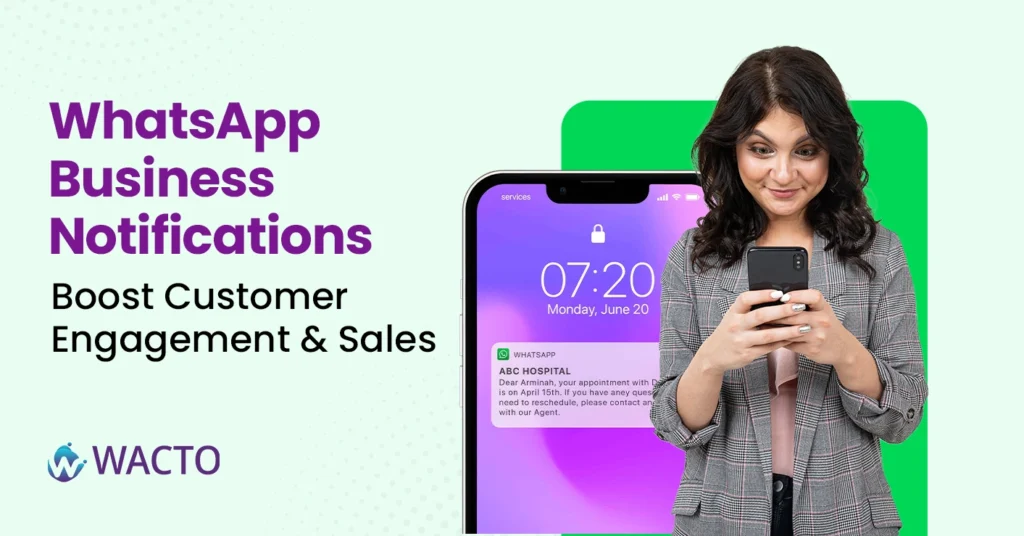
WhatsApp Business Notifications – Boost Customer Engagement & Sales If you have ever received a timely order update or appointment reminder on Whatsapp, you’ve already experienced the power of Whatsapp Business Notifications. In today’s fast-moving digital world, businesses can’t rely on email alone. Customers want instant updates in the apps they actually use. That’s why more companies are shifting to Whatsapp Business Services to keep customers informed, engaged, and ready to buy. In this blog, we’ll explore what Whatsapp Business Notifications are, why they’re such a game-changer for brands, and how you can use them strategically to boost customer engagement and sales. What are Whatsapp Notifications? Think of Whatsapp Notifications as your direct, instant line to your customers. Instead of sending an email that suits unread in an inbox, you send a secure, branded message straight into their Whatsapp chat. These notifications could include: Order Confirmations and delivery updates Appointment reminders and schedule changes Payment alerts and invoice. Personalized offers or Promotions Product restock or back-in-stock alert Important policy updates or announcements This isn’t spam – these are useful, opt-in messages that your customers actually expect and appreciate. Why Businesses are Moving to Whatsapp Online Notifications Over 2 billion people use Whatsapp every month. That’s a staggering potential audience. More importantly, Whatsapp online messages have an open rate of over 90% compared to around 20% for email. In other words, if you want your updates to actually be seen, Whatsapp is where you want to be. Here are some key reasons why companies are adopting Whatsapp Online Notifications. Speed – Messages are delivered instantly, ensuring time-sensitive updates reach customers right away. Trust – Whatsapp is a secure, familiar platform customers already use daily. Engagement – Higher open and response rates mean your notifications actually drive action. Personalization – You can tailor notifications to individual preferences or purchase history. This combination of reach, trust, and immediacy makes Whatsapp a powerful driver of both engagement and sales. How Whatsapp Push Notifications Boost Customer Engagement WhatsApp Push Notifications aren’t just about updates – they’re about keeping customers connected to your brand. Here’s how they enhance engagement. Real-Time Communication: Whether it is a delivery update or a reminder about an abandoned cart, your customers appreciate real time information. This proactive approach strengthens trust. Two-way interaction: Unlike email, Whatsapp allows immediate replies. Customers can respond to your notification to ask a question or request support, making it a two way communication. Personal Touch: With Whatsapp, even automated notifications feel personal. You can use the customer’s name, their order details, and a conversational tone. Frictionless Experience: Customers don’t have to download a new app or log into a separate portal. Everything happens right where they already chat with friends and family. Whatsapp Alert Notifications to Drive Sales Apart from engagement, WhatsApp alert notifications can also help generate revenue directly by guiding customers through every step of the purchasing process. Recover Abandoned Carts: Send soft WhatsApp alert notifications to customers when they abandon items in their carts, reminding them to finish the purchase. Upsell & Cross-Sell: Notify customers about additional products or upgrades to boost average order value. Limited-Time Offers: Send opt-in WhatsApp alert notifications with flash sales, special discounts, or limited-time offers to create a sense of urgency. Payment Reminders: Automate payment reminders for subscriptions, pending payments, or installment payments to minimize drop-offs. Post-Purchase Follow-Ups: Send reviews, feedback, or suggestions for related products after purchase to boost repeat sales. As WhatsApp messages are highly visible, instantly delivered, and interactive, WhatsApp alert notifications are one of the most effective tools for generating conversions and revenue. Types of Whatsapp Business Notifications Here are some practical notification categories you can deploy, Transactional Notifications – Order confirmations, shipment updates, refunds and invoices. Appointments and Events Notifications – Reminders, Cancellations, or rescheduling notices. Promotional Notifications – Limited time offers, coupons, product launches, or seasonal discounts. Support Notifications – Ticket updates, service alerts, or policy changes. Re-Engagement Notifications – Cart abandonment, win-back offers, or we miss you messages How to Implement Whatsapp Notifications for Business If you are wondering how to get started, here’s a step by step guide: Get Whatsapp Business API Access – Work with an official Whatsapp API Service Provider in India. This allows you to spend approved, automated notifications at scale. Collect Opt-ins – Whatsapp requires user consent before sending notifications. Add opt-in checkboxes on your website, apps, or checkout pages. Segment your Audience – Group customers by behaviour, purchase history, or demographics to send more relevant messages. Craft Clear, Friendly messages – Keep your notifications conversational. Include your brand name, be concise, and add a clear call to action button. Best Practices for Whatsapp Notifications Be Timely – Don’t bombard users, send notifications at moments they find useful. Stay Relevant – Personalize messages so they’re directly tied to a customer’s activity. Use Templates – Whatsapp requires message templates for outbound notifications, get them pre approved. Provide an Easy Opt-Out – Make it simple for customers to stop receiving notifications if they choose. Combine Automation With a Human Touch – For complex queries, route the chat to a live agent. Some of the Examples of Whatsapp Business API Notification E-commerce Brand – Sends an order confirmation instantly after purchase, then a shipping update with tracking link, and finally a feedback request after delivery. Healthcare Provider – Notifies patients of upcoming appointments, lab results availability, or new health packages. Financial Institution – Sends payment reminders, loan status updates, or fraud alerts securely. Education Platforms: Sends course enrollment confirmations, class reminders, or exam schedules. These examples show how universal Whatsapp notifications can be regardless of industry. Benefits of Using Whatsapp Business Notifications Over Traditional Channels Integrating Whatsapp Business Notifications with Automation For the best results, combine notifications with Whatsapp Business Automation tools or chatbots. This allows you to: Send notifications automatically based on triggers ( orders,
Best Whatsapp Live Chat Tool – Increase Sales and Conversion
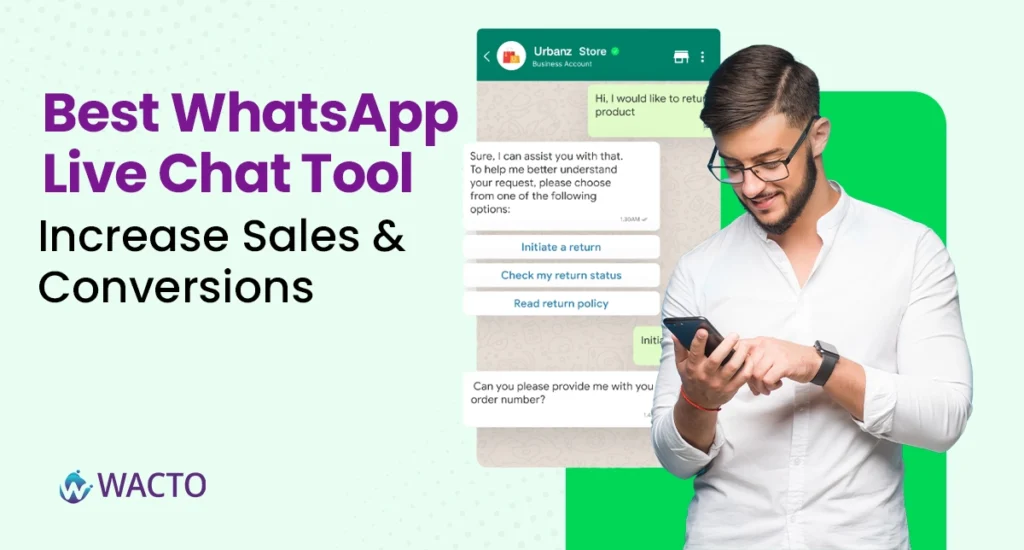
Best Whatsapp Live Chat Tool – Increase Sales and Conversion We’ve all been there: you’re scrolling a website, ready to buy or book, but you’ve got a quick question. You don’t want to fill out a long form or wait for an email reply. You just want a simple chat. That’s where a WhatsApp Live Chat Tool comes in — an instant, familiar way for visitors to connect with your business. This guide breaks down what a WhatsApp Live Chat Tool is, how it works, the key features to look for, and why adding one to your site can increase sales and conversions almost overnight. What is a WhatsApp Live Chat Tool? Think of a WhatsApp Live Chat Tool as a friendly digital door greeter for your website. It’s usually a small floating icon or button — technically called a WhatsApp Chat Button for Website — that lets visitors open a direct chat with you on WhatsApp in just one tap. Unlike traditional contact forms, this tool shifts the interaction into a channel people already know and trust. They don’t have to install anything or remember another password. They simply click and chat. This makes it ideal for e-commerce shops, service providers, and even B2B companies who want to reduce friction and boost customer engagement. How WhatsApp Live Chat Tool Works? Here’s a quick peek at how most of these tools function behind the scenes: Add the WhatsApp Chat Button to Your Website: Using a plugin, snippet, or integration, you place a small chat icon or a branded button that stands out. Visitors Click the Button: This could be a WhatsApp Contact Button, a WhatsApp Send Button, or even a WhatsApp Share Button, depending on your needs. WhatsApp Opens Instantly: The customer is taken straight to a WhatsApp conversation with your verified business number. Automated Greetings Fire: You can welcome them with a friendly message, FAQs, or quick links. Your Team or Bot Responds: Agents answer queries live, or a chatbot provides instant replies 24/7. Track and Improve: Most tools include analytics to measure chat volume, response times, and conversion rates. This seamless flow is why WhatsApp for customer service has become the go-to choice for businesses that value speed and authenticity. Key Features of the Best Whatsapp Live Chat Tool Not all tools are created equal. If you’re searching for the Best Whatsapp Chat Button Tool, here’s what to look for, Customizable Buttons: A good Whatsapp Button Generator lets you change colors, text, and placement to match your brand. Multiple Button Types: Whatsapp Contact Button to start chats Whatsapp Send Button to send information instantly. Whatsapp Share Button so visitors can spread your office. Whatsapp Video call button to enable live consultations. Whatsapp Block Button on the admin side to control spam or block unwanted contacts. Automation: Auto greet visitors, send FAQ’s or route chats to the right team. Team Inbox: A shared dashboard where multiple agents can respond to chats without confusion. Templates and Quick Replies: Save time with pre-approved messages. Analytics and Reporting: See which campaigns generate the most conversations and how fast your team responds. The more flexible the tool, the better you can tailor it to your sales funnel. Whatsapp Chat Buttons & Functionalist Explained To make this practical, lets break down the core Whatsapp Chat Buttons you might use: Whatsapp Contact Button: The basic “ chat with us” button that connects visitors directly to your business chat. Whatsapp Share Button: Lets your visitors share a page, product, or offer with their own Whatsapp contacts – a powerful word-of-mouth tool. Whatsapp Send Button: Commonly placed under forms or shopping carts to send data or order details directly to you. Whatsapp Video Call Button: Ads a high-touch option for live demos or consultations- especially useful for services, real estates, or healthcare providers. Whatsapp Block Button: A behind-the-scenes control for your admin team to block spammy users or unwanted leads. Tips for Choosing the Right Tool Match your Audience: If most of your customers use Whatsapp daily, a live chat tool is a no-brainer. Check Support & Compliance: Make sure your tool follows Whatsapp’s official policies and is approved as a Whatsapp Business API Provider. Integrate with CRM: Choose a solution that syncs, chats, notes, and leads directly into your sales or marketing system. Test Automation: Experiment with greeting messages, auto-responses, and templates to see which drives more engagement. Putting it All Together Real-Time Engagement: Customers get instant answers instead of waiting hours or days. Trust & Familiarity: People feel safer chatting on Whatsapp than submitting details into a random web form. Reduced Drop-Offs: If a customer hesitates to checkout, a chat button can rescue the sale. More Qualified Leads: Automated pre-chat questions can filter and qualify leads before your team steps in. Personalized Communications: Send product recommendations, discounts, or follow-ups tailored to each chat. In short, adding a Whatsapp Chat Button for Website transforms a passive visitor into an active conversation – and conversations convert. Conclusion: Adding a WhatsApp Live Chat Tool isn’t about adding another button to your website, it’s about building a bridge between your visitors and your team. When someone can ask a quick question via Whatsapp Contact Button, share your offer via Whatsapp Share Button, or even jump on a call through a Whatsapp Video Call Button, you’re removing friction and making it easier to buy from you. Combine that with automation, analytics, and a strong CRM connection, and you’ve got a full-fledged conversational commerce engine.
Best AI Chatbot for Healthcare Providers in India
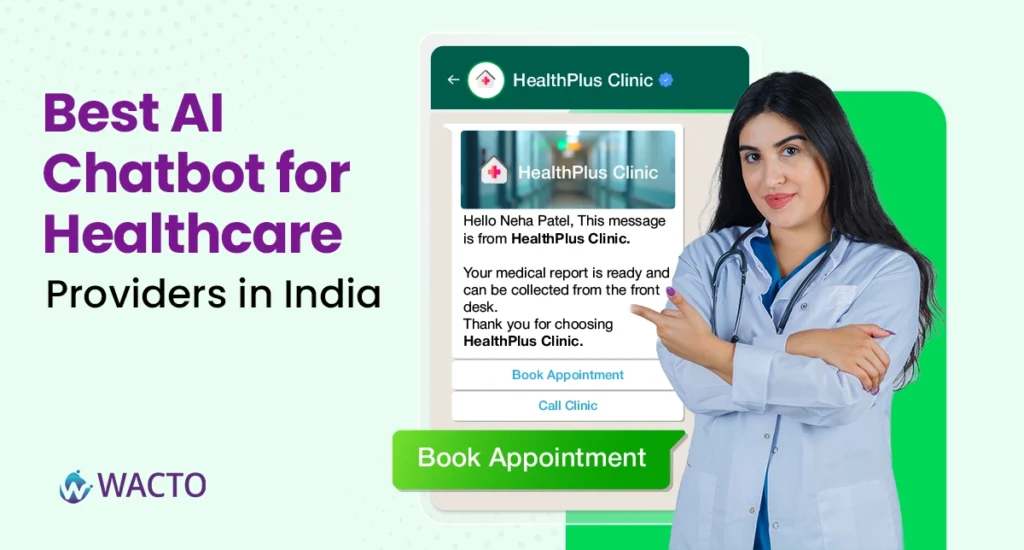
Best AI Chatbot for Healthcare Providers in India Healthcare is no longer just about appointments and prescriptions; it’s about patient experience. In a time when patients expect instant answers, digital access, and personalized care, a WhatsApp Chatbot for Healthcare in India can be the missing link between hospitals, clinics, and patients. Whether you are a multi-speciality hospital or a small clinic, the best healthcare chatbot can transform how you interact with patients. Here’s a closer look at why healthcare providers across India are adopting AI healthcare chatbots. Benefits of Healthcare Chatbot Instant Appointment Scheduling – Patients can book, reschedule, or cancel appointments 24/7 via WhatsApp. Automated Triage & FAQ’s – A medical chatbot answers common questions like clinic timings, services, or insurance coverage instantly. Prescription Reminders – Send reminders for medicines, follow-ups, or tests so patients never miss critical care steps. Multilingual Support – In a diverse country like India, healthcare chatbot solutions can converse in multiple languages for wider accessibility. Reduced Administrative Load: Front desk teams save hours daily while still giving patients quick, accurate information. How Healthcare Chatbots Improve Patients Experience A Whatsapp Medical Chatbot in India bridges the communication gap between patients and providers. Imagine a patient texting your clinic to ask about vaccination availability or lab test reports the chatbot replies instantly, books the appointment, and even follows up with reminders. This not only makes healthcare more efficient but also more human. Patients feel heard and cared for, while hospitals reduce phone congestion and waiting times. Use Cases of Medical Chatbot in Healthcare Appointment Booking & Cancellations Sharing Lab Reports & Test Results Follow-up Care Instructions Insurance & Billing Support Doctor Availability Notifications Patient Feedback Collection Emergency Care Guidance These use cases show how an AI chatbot for hospital management systems is not just a tool but a companion to your entire patient journey. Future of Medical Chatbots in Hospitals The future of healthcare chatbot solutions in India looks promising. As AI becomes more advanced, custom medical chatbot development will provide predictive health alerts, personalized wellness advice, and seamless integration with hospital CRMs and EMRs. Patients could receive tailored diet plans, medication adjustments, and even post-operative care tips, all through WhatsApp. Why Choose WhatsApp as Your Platform? WhatsApp is India’s most widely used messaging app. Using it for healthcare communication ensures your patients don’t need to download another app or learn a new interface. With healthcare chatbot integration and CRM, doctors can access real-time patient data, automate follow-ups, and enhance care coordination. Buy Healthcare Chatbot Software – Plans & Pricing Our healthcare chatbot services for hospitals come with transparent pricing & plans. Whether you’re a single doctor clinic or a large hospital network, you can pick a package that scales with your needs. Conclusion Best AI Healthcare Chatbot Provider: Simplify your hospital’s patient management. Healthcare Chatbot Services for Hospitals: Automate repetitive tasks, improve patient satisfaction. Medical Chatbot Solutions for Clinics: Affordable, scalable, and customizable. Healthcare Chatbot Integration with CRM: Connect your existing systems for seamless operations.







