Best WhatsApp Marketing Company in Coimbatore
Best WhatsApp Marketing Company in Coimbatore Your customers are already on WhatsApp. The real question is, are you using it for more than the occasional message? With the right WhatsApp marketing setup, businesses can generate leads, follow up with customers, promote products, answer customer questions, send updates, and automate repetitive conversations. If you are looking for a WhatsApp Marketing company in Coimbatore, this guide covers the key services, benefits, and considerations before hiring a provider. What Is WhatsApp Marketing? WhatsApp Business marketing is the way of engaging with customers, promoting products and services, and managing customer interactions through WhatsApp. It’s not just about sending out promotional messages. A WhatsApp Marketing Platform helps businesses build campaigns, automate conversations, send notifications, handle customer inquiries, and link WhatsApp to other business tools. For example, a retail business can promote a new product, a clinic can send appointment reminders, and an educational institute can follow up on admission inquiries – all through WhatsApp. Why Choose WACTO for WhatsApp Marketing in Coimbatore? It’s hard to manage hundreds or thousands of customer conversations manually, and it can get out of hand fast. WACTO helps businesses bring WhatsApp communication, automation, client engagement, and business messaging solutions into one platform. With WACTO, businesses can explore: WhatsApp Business API: Manage business communication through an official WhatsApp Business solution. Bulk Messaging: Send relevant campaigns and updates to registered customers. Automation: Automate repetitive messages, follow-ups, and customer workflows. Chatbots: Respond to common questions and collect lead information automatically. CRM integration: Connect WhatsApp conversations with customer and sales workflows. These WhatsApp Marketing Benefits can help businesses spend less time on repetitive tasks and more time on conversations that actually need their attention. WhatsApp Marketing Services in Coimbatore Businesses use WhatsApp for promotions, lead generation, customer support, and automation. The right WhatsApp Marketing Service in Coimbatore depends on your communication goals and business needs. WhatsApp Business API Services WhatsApp API can help manage scalable messaging, customer notifications, follow-ups, and integrations with CRM systems and other business applications. Explore our WhatsApp Business API Services in Coimbatore to streamline your business communication. WhatsApp Bulk Messaging Services WhatsApp Bulk Messaging Services in Coimbatore make it easier to send offers, announcements, and updates to registered customers at scale using an approved WhatsApp message sender. WhatsApp Automation Services WhatsApp Marketing Automation helps you automate repetitive tasks such as responding to inquiries, sending reminders, following up on leads, and updating customers using pre-defined workflows. WhatsApp Chatbot Services A WhatsApp Business Chatbot can conduct basic conversations, respond to questions, collect customer information and qualify leads, freeing up teams to handle more complex issues. Explore and learn how WACTO, a leading WhatsApp Chatbot Service in Coimbatore, helps businesses automate conversations. WhatsApp CRM Integration WhatsApp CRM Software links customer conversations to CRM records for better lead management, interaction recording, and follow-up tracking. WhatsApp Broadcast WhatsApp Broadcasts send relevant offers, announcements, and updates to selected audiences. Businesses must comply with applicable consent requirements and WhatsApp messaging policies. Benefits of WhatsApp Marketing for Businesses in Coimbatore WhatsApp marketing helps businesses in Coimbatore reach local customers, generate quality leads, and promote products through targeted messages. Benefit Uses Reach More Local Customers Connect with potential customers with targeted promotions, service notifications, and personalized messages. Generate Quality Business Leads Use WhatsApp automation to understand customer needs, generate inquiries, and find potential buyers. Send Bulk WhatsApp Messages Share promotions and business updates to registered customers without sending messages individually. Promote Products and Services Display products, promote deals, distribute catalogs, and encourage customers to inquire or reserve bookings. Improve Customer Engagement Deliver quick responses and useful updates to build stronger relationships with your customers. Increase Sales and Conversions Timing and accuracy in responses and follow-ups are key to guiding a customer from initial inquiry to purchase. WhatsApp Marketing Solutions for Different Industries in Coimbatore WhatsApp Marketing Solutions for Small Businesses can help organizations promote their offerings, manage enquiries, and stay connected with customers. WhatsApp Marketing for Education Schools, Colleges, and Training Institutes can share Course details, Admission Updates, Event Announcements, and follow-ups on Inquiries through WhatsApp. WhatsApp Marketing for Healthcare Clinics can send appointment reminders, share general information about services, and manage regular patient communication, while also protecting sensitive data. WhatsApp Marketing for Real Estate Real estate companies can communicate property details, brochures, project updates, and site visit information with potential buyers through WhatsApp. WhatsApp Marketing for Retail and Ecommerce Retailers and e-commerce businesses can promote new products, inform customers about offers, answer product questions, and send order updates through WhatsApp. Moreover, WhatsApp marketing helps businesses in the banking, automotive, hospitality, and travel sectors achieve growth across a variety of industries. WhatsApp Marketing Software for Coimbatore Businesses The right WhatsApp Marketing Software for small businesses should help you manage customer communications easily. Look for WhatsApp Business Messaging Software that offers: Automated messages & follow-ups chatbot flow CRM and API integration Team discussion conversation management Campaign reporting & analytics How to Choose a WhatsApp Marketing Company in Coimbatore Choosing a WhatsApp Marketing Company in Coimbatore should not be based only on pricing or features. Consider your business needs and target audience across key Coimbatore areas such as Gandhipuram, RS Puram, Peelamedu, Saravanampatti, Saibaba Colony, and Singanallur. Before selecting a WhatsApp Marketing Provider, consider these key factors: Official WhatsApp support: Verify that the official WhatsApp Business platform is supported. Automation features: Verify that the solution supports your messaging and follow-up workflows. CRM integration: Make sure it integrates with your existing business software. Pricing transparency: Get to know the platform fees, setup costs, integration fees, and any additional messaging fees. Support and security: Review technical support, data handling, and messaging compliance. A good WhatsApp Marketing Solutions Provider must offer you the features and support to help your business grow. FAQs About WhatsApp Marketing in Mumbai What Are the Benefits of WhatsApp Marketing for Businesses? WhatsApp marketing helps businesses to promote products, generate leads, engage customers, and automate routine communication. WhatsApp
Top 10 AI Chatbot Development Companies in Coimbatore
Top 10 AI Chatbot Development Companies in Coimbatore AI chatbots help businesses to automate customer support, generate leads, answer enquiries, and manage customer conversations. For businesses searching for AI Chatbot Development Companies in Coimbatore, choosing the right provider depends on its AI capabilities, WhatsApp integration, customization options, pricing, and ongoing support. Today’s AI-powered chatbots can understand customer intent, deliver relevant information, integrate with CRM systems, and provide automated workflows on websites and messaging platforms. If you are researching the top chatbot development companies in Coimbatore, these 10 companies are worth evaluating: WACTO Pixous Technologies ICore Software Technologies Nxtlogic Software Solutions DigiCovAI Zynfo AI AutomateX.ai Skein Technologies TryowBOT WappCloud The best choice depends on your project needs, whether you’re looking for WhatsApp automation, customer support bots, CRM integrations, or custom AI development. Why Choose WACTO for AI Chatbot Development in Coimbatore? WACTO offers business messaging and automation solutions to help businesses with customer communication and lead generation. Its WhatsApp-focused features are useful for companies looking to automate conversations, manage customer inquiries and integrate messaging workflows with business processes. Businesses looking for an AI Chatbot Company in Coimbatore should compare the available features, integration requirements, scalability, and support before choosing a provider. Top 10 AI Chatbot Development Companies in Coimbatore Note: This is not an independent ranking. The list is a starting point for evaluating companies in the space of AI chatbot, conversational AI, automation or related software services. Before making a decision, verify the current services, local presence and project capabilities of each company. Company Best Suited For AI / Chatbot Focus Notable Capabilities WACTO WhatsApp automation and lead generation AI chatbots and conversational automation WhatsApp API, CRM, automation, omnichannel messaging Pixous Technologies Custom chatbot solutions AI chatbot services Chatbot customization, software development ICore Technologies Business software solutions Custom chatbot development Software customization, integrations Nxtlogic Software Solutions Conversational automation Conversational AI Chatbot workflows, software integration DigiCovAI AI-driven automation AI chatbot solutions Business process automation Zynfo AI Customer support AI support chatbots Customer queries, chatbot integrations AutomateX.ai WhatsApp automation WhatsApp chatbot development Messaging workflows, automation Skein Technologies Custom technology solutions AI-powered chatbots AI development, software solutions TryowBOT Chatbot integration Chatbot integration services Communication automation, integrations WappCloud Enterprise messaging Enterprise AI chatbots Business messaging, chatbot solutions WACTO WACTO is designed around the WhatsApp Business API, client engagement, and communication automation. Businesses can test its solutions for automated customer conversations, lead management, and messaging workflows. Best suited for: WhatsApp automation, lead generation, and customer engagement. Pixous Technologies Pixous Technologies is on this shortlist for your consideration when researching technology vendors for your chatbot and software development needs. Businesses should try out its current AI chatbot offerings and integration capabilities firsthand. Best suited for: Businesses looking for personalized chatbot and software solutions. ICore Software Technologies ICore Software Technologies is mentioned for companies exploring personalized software and chatbot development services. Before engaging, confirm whether its current offerings include AI-driven conversations, third-party integrations, and continuous chatbot maintenance. Best suited for: personalized development and business software requirements. Nxtlogic Software Solutions Nxtlogic Software Solutions is listed as a potential vendor to evaluate for software development and conversational automation engagements. Businesses should evaluate their experience with AI models, chatbot workflows, and integrations. Best suited for: Businesses interested in conversational automation. Qantler Technologies DigiCovAI is included in the list for businesses researching AI-related chatbot and automation solutions. Before shortlisting a company, confirm its current service scope, supported platforms, and business process automation experience. Best suited for: Businesses looking for AI-enabled automation. Zynfo AI Consider Zynfo AI when exploring AI-based customer support and chatbot solutions. Businesses should check the available features, including human-agent handoff options, analytics, and integration support. Best suited for: Customer inquiries and support automation, subject to verified requirements. AutomateX.ai AutomateX.ai is included as a provider to investigate messaging and workflow automation requirements. Businesses looking to construct a WhatsApp chatbot should confirm WhatsApp Business API functionality and integration choices. Best suited for: Businesses exploring WhatsApp-based automation. Skein Technologies Skein Technologies is being considered for research on chatbots and technology solutions. Before choosing a company, consider its current portfolio, AI development capabilities and familiarity with unique business workflows. Best suited for: Businesses evaluating AI and software development services. TryowBOT TryowBOT is included for businesses looking for chatbot integration and automate customer communications. Confirm its supported channels, integration methods, customization possibilities, and post-launch support. Best suited for: Businesses seeking chatbot integration. TryowBOT Businesses who are looking for enterprise chatbot and messaging solutions can look into WappCloud. Organizations should verify their current AI capabilities, supported communication routes, security measures, and integration choices. Best suited for: Businesses researching enterprise messaging and chatbot requirements. Best AI Chatbot Development Services for Businesses Choosing among the Best AI Chatbot Companies in Coimbatore starts with understanding the services your business needs. AI Chatbot Development and Integration AI Chatbot Development Services in Coimbatore can include custom chatbot workflows, AI-powered responses, integration with CRM, API connections, and deployment across business platforms. Explore how WACTO, a Best AI Chatbot Development Company in India, helps businesses automate conversations WhatsApp Chatbot Development Services WhatsApp chatbot can help businesses automate client inquiries, qualify leads, send notifications, schedule appointments, and provide customer support via the WhatsApp Business API. Find out how WhatsApp Chatbot Services in Coimbatore help small businesses automate daily communication. Website Chatbot Solutions Website chatbots can answer visitors’ questions, collect inquiries, offer appropriate services, and guide potential customers to the next step. Customer Support Automation Chatbot Automation Services in Coimbatore can automate repetitive queries, provide information outside business hours, and direct complex requests to human support teams. CRM Integration and Workflow Automation CRM integration connects chatbot chats to customer records, lead assignments, follow-up processes, and sales workflows. API connectors can expand automation to other business applications. Industries Using AI Chatbots in Coimbatore AI chatbots can support customer communication across a wide range of industries. AI Chatbots for Healthcare Healthcare chatbot providers can use them to automate appointment enquiries, provide clinic information, send reminders, and offer basic patient support. AI Chatbots for Real Estate
How to Choose the Best WhatsApp Marketing Tool for Your Business
How to Choose the Best WhatsApp Marketing Tool for Business WhatsApp marketing tool has become a game-changer for businesses looking to engage customers more effectively. With over two billion active users, WhatsApp provides a powerful platform for interacting with potential customers, sending promotional messages, and offering instant customer support. However, choosing the best WhatsApp marketing tool for your business requires careful consideration. In this guide, we’ll explore the key factors to consider when selecting a WhatsApp Business API provider in India to enhance your marketing efforts. What is a WhatsApp Marketing Tool and How Does It Work? A WhatsApp marketing tool helps businesses send bulk messages, automate replies, manage customer interactions, and provide real-time support through the WhatsApp platform. These tools are usually powered by the WhatsApp Business API, allowing companies to streamline communication, improve customer engagement, and handle marketing campaigns more efficiently. There are different types of whatsapp marketing tools available for businesses based on their needs. Choosing the right software depends on your business size, goals, and marketing strategy. WhatsApp Business App – Best for small businesses to chat with customers, send quick replies, and manage daily conversations easily. WhatsApp Business API – Ideal for growing and large businesses to send bulk messages, automate responses, and manage customer support. AI WhatsApp Chatbots – Smart tools that provide instant replies, 24/7 customer support, and automate conversations to improve engagement. Key Features of WhatsApp Marketing Tool for Business Official WhatsApp API Access One of the first factors to consider is whether the provider offers official WhatsApp Business API access. The API allows businesses to send secure and scalable messages, ensuring compliance with WhatsApp policies. Always opt for the best WhatsApp API provider that offers legitimate API access. Easy Integration with CRM and Business Tools Your chosen tool should be easy to integrate with your existing CRM, e-commerce platform, or customer service software. Look for a WhatsApp API service provider that provides comprehensive documentation, plugins, and developer support to ensure a smooth integration process. Bulk Messaging Software Capabilities A good WhatsApp marketing should support bulk messaging software without violating WhatsApp policies. Check whether the tool offers personalization options, allowing you to customize messages based on customer preferences. Automated Chatbots and AI Features Automation is essential for scaling your business. The best WhatsApp chatbot for Business in India will offer AI-powered chatbots that handle customer inquiries, send automated responses, and assist with lead generation. Rich Media Support An effective whatsapp marketing campaign is not just about text messages. Your tool should support multimedia messages, including images, videos, PDFs, and voice notes, to make your communication more engaging. Message Analytics and Reporting Data-driven decisions are crucial for marketing success. Choose a tool that offers detailed analytics and reporting features. This helps in tracking delivery rates, open rates, and response rates, enabling you to refine your marketing strategies. Security and Compliance Data privacy is a major concern when using WhatsApp business API tool. Ensure the provider follows strict security protocols and complies with data protection regulations to safeguard customer information. Customer Support and Service A reliable WhatsApp Business API Platform offer robust customer support to help businesses resolve technical issues and maximize the customer service benefits. WhatsApp Marketing API Pricing Explained (Costs & Plans) The pricing depends on the provider and the features they offer. Some providers charge a flat fee, while others follow a pay-per-message model. Compare different pricing plans and choose the one that aligns with your budget and WhatsApp business API cost needs. How to Implement WhatsApp Marketing Successfully (Step-by-Step Guide) Getting started with WhatsApp marketing is simple when you follow the right steps. Choose the Right WhatsApp Business API Provider Selecting the best WhatsApp API Service provider is the foundation of your marketing strategy. Evaluate different providers based on the features discussed earlier and choose the one that meets your business requirements. Set Up Automated Workflows Leverage WhatsApp automation to streamline communication. Set up workflows for customer inquiries, order confirmations, appointment reminders, and follow-up messages. Personalize Your Messages Customers engage more with whatsapp API personal use messages. With customer data to tailor messages according to their preferences and past interactions. Monitor and Optimize Consistently track the performance of your WhatsApp Marketing Software. Use analytics tools to measure engagement rates and tweak your strategy accordingly. Benefits of Using WhatsApp Marketing for Business Growth Marketing via WhatsApp allows companies to communicate directly with their customers using personalized messages, which feels natural for them. In addition, marketing via WhatsApp has great open rates, which makes it one of the most powerful means of promotion. Moreover, marketing via WhatsApp can be automatized and allow quick responses, helping to save time and make more sales. Common Mistakes to Avoid in WhatsApp Marketing WhatsApp marketing is powerful, but small mistakes can hurt your results and even block your number. Here are the most important mistakes to avoid, explained in a simple way: Sending Messages Without Permission Never message users without their consent. This can lead to complaints and account restrictions. Always use opt-in methods like website forms or sign-ups. Spamming Too Many Messages Sending too many messages will annoy users. Keep your communication limited and meaningful. Quality matters more than quantity. Ignoring Customer Replies WhatsApp is a two-way platform. If customers reply and you don’t respond, it creates a bad experience. Always engage quickly. No Clear Call-to-Action (CTA) Every message should guide the user. Add simple CTAs like “Shop Now,” “Learn More,” or “Reply YES.” Using Unapproved or Bulk Messaging Tools Avoid unofficial tools for bulk messaging. They can get your number banned. Always use trusted WhatsApp Business API tools. Poor Timing of Messages If you don’t track results, you won’t know what works. Monitor open rates, replies, and conversions regularly. Conclusion Choosing the right WhatsApp marketing tool can significantly enhance your business communication and customer engagement. By selecting a reliable Whatsapp Business API provider in India, you can ensure seamless messaging, automation, and scalability for your marketing efforts. Compare different providers, consider key features, and
How to get WhatsApp green tick
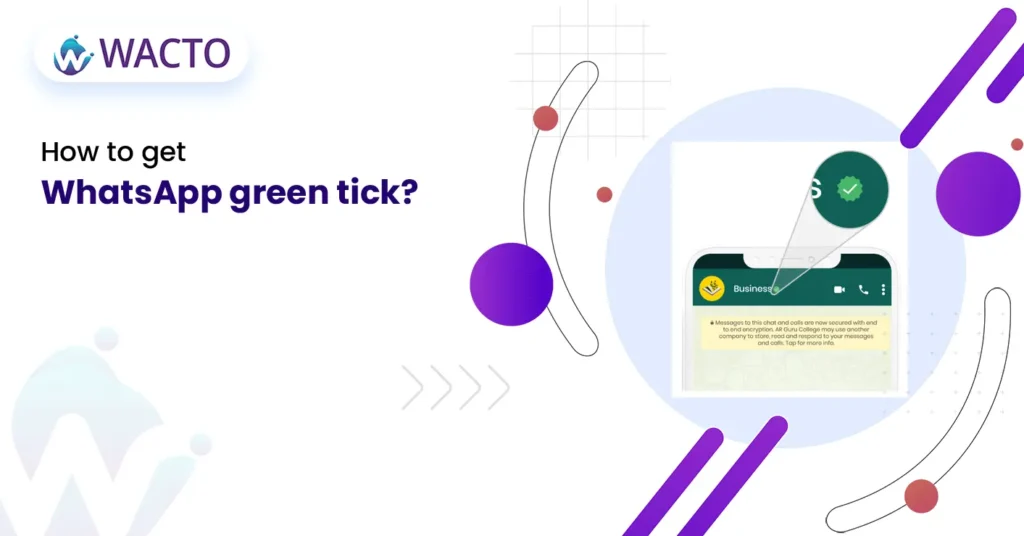
How to Get Whatsapp Green Tick “WhatsApp is one of the most widely used messaging apps globally, and it’s no surprise that the app is increasingly being turned to by businesses and individuals to communicate with their customers and contacts.One important feature of WhatsApp is the green tick, which indicates that a message has been delivered and read by the recipient.In this blog, it will be discussed how the coveted green tick can be obtained on WhatsApp.” Enable Read Receipts Firstly, to get the green tick, read receipts need to be enabled in your WhatsApp settings.This option allows for the delivery and reading status of your message to be seen by you.To do this, Settings > Account > Privacy should be accessed, and the Read Receipts option should be toggled on. Ensure the Recipient has Read Receipts enabled It’s important to note that the green tick will only appear if the recipient also has read receipts enabled in their WhatsApp settings. If they have disabled this option, you won’t be able to see when they have read your message. In this case, you will only see a single tick, indicating that the message has been delivered. Send the Message Once you have enabled read receipts and confirmed that the recipient also has this option enabled, it’s time to send the message. You can send a text message, photo, video, voice message, or any other type of media through WhatsApp. Wait for the Green Tick After you have sent the message, you will see a single grey tick next to the message. This indicates that the message has been successfully delivered to the recipient’s phone. If the recipient reads the message, the grey tick will turn into a green tick, indicating that the message has been read. Consider using other tools like WACTO’s WhatsApp API to confirm the message deliveryIt’s worth noting that while the green tick is a useful indicator that your message has been delivered and read, it’s not foolproof. There are cases where the green tick may not appear even if the message has been read, such as if the recipient has turned off read receipts, or if there is an issue with the recipient’s phone or internet connection. In such cases, it’s a good idea to use other tools such as a phone call or text message to confirm that the message has been received. Avoid sending spam message It’s important to note that WhatsApp has strict rules against spam messages, and sending such messages can result in your account being banned. To avoid this, make sure that you only send messages to contacts who have given you permission to do so, and avoid sending unsolicited messages or messages that may be considered spam. Conclusion Getting the WhatsApp business green tick is a simple process that requires you to enable read receipts, ensure the recipient has this option enabled, send the message, and wait for the green tick to appear. However, it’s important to note that the green tick is not a foolproof indicator of message delivery and read status. By following these guidelines, you can effectively use WhatsApp to communicate with your contacts and customers. The simplest way to get your green tick on WhatsApp is just to give WACTO a call, and we will take care of it.