From Start to Success: Implementing WhatsApp API Services for Your Business
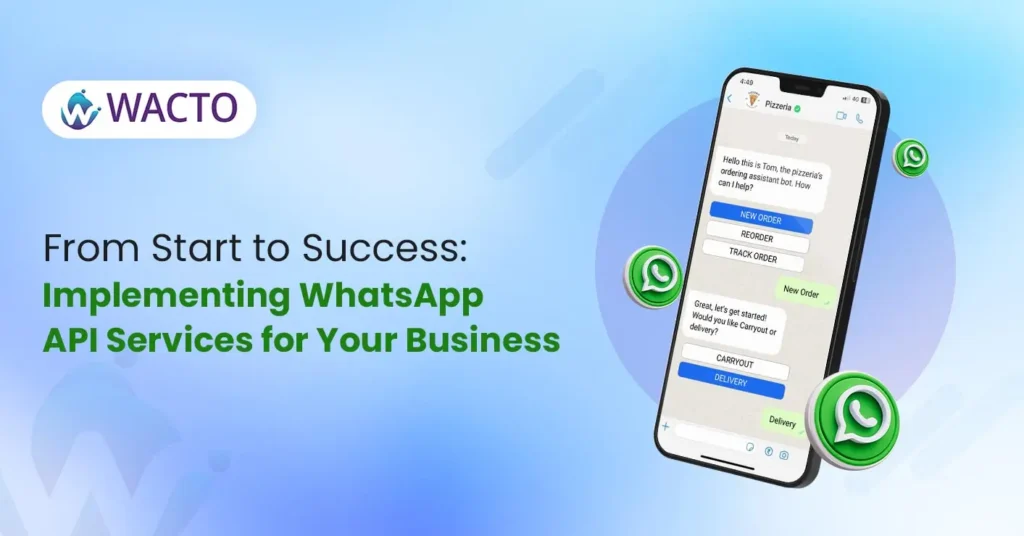
Implementing WhatsApp API Services In today’s digital age, effective and timely communication is key to business success. WhatsApp, with its massive user and global popularity, has emerged to be a crucial platform for businesses to connect with their customers instantly. Leveraging WhatsApp API services can elevate your business communication strategy and drive growth. In this comprehensive guide, we’ll explore how businesses can implement WhatsApp API services from start to success, with a focus on choosing the right provider like WACTO. Understanding WhatsApp API Services WhatsApp API services enable businesses to integrate WhatsApp messaging capabilities into their existing communication infrastructure. This allows businesses to send notifications, alerts, updates, and engage in two-way conversations with customers directly through the WhatsApp platform. By leveraging WhatsApp API services, businesses can enhance customer engagement, streamline communication processes, and deliver personalized experiences. The Benefits of WhatsApp API Services Enhanced Customer Engagement: WhatsApp API services enable businesses to engage with customers in real-time, fostering meaningful interactions and building stronger relationships. Streamlined Communication: With WhatsApp API, businesses can automate communication processes, send targeted messages, and provide timely support to customers, leading to improved efficiency and productivity. Personalized Experiences: WhatsApp API allows businesses to deliver personalized messages based on customer preferences, behavior, and interactions, creating a more tailored and engaging experience for users. Increased Reach: With WhatsApp’s widespread popularity, businesses can reach a broader audience and connect with customers across geographies, driving brand awareness and market penetration. Secure and Reliable: WhatsApp API services offer end-to-end encryption and robust security measures, ensuring that customer data and communication remain safe and protected. Implementing WhatsApp API Services for Your Business Selecting the Right Provider: Choosing the right WhatsApp API service provider is crucial for successful implementation. Look for providers like WACTO that offer comprehensive solutions, reliable support, and a proven track record of delivering results. Integration and Setup: Once you’ve chosen a provider, work with their team to integrate WhatsApp API into your existing systems and platforms. Ensure seamless integration and thorough testing to avoid any disruptions in communication. Customization and Configuration: Customize your WhatsApp API setup to align with your business needs and objectives. Configure settings, templates, and messaging workflows to deliver optimal results and meet customer expectations. Training and Onboarding: Provide training and onboarding sessions for your team to familiarize them with the WhatsApp API platform and its features. Ensure that team members understand how to use the platform effectively for communication and engagement. Monitoring and Optimization: Continuously monitor the performance of your WhatsApp API services and make necessary adjustments to optimize results. Analyze metrics, gather feedback from customers, and refine your communication strategies to drive better outcomes. Why Choose WACTO as Your WhatsApp API Service Provider WACTO stands out as a leading WhatsApp API service provider, offering comprehensive solutions tailored to your business needs. With years of experience in the industry, a team of experts, and a commitment to excellence, WACTO ensures seamless implementation and ongoing support for your WhatsApp API services. As the best WhatsApp API service provider, WACTO is dedicated to helping your business succeed in today’s digital landscape. Conclusion Implementing WhatsApp API services is a strategic move for businesses looking to enhance communication, drive engagement, and achieve growth. By choosing the right provider like WACTO and following best practices for implementation, businesses can unlock the full potential of WhatsApp API services and pave the way for success. Contact WACTO today to learn more about our WhatsApp API solutions and take your business communication to the next level.
Revolutionize Your Messaging: How To Schedule WhatsApp Messages with WACTO
How to Schedule WhatsApp Messages With WACTO WhatsApp has become one of the most popular messaging platforms for both personal and business use. However, keeping up with messages can be challenging, especially when you have a busy schedule. That’s where schedule whatsapp message comes in handy. With WACTO’s innovative features, you can revolutionize your messaging experience by scheduling messages to be sent at the perfect time. In this blog, we’ll explore how to schedule a message in whatsapp effectively and the benefits it can bring to your communication strategy. Introduction of WhatsApp Message Scheduling WhatsApp message scheduling lets you compose messages in advance and send them later. You can easily schedule birthday wishes, reminders or promotional messages. This feature helps you save time and stay organized. With WACTO’s simple and user-friendly interface, can you schedule messages on WhatsApp in just a few clicks. It’s the perfect tool for busy individuals and businesses who want to stay connected easily. How to schedule messages on WhatsApp with WACTO To schedule WhatsApp messages with WACTO, follow these simple steps: Step 1: Log in to your WACTO account Step 2: On the left side, navigate to broadcast option Step 3: Click on Create New Broadcast Step 4: Enter all the necessary campaign details Step 5: On schedule option select Schedule, few more options will appear. Select the date and time you want to broadcast. Review your scheduled messages and make any necessary edits before confirming. With WACTO’s scheduling feature, you can schedule messages to be sent to individual contacts or groups, making it ideal for both personal and business use. Whether you want to send reminders to clients, updates to team members, or birthday wishes to friends and family, scheduling WhatsApp messages with WACTO ensures that your messages are delivered at the perfect time. WhatsApp message scheduling lets you compose messages in advance and send them later. You can easily schedule birthday wishes, reminders or promotional messages. This feature helps you save time and stay organized. With WACTO’s simple and user-friendly interface, can you schedule messages on WhatsApp in just a few clicks. It’s the perfect tool for busy individuals and businesses who want to stay connected easily. Schedule your messages easily with WACTO and smart broadcast scheduling — simple, fast, and effective. Benefits of Schedule Message in WhatsApp Schedule WhatsApp message offers a range of benefits for both individuals and businesses: Save time: Schedule your WhatsApp messages in advance and automatically send them later. This helps you save time and reduce efforts in daily communication. Stay organized: Plan and schedule your messages ahead of time to stay organized. You’ll never miss sending important updates or reminders again. Improve communications: Send messages at the best time for your audience. Scheduled delivery ensures that your messages are read and receive prompt responses. Reach a global audience: With WACTO’s scheduling feature, you can choose different send times for each region. Helps you connect with people from different time zones effectively. Can we Schedule a Message in WhatsApp With WACTO Yes, Scheduling WhatsApp messages offers a convenient way to streamline communication and ensure timely delivery of important information. Here are few practical use cases for scheduling WhatsApp messages: Marketing Campaigns: Plan and schedule promotional messages or marketing campaigns to reach your target audience at the most effective times, maximizing engagement and conversion rates. Product Launches and Announcements: Schedule announcements for product launches, new arrivals, or special offers to create buzz and excitement around your brand or business. Event Invitations: Schedule event invitations or reminders for upcoming gatherings, parties, or webinars, ensuring that your guests receive timely notifications and RSVPs. Customer Support Responses: Schedule automated responses to common customer queries or support requests, providing quick and efficient assistance even outside of regular business hours. Appointment Reminders: Schedule appointment reminders for meetings, appointments, or events, helping you and others stay organized and on track with their schedules. Educational Reminders: Schedule reminders for educational purposes, such as study tips, exam schedules, or assignment deadlines, helping students stay organized and focused on their academic goals. Travel Itineraries: Schedule travel itineraries, flight details, or hotel reservations for yourself or others, ensuring that important travel information is readily available when needed. Birthday Wishes and Anniversaries: Schedule heartfelt birthday wishes or anniversary greetings in advance, ensuring that you never miss an important occasion for your friends, family, or colleagues. Holiday Greetings: Prepare and schedule holiday greetings or festive messages for special occasions like Christmas, New Year’s, Diwali, or Eid, spreading joy and goodwill to your contacts. Personal Reminders: Schedule personal reminders for tasks, errands, or goals, helping you stay productive and on top of your priorities in your personal and professional life. Conclusion In conclusion, scheduling WhatsApp messages with WACTO is a powerful tool for revolutionizing your messaging experience. Whether you’re a busy individual or a business owner, scheduling messages can help you save time, stay organized, and improve communication with your contacts. With WACTO’s advanced features, scheduling messages has never been easier. So why wait? Start scheduling WhatsApp messages with WACTO today and take your messaging strategy to the next level.
Best WhatsApp Business API for Retail Businesses in India

Best WhatsApp Business API for Retail Businesses in India India’s retail sector is rapidly changing. The fast pace of digital transformation has changed the way consumers think about shopping, and businesses must adapt accordingly. Consumers today expect instant replies with best retail business in india, customized experiences and uninterrupted interaction — which is where the WhatsApp Business API really changes things. With more than five hundred million users, WhatsApp is one of the world’s leading platforms for connecting with customers. Consequently, retail companies – both large chains are now using WhatsApp Business API to communicate with their customers, increase sales, and enhance service quality. WhatsApp helps retailers run marketing campaigns, send update notifications, and much more. This blog will explore why retail businesses in India need WhatsApp Business API, the best tools and software available, and how automation can drive real growth. Why Retail Businesses in India Need WhatsApp Business API Retail businesses are working in a highly competitive environment where the customer experience often determines success. Phone calls and emails are no longer enough — traditional communication methods. Customers want fast, convenient messaging—and WhatsApp delivers just that. Changing Customer Behavior in India More and more Indian consumers are mobile-first. They shop around, they compare prices, and they can even make buying decisions straight from their smartphones. Messaging apps have become a natural communication channel and WhatsApp is on the top. Using WhatsApp Business API, retailers can communicate with customers in real time. Businesses can be with customers every step of the way, from answering product questions to sharing offers and confirming orders. Personalized Communication at Scale One of the biggest advantages of the WhatsApp API is the ability to customize communication. businesses can customize content based on customer preferences, purchase history and behavior instead of sending generic messages. For instance, a clothing store can send recommendations based on previous purchases, and an electronics store can notify about relevant product launches. This kind of personalization builds trust and increases conversion rates. Improved Customer Support Experience Customer service is an important element of retail. If you’re slow to answer, you could lose sales and get bad reviews. With WhatsApp Business API, businesses can offer instant support via chatbots and live agents. Best Retail Software with WhatsApp Business API Integration The right software is required by retail businesses to maximize the use of WhatsApp Business API. It integrates with retail systems such as CRM, inventory management, and billing software for retails for better customer engagement. Seamless CRM Integration Today’s retail software integrate CRM with WhatsApp, enabling companies to efficiently manage customer data. You can track and analyze every interaction, from inquiries to purchases. This allows companies to understand how customers behave and to develop targeted WhatsApp marketing campaigns. For example, retailers can identify high-value customers and deliver exclusive offers directly through WhatsApp. Inventory and Order Management Sellers often struggle to deal with stock orders and updates. WhatsApp API integration allows groups to automate stock availability notifications, order confirmations, and delivery updates. This reduces manual effort and ensures that customers are kept informed. A well-informed customer is more likely to embrace the brand and make a repeat purchase. Billing and Payment Integration Another important feature of retail software is billing integration. Businesses can send invoices, payment reminders, and even payment links via WhatsApp. This simplifies the buying process and encourages faster transactions. Customers appreciate the convenience of making payments directly through a familiar platform. Top WhatsApp Business API Solutions for Retail Choosing the right WhatsApp Business API provider in India is essential for success. Different providers offer unique features, pricing models, and levels of support. Cloud-Based WhatsApp API Providers Cloud-based solutions are ideal for retail businesses in India looking for flexibility and scalability. These platforms allow businesses to quickly set up WhatsApp automation without heavy technical requirements. They also provide features like chatbot integration, analytics dashboards, and WhatsApp campaign management tools, making them suitable for growing businesses. Enterprise-Level Solutions Large retail chains often need better responses with high scalability and protection. Enterprise-level WhatsApp API companies in India offer robust infrastructure, multi-person access rights, and advanced automation capabilities. These solutions are designed to handle high volumes of customer interactions while maintaining performance and reliability. Custom WhatsApp API Development Some companies choose a response that is customized to their specific needs. Custom enhancements allow retailers to create specific workflows, integrate with existing structures, and create personalized buyer journeys. While this approach requires higher investment, it offers greater control and flexibility in the long run. Best WhatsApp Marketing Tools for Retail Businesses Marketing is at the heart of retail success, and WhatsApp has emerged as one of the most effective marketing channels. Broadcast Campaigns for Promotions WhatsApp allows businesses to send WhatsApp broadcast messages to multiple customers at once. Retailers can use this feature to promote sales, new arrivals, and special discounts. Unlike traditional SMS or email marketing, WhatsApp messages have significantly higher open rates, ensuring better visibility and engagement. Customer Segmentation and Targeting Effective advertising and marketing requires proper audience segmentation. The WhatsApp marketing tool allows businesses to categorize customers primarily based on demographics, purchase records, and followers. This helps get usable content into the hands of the right audience, improving your chances of conversion. Rich Media Marketing WhatsApp supports images, videos, and documents, making it a powerful platform for visual marketing. Retailers can showcase products, share catalogs, and even send video demonstrations. Visual content captures attention and helps customers make informed decisions quickly. Key Benefits of WhatsApp Business API for Retail Growth The adoption of WhatsApp Business API offers many benefits that directly impact retail growth. Higher Engagement Rates WhatsApp messages are more likely to be opened and read compared to emails or SMS. This leads to higher engagement and better communication with customers. Retailers can build stronger relationships by staying connected and responsive. Faster Conversion Rates Quick responses and personalized communication reduce friction in the buying process. Customers can get instant answers and make decisions faster. This results in improved conversion rates
How to get WhatsApp green tick
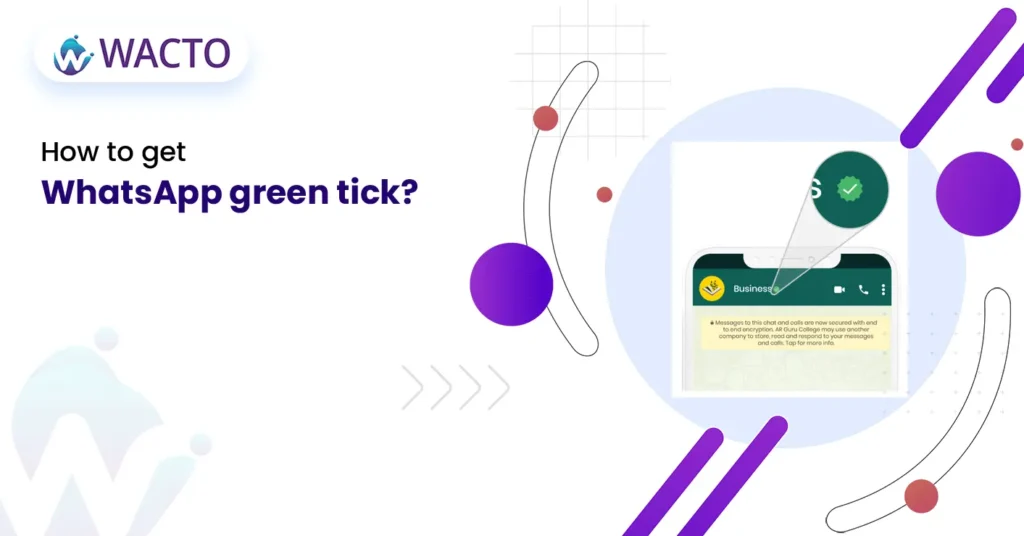
How to Get Whatsapp Green Tick “WhatsApp is one of the most widely used messaging apps globally, and it’s no surprise that the app is increasingly being turned to by businesses and individuals to communicate with their customers and contacts.One important feature of WhatsApp is the green tick, which indicates that a message has been delivered and read by the recipient.In this blog, it will be discussed how the coveted green tick can be obtained on WhatsApp.” Enable Read Receipts Firstly, to get the green tick, read receipts need to be enabled in your WhatsApp settings.This option allows for the delivery and reading status of your message to be seen by you.To do this, Settings > Account > Privacy should be accessed, and the Read Receipts option should be toggled on. Ensure the Recipient has Read Receipts enabled It’s important to note that the green tick will only appear if the recipient also has read receipts enabled in their WhatsApp settings. If they have disabled this option, you won’t be able to see when they have read your message. In this case, you will only see a single tick, indicating that the message has been delivered. Send the Message Once you have enabled read receipts and confirmed that the recipient also has this option enabled, it’s time to send the message. You can send a text message, photo, video, voice message, or any other type of media through WhatsApp. Wait for the Green Tick After you have sent the message, you will see a single grey tick next to the message. This indicates that the message has been successfully delivered to the recipient’s phone. If the recipient reads the message, the grey tick will turn into a green tick, indicating that the message has been read. Consider using other tools like WACTO’s WhatsApp API to confirm the message deliveryIt’s worth noting that while the green tick is a useful indicator that your message has been delivered and read, it’s not foolproof. There are cases where the green tick may not appear even if the message has been read, such as if the recipient has turned off read receipts, or if there is an issue with the recipient’s phone or internet connection. In such cases, it’s a good idea to use other tools such as a phone call or text message to confirm that the message has been received. Avoid sending spam message It’s important to note that WhatsApp has strict rules against spam messages, and sending such messages can result in your account being banned. To avoid this, make sure that you only send messages to contacts who have given you permission to do so, and avoid sending unsolicited messages or messages that may be considered spam. Conclusion Getting the WhatsApp business green tick is a simple process that requires you to enable read receipts, ensure the recipient has this option enabled, send the message, and wait for the green tick to appear. However, it’s important to note that the green tick is not a foolproof indicator of message delivery and read status. By following these guidelines, you can effectively use WhatsApp to communicate with your contacts and customers. The simplest way to get your green tick on WhatsApp is just to give WACTO a call, and we will take care of it.