
WhatsApp Conversational AI Service – Automate and Engage at Scale
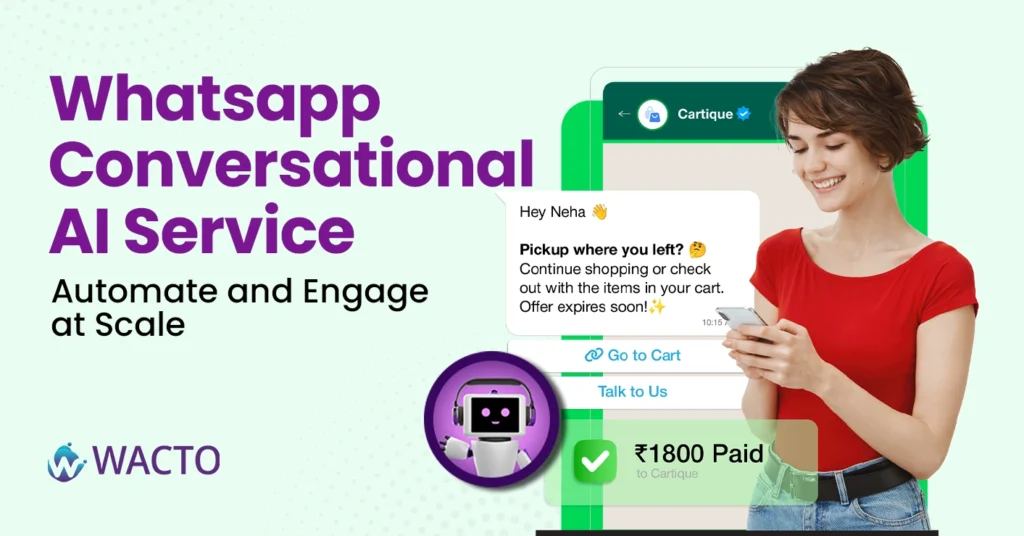
Best WhatsApp Conversational AI Service – Automate and Engage at Scale Let’s be honest—no one likes waiting for replies anymore. Customers expect answers now, not in “two to three business days.” And when they don’t get them? They simply move on. That’s where WhatsApp Conversational AI Service comes in. It’s not just another fancy tech term—it’s the bridge between your business and real-time customer conversations, without you (or your team) being glued to your phone 24/7. What exactly is a Conversational AI Chatbot for WhatsApp? Think of a conversational AI Chatbot as your smartest, most reliable team member. It’s always on, always polite, and somehow never has a bad day. It uses AI to understand messages, respond naturally, and guide customers toward solutions—whether that’s answering FAQs, booking appointments, or helping them track an order. And because it’s on WhatsApp—everyone’s favorite chat app—it’s accessible right where your customers already spend a huge chunk of their day. The Shift towards Conversational Marketing We’re moving away from “broadcasting” messages and toward conversational marketing, where the focus is on actual two-way engagement. Instead of sending a one-size-fits-all promo, you’re having personalized conversations. Imagine a customer asking, “Do you have this product in blue?” Your AI chatbot instantly replies, “Yes, it’s in stock. Would you like me to share the payment link?” That’s not just marketing, it’s building trust, one message at a time. Why WhatsApp is the Perfect Conversational Messaging Platform Sure, email still has its place, but WhatsApp is faster, more personal, and more likely to be opened (responded to). With a conversational platform plugged into WhatsApp, you can: Automate customer support without sounding robotic. Qualify leads before handing them over to your sales team. Send tailored offers that feel like they were written for just one person. Maintain conversations at scale—whether that’s 10 people or 10,000. Learn how businesses boost engagement and efficiency with an advanced Conversational AI Platform Scaling Up With the Right WhatsApp API Service Provider Here’s the secret sauce: not all providers are built the same. The right WhatsApp API service provider will give you more than just message-sending power; they’ll give you automation tools, analytics, and integrations that actually work with your existing CRM or ecommerce platform. Some even let you blend AI automation with live chat, so when a conversation needs that human touch, your team can step in without breaking the flow. The Real-World Impact Let’s say you run a busy retail store with conversational messaging on WhatsApp. You automate product inquiries so customers get instant responses. You follow up with abandoned cart shoppers without sending a generic “Buy now” blast. You handle order tracking questions without taking your staff away from in-store customers. Suddenly, you’re saving time, increasing sales, and customers feel like they’re chatting with a helpful friend, not a faceless business. Conclusion WhatsApp Conversational AI service aren’t about replacing human interaction—they’re about enhancing it. Automating repetitive tasks means your team can focus on the moments that truly matter: solving complex problems, closing high-value deals, and building lasting relationships. In this blog, customers expect speed, personalization, and convenience. A conversational chatbot on WhatsApp delivers all three at scale. And the best part? Once it’s set up, it works while you sleep.
How to enable OTP on WhatsApp for Businesses – Step-by-step Guide
How to Enable OTP on WhatsApp for Businesses You’ve probably noticed it—more and more businesses are sending their OTP on WhatsApp (one-time passwords) right inside WhatsApp instead of SMS. And honestly? It makes sense. People check WhatsApp way more than their text inbox. If you’re running a business, using WhatsApp OTP is like putting your verification process in the fast lane. No delays, no “message not delivered” drama, and customers get that instant ping on their phone. Why WhatsApp OTP is Becoming a Big Deal Here’s the thing: people trust WhatsApp messages. They read them faster, and they’re less likely to be missed. For businesses, this means: Higher OTP delivery rates. Happier customers who don’t have to refresh their SMS inbox 12 times. A smoother onboarding or payment process. And if you’re wondering, yes, there’s even such a thing as an unlimited OTP bot for WhatsApp. That’s basically automation magic, sending secure codes to your customers without you lifting a finger. Step-by-Step: How to Enable OTP on WhatsApp for Your Business Step 1: Get WhatsApp Business API Access You can’t just use the normal app for this. The API is what allows you to send automated OTPs, notifications, and even use a bulk WhatsApp sender if needed. Step 2: Choose Your Provider Pick a reliable service that integrates OTP flows into WhatsApp. Look for security, delivery rates, and easy setup. Step 3: Integrate With Your System If you’re verifying users for login, payments, or signups, connect your platform with the WhatsApp Business API. Most providers have plug-and-play options for popular CRMs and eCommerce platforms. Step 4: Set Your OTP Flow Trigger: What action requires the OTP? (Login, payment, signup, etc.) Message format: Keep it short and clear. Example: “Your OTP is 458392. It’s valid for 5 minutes.” Step 5: Test Before You Go Live Send OTPs to yourself, your team, maybe even your mom—just to check delivery speed and accuracy. Bonus – Sending Bulk Whatsapp Messaging without being Spammy While we’re here—yes, you can use the same setup for sending bulk WhatsApp messages. Whether it’s transactional updates or a gentle “Hey, don’t forget your appointment,” a bulk WhatsApp sender can save hours of manual work. The trick? Don’t blast irrelevant stuff. Customers will block you faster than you can say “unsubscribe.” Whatsapp OTP vs Whatsapp SMS – The quick Reality Check Delivery Speed – WhatsApp delivery speed is very high. Even though a high rate of users are using the App. WhatsApp usually wins. Open Rate – Almost 98% on WhatsApp, way higher than SMS. The most highly used App is WhatsApp only. Cost – Depends on your provider, but often worth the improved reliability. Conclusion Switching to WhatsApp OTP isn’t just about being trendy—it’s about meeting your customers where they actually are. Combine it with tools like an unlimited OTP bot for WhatsApp or a WhatsApp bulk message sender, and you’ve got a communication system that’s fast, reliable, and, honestly, just a better experience for everyone involved. Your customers get their codes instantly. You get fewer “I didn’t get my OTP” support tickets. And everybody wins.
Build your own chatbot for WhatsApp Business (Fast and Easy)
Quick Guide: Build your own chatbot for WhatsApp Business (Fast and Easy) Let’s be honest—these days, if your customers can’t reach you on WhatsApp, they’ll probably just… move on. People expect fast replies, even at odd hours, and let’s face it—you can’t sit there 24/7 answering “What’s your pricing?” for the 147th time. That’s exactly where a chatbot for WhatsApp swoops in and saves your sanity. Before getting into this blog, let’s know that WhatsApp is a Chatbot What Exactly Is a WhatsApp Chatbot? Think of it as your friendly, tireless assistant who never needs coffee breaks. Chatbot for whatsApp business is an automated messaging tool that answers customer queries, sends updates, collects information, and even books appointments—all inside WhatsApp. The beauty? Customers still feel like they’re talking to you. Why is the WhatsApp chatbot so popular in the market these days? Why Is Everyone Suddenly Talking About It? I’m not exaggerating—whether you’re a local bakery, a real estate consultant, or an event planner, the best WhatsApp chatbot can turn casual inquiries into paying customers without you having to type a single word after setup. In India, especially, the adoption curve is wild. Businesses are calling up their local chatbot company in Chennai or big WhatsApp Chatbot Services India to get one built right now. And honestly? They’re onto something. How to build your WhatsApp Business Chatbot Pick Your Goal Are you automating FAQs? Taking orders? Scheduling consultations? Be clear on the one main thing you want your chatbot to do first. Choose the Right Platform or Partner – You’ve got options here: Build it yourself with no-code tools (good for quick, simple bots). Work with a chatbot development company in Chennai if you need something custom and scalable. Get WhatsApp Business API Access This is the tech key that lets your chatbot actually talk to customers on WhatsApp. Most chatbot companies in India will help set this up for you. Write Conversational Flows (Not Robot Talk) Your bot shouldn’t sound like it’s reading a manual. Instead of: “Please provide your query.” Try: “Hey! How can I help you today?” Test Before You Launch Ask a few friends (or that brutally honest cousin) to try it out. If they get confused or stuck, fix it before you roll it out. How long will it take? Honestly? If you use a ready-made builder, you could have a basic WhatsApp chatbot live in a few hours. If you’re going all-in with a custom build from the best chatbot company, expect anywhere from a week to a month, depending on complexity. Benefits that make it worth your Money 24/7 response – Never miss a customer while you sleep. Higher conversion rates – Quick answers keep customers from drifting away. Cost savings – No need to hire extra staff for repetitive queries. Data collection – Every interaction can feed into your CRM for better targeting. Choosing the best WhatsApp Chatbot Services India ( or anywhere) Here’s a quick tip: don’t just go for the cheapest quote. Look beyond that. Past work with businesses like yours. Ability to integrate with your tools (CRM, payment gateways, booking systems). Ongoing support—because you’ll need tweaks over time. Want to know how automation improves customer engagement? Check out our detailed guide on the benefits of WhatsApp Business bot to learn more. Conclusion Building your own chatbot for WhatsApp isn’t as intimidating as it sounds. Start small, keep it human, and make sure it actually solves your customers problems. Whether you do it yourself or team up with the best WhatsApp chatbot for business in India, the important thing is to get moving. Because in 2025, customers expect instant responses, and the companies that deliver them will win.
How to Send WhatsApp Broadcast Message to Reach Thousands Instantly
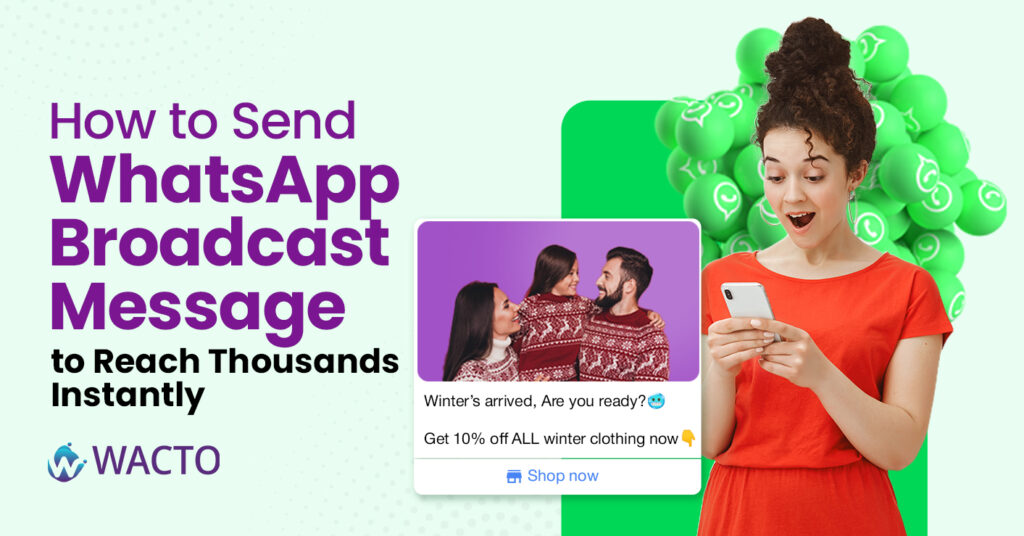
How to Send WhatsApp Broadcast Message to Reach Thousands Instantly If you’ve ever sat there, forwarding the same message to dozens (or hundreds) of people one by one… you know it’s not just boring—it’s a total time killer. That’s where the magic of WhatsApp broadcast message comes in. It’s basically your shortcut to talking to a crowd without actually creating a noisy group chat. Everyone gets your message privately, but you only typed it once. No awkward “who’s this?” replies from strangers. No endless notifications from people sending thumbs-up emojis. So, What’s a WhatsApp Broadcast Anyway? A WhatsApp broadcast is kind of like making an announcement, but in a way that still feels personal. Imagine you run a little bakery. You’ve just introduced a new chocolate lava cake, and you want 150 regular customers to know about it. Instead of sending 150 individual messages, you just pop them into a broadcast list on WhatsApp, write one tasty-sounding update, and send. Each person gets it in their chat with you—like it was meant just for them. The WhatsApp Broadcast Limit (Yep, There’s a Cap) Here’s the not-so-fun part: the standard WhatsApp Business App lets you send a broadcast to only 256 contacts at a time. If your customer list is bigger than that, you’re stuck repeating the process over and over. The fix? Use the WhatsApp Business API. With it (and a tool like WACTO), you can send broadcast messages on WhatsApp to thousands of people—without breaking rules or your sanity. Broadcast List vs Broadcast Group – Don’t Confuse Them People often mix these up: A broadcast group in WhatsApp doesn’t actually exist. Usually, people mean a group chat, where everyone can see and reply to each other’s messages. A broadcast list on WhatsApp is different—it keeps every conversation one-on-one. The recipients won’t know who else got the message. For marketing, promotions, or important updates, the broadcast list is your best friend. How to Send a Broadcast Message in WhatsApp Using the regular WhatsApp Business App: Open WhatsApp and tap the three dots (top-right). Select New Broadcast. Add your contacts. Write your message. When Should You Use Broadcast Messages? Some ideas that work really well: Promos & discounts – “20% off for orders today only.” Event reminders – “Don’t forget, our webinar starts at 6 PM.” Service updates – “Our store will be closed for maintenance this Friday.” New arrivals – “Fresh stock just in—check it out!” How to Send Messages to Multiple Contacts Sending messages in many contacts saves time and ensures frequent communication with your audience. Whether it is for publicity, reminder, or update, promotes engagement once. With the right tool, you can also personalize messages when sending to bulk, which makes humans feel human rather than your communication automated. This approach increases reaction rates and strengthens customer relationship. Automating bulk messaging also reduces errors and manual work. This allows businesses to focus on strategy and creative materials while the system basically handles communication. Tips to Make Your Broadcasts Work Better Keep it short. Nobody wants to read an essay in WhatsApp. Personalize if possible (use their name). Avoid sounding like spam. (No need for 10 emojis or ALL CAPS.) Make sure you have permission before sending marketing messages. Breaking the 256 Barrier For bigger lists, the WhatsApp Business API Solution is the way to go. Using WACTO, you can: Import contact lists directly from Google Sheets. Schedule and automate broadcast WhatsApp group-style campaigns. Track who opened, clicked, or replied to your message. It’s basically your broadcast feature—on steroids. Final Thoughts The broadcast feature in WhatsApp is one of the easiest, fastest ways to connect with your audience. It keeps conversations personal, yet lets you talk to hundreds (or thousands) at once. Start small—maybe with a weekend offer or an event reminder. Once you get the hang of it, upgrade to the WhatsApp Business API so you can forget about limits and focus on growing your reach. Because in business, the faster you can reach people, the faster they can respond—and that’s exactly what keeps you ahead.
WhatsApp Bulk Message Software from Google Sheets: Automate Your Messaging Now
WhatsApp Bulk Message Software from Google Sheets If you have ever tried sending WhatsApp messages manually, you know the drill of copy, paste, send, and repeat. And if your contact list has hundreds or thousands, it’s a full-time job. But here is the good news: you can skip all that repetitive work by using WhatsApp Bulk Message Software that connects directly with your Google sheet. Do you want to avoid that send button every time? This smart setup will automatically do all the work of managing your data, contacts, messages, and campaigns in a single place and then send them out on bulk Whatsapp software automatically-without touching the send button. What is Google Sheet Automation? Google Sheets is a free, cloud-based spreadsheet tool from Google that works much like Microsoft Excel—but it lives online, so you can use it from any device with an internet connection. Here’s what makes it useful: Create and edit spreadsheets online – No software installation needed. Real-time collaboration – Multiple people can work on the same sheet at the same time, seeing changes instantly. Automatic saving – Your work is stored in Google Drive, so there’s no risk of losing files if your computer crashes. Access anywhere – Open your sheets from your phone, tablet, or laptop. Think of it as your online notebook for numbers, lists, and data, but with powerful formulas, charts, and integration options—like connecting it to WhatsApp bulk messaging tools to send automated messages. If you like, I can explain how Google Sheets and WhatsApp can work together in a step-by-step example. Why Connect Google Sheets with WhatsApp? Google Sheets is simple to use, free, and cloud-based, so you can access your data from anywhere. When you integrate it with bulk WhatsApp marketing software, you can unlock: One-click campaigns – Send messages straight from your sheet. Real-time contact updates – Any edits you make in Google Sheets reflect instantly in your campaign list. Easy personalization – Merge customer names, order details, or event info directly into messages. Team collaboration – Your whole team can update and track the same spreadsheet. It is not just convenient, it’s game changing for businesses that rely on regular customer communication. Why Google Sheets Automation is Perfect for any Business Whether you are running a small shop, an e-commerce store, or a large service-based company, this combination works like a charm. Here are a few examples. E-commerce updates – Send shipping details, offers, or product launches. Event invites – Share dates, locations, and RSVP links instantly. Customer service follow-ups – Keep in touch with regular clients without manual reminders. Payment reminders – Gently nudge customers about pending bills. How does Automation work in Google Sheets? Prepare your Google sheet – Add customer names, numbers, and any custom message fields. Connect to WhatsApp Bulk message software – Use a platform like Wacto that supports WhatsApp API integrations. Write your message template – Personalize it with placeholders like name or order ID. Click Send – Watch hundreds of messages go out automatically, without risking your WhatsApp account. Benefits of Google Sheets Automation Saves hours of manual work – Your team can focus on selling, not sending. Scales with your business – Whether you send 50 or 5,000 messages, the process stays the same. Keeps you compliant – Using an official WhatsApp Business API helps avoid bans. Boosts engagement – Personalized, timely messages are more likely to be read and replied to. Bulk WhatsApp Marketing Tool with Google Sheets Automation The bulk WhatsApp marketing software enables businesses to send personalized messages directly from Google Sheets by using automated workflows. By using a reliable WhatsApp messaging software, various activities can be carried out easily, including scheduling messages and tracking them. A highly effective WhatsApp marketing Software that can connect to Google Sheets and automate bulk WhatsApp messaging and follow-ups in real-time is a useful WhatsApp tool for teams. Furthermore, a reliable bulk messaging tool like WhatsApp can send messages based on updates, customer actions, and/or the status of the WhatsApp campaigns, thus making WhatsApp messaging faster, smarter, and more efficient. Bulk WhatsApp Sender Software for Business Bulk WhatsApp sender software also helps businesses send messages in bulk directly from Google Sheets. It helps businesses simplify the process of creating and sending messages at scale without much hassle. Thus, using the Google Sheets automation feature, when the bulk WhatsApp sender tool is used, it automatically sends out messages when there is any change in data, which can be of great help in making follow-ups, issuing notifications, and even in campaigning. Why does Wacto make it even better? Saves hours of manual work – Your team can focus on selling, not sending. Scales with your business – Whether you send 50 or 5,000 messages, the process stays the same. Keeps you compliant – Using an official WhatsApp Business API helps avoid bans. Boosts engagement – Personalized, timely messages are more likely to be read and replied to. With Wacto’s Google sheet + Whatsapp Bulk Message integration, you don’t need coding skills or expensive IT Support. The interface is clean, the setup takes minutes, and you can track message delivery and responses in real time. It’s perfect for businesses that want the speed of WhatsApp automation with the personal touch of WhatsApp. Final Takeaway If you are still sending WhatsApp messages one by one, you are missing out on a faster, smarter, and more professional way to connect with customers. By combining Google Sheets with Whatsapp bulk messaging software, you can automate campaigns, save time, and grow your business without extra effort. Because in business, the faster you connect, the more customers you keep.
WhatsApp Event Management Services by WACTO – Smart Planning
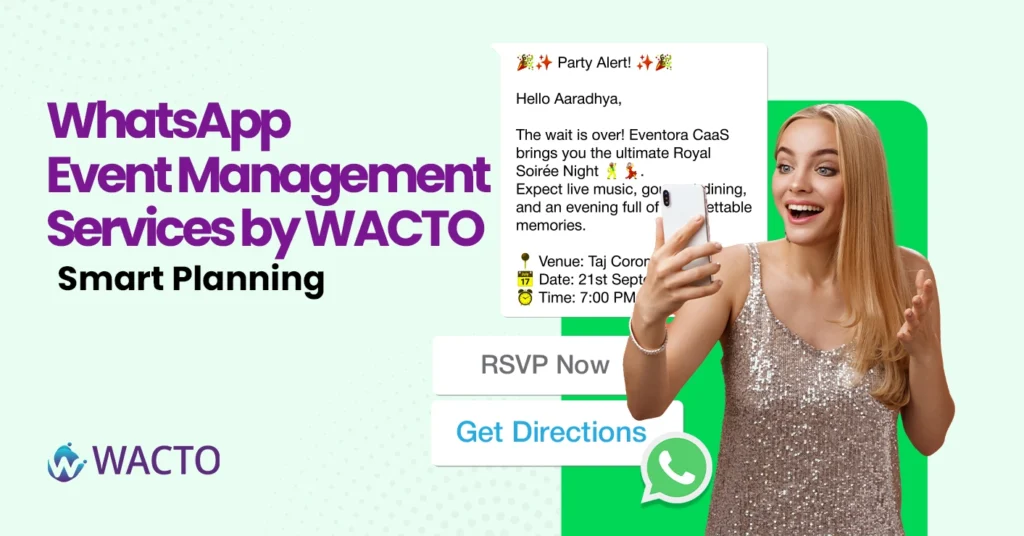
WhatsApp Event Management Services by WACTO – Smart Planning Planning an event can be exciting, until the endless follow-ups, guest confirmations, and the last minute changes start piling up. That’s where WACTO steps in with one of the best event management services powered by WhatsApp Automation. Whether you are hosting a corporate seminar, a product launch, or even a large-scale wedding, Wacto turns chaotic event coordination into a smooth, stress-free experience. It’s not just another tool-it is a complete communication hub for your business. Why WhatsApp for Event Management? Think wisely, as you know, almost everybody uses WhatsApp daily. It’s fast, personal, and easy to use. By combining WhatsApp with event management software, you can: Send instant invites and updates. Share schedules and venue details in one click. Get RSVP confirmations in real-time. Send reminders without manual follow-ups. It’s like having a dedicated event assistant in your pocket without the extra cost. WACTO – Smart Event Management Platform WACTO isn’t just about messaging. It is the best CRM for event management that brings all your planning under one roof. Guest List Management – Import, tag, and segment your attendees easily. Automated Reminders – No more “Did you get my message?” moments. Follow-up Campaigns – Post-event engagement to keep the buzz alive. Multi-Channel Support – Combine WhatsApp with email and social media for maximum reach. Benefits of the Best Event Management Software & Tools While the best event management companies still rely on emails or phone calls, Wacto’s WhatsApp-first approach ensures your guests actually read your messages. Compared to the best event management platforms and best event management tools, WACTO delivers. Faster communication. Higher RSVP rates. Personalized guest experience. Easy integration with payment gateways for ticketing. Smart Event Planning Ideas with Wacto Here are a few ways to use WACTO creatively for your next event: Early-Bird Promotions – Send automated offers for early sign-ups. Interactive Polls – Let guests vote for themes, menus, or activities. Speaker Introduction – Share short videos of your speakers in advance of the event. Live Updates – Send last-minute changes or on-the-day schedules instantly. Post Event Surveys – Collect feedback without chasing people Why WACTO Stands Out Among Top Event Management Companies WACTO is one of the leading event planning companies that always manages to simplify and make the event planning process stress-free. They do an exceptional job of converting clients wishes into wonderful outings. Working with them is a pleasure since the team is always professional, fantastic in the way they think, and eagerly ready to assist you at all times. From small parties to big corporate events, WACTO executes each task effectively. They employ the latest equipment and software to ensure a smooth flow of operations. Their customers are always pleased with their efficient communication and courteous service. Also concentrates on events being unforgettable and fun for everyone. This is the reason why they get the endorsement of the majority and rank among the top in the industry. WACTO competes head-to-head with some of the top event management companies, but its advantages lie in simplicity and speed. You don’t need to train your team on the complicated dashboards; if they know how to use WhatsApp, they can use Wacto. And unlike other online event management platforms, Wacto focuses on building real connections, not just ticking off a to-do list. Final Thoughts If you’re looking for the best event management software that’s practical, cost-effective, and guest-friendly, Wacto is your go-to choice. With smart WhatsApp automation and CRM integration, it’s redefining how events are planned and executed. Because great events aren’t just organized—they’re remembered. And with WACTO, your event will be the one they keep talking about.
Best WhatsApp Chatbot for Hospitals – Smart Patient Engagement Solutions
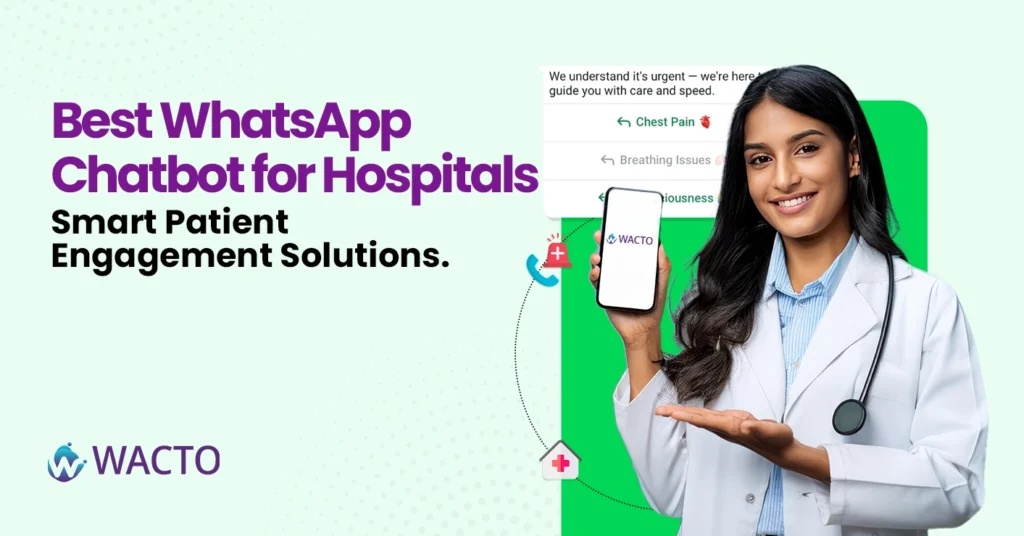
Best WhatsApp Chatbot for Hospitals – Smart Patient Engagement Solutions Hospital industries are the most busiest at the peak in today’s world compared to the other industries. Everyday operations and patient handling is a very big task for every hospital from emergency cases to normal enquiry. If there is one thing that hospitals learnt over the past few years, it’s that patient communication needs to be fast, easier and more personal. Patients don’t want to wait for a long time in the call queue just to confirm an appointment or ask about a report. All they wanted was a quick answer or response all through one app, which everyone uses – WhatsApp. That’s where the best WhatsApp chatbot for hospitals comes in. It’s not only about automated replies, it’s about smart patient engagement – helping people feel cared for even before they step through the hospital doors. Why Hospitals Need WhatsApp Chatbots A few years ago hospitals relied on phone calls, emails, websites for patients appointments and communications, it worked but it was not up to the mark and fast enough. Now, with the help of a AI Medical chatbot, everything from booking appointments to sending test results can happen instantly on WhatsApp. This means less pressure on front desk staff and a smoother experience for patients. Lets be honest when you make things easier for patients, they’re far more likely to choose your hospital again. Benefits of WhatsApp Chatbot for Hospitals & Healthcare Today’s patients expect quick, reliable, and convenient healthcare services. This is where medical chatbots act as a virtual assistant, they simplify the patient’s journey by handling queries, scheduling, reminders, and more – without long waits or repeated calls. Let’s look at important benefits: Instant Appointment Booking – It is the days of waiting on hold to fix an appointment. With a chatbot, patients can choose a favorite time slot, confirm it immediately, and even receive a reminder before traveling. It saves time for both patients and hospital staff, ensuring a smooth scheduling process. Report Delivery – Coordination of endless phone calls for no more chasing the hospital desk or test report. Medical chatbots can share lab results or clinical reports within the chat directly. It is safe, immediate, and convenient – patients can deliver their health records anytime, anywhere. 24/7 Support – Health concerns do not always follow commercial hours. Whether it is midnight or morning, chatbots are available at the clock time. They answer questions, share information, and guide the patients – even when hospital staff are away from duty. Health Reminders – Staying on top of check-ups, vaccinations, or daily medication can be tough. Medical chatbots send automated reminders that keep patients in line with their health routine. This active support creates patient belief and improves long-term care results. Multilingual Support – In multicultural cities, language can be a barrier to care. Chatbots with multilingual aid help patients get the correct information in the language with which they are most comfortable. This inclusion ensures that no patient is left behind due to communication intervals. Symptom Checks – Before fleeing the hospital, patients often want to understand what they are experiencing. Medical chatbots provide an initial symptoms assessment based on the input, and provide guidance on whether to book counseling, go to the ER, or manage symptoms at home. Doctor Availability – Instead of calling several times to check whether a doctor is available or not, the patient can simply ask the chatbot. This doctor provides real-time updates on schedule and availability, causing a hospital tour to be more approximate and less stressful. Treatment Details – Patients have questions about frequent ongoing treatment, recovery time, or procedures. Chatbots can share accurate, easy-to-understand-supported treatment information, making sure that patients feel informed and confident about their healthcare treatment. From Hospitality to AI Healthcare Chatbot You might have heard of chatbots in the hospitality industry. Hotels use them for bookings, room service requests, and guest engagement. The logic is similar in healthcare, except here the stakes are higher. Just like a chatbot for hospitality makes a guest feel at home, a hospital chatbot can make a patient feel heard and valued—without making them wait. The Role of Conversational AI Chatbot for Healthcare A good hospital chatbot isn’t just a FAQ machine. It’s built on a strong conversational AI platform that understands context, remembers patient history, and adapts over time. Pair that with expert conversational AI services, and you have a tool that’s not only smart but genuinely helpful—almost like having a personal medical assistant in your pocket. Choosing the Best WhatsApp Chatbot in Healthcare Industry Best healthcare chatbot is important for improving patient care, streamlining communication, and reducing employees workload. A well-designed chatbot can handle appointments, reply to FAQ, and immediately connect patients to the correct departments. Beyond the convenience, hospitals should ensure safety, compliance, and spontaneous integration with their existing systems. With the right solution, your hospital can provide fast, safe, and more personal care. When looking for the right solution, keep an eye on: HIPAA/GDPR compliance for patient data security. Easy integration with hospital management systems. Multi-department handling (so it can help cardiology, orthopedics, and lab services in one place). Analytics to track common queries and improve service over time. Final Thoughts The best WhatsApp chatbot for hospitals is just beyond technology – it creates confidence with patients. Using a smart chatbot, hospitals can reduce waiting time and make communication sharp and smooth. Patients receive immediate reactions to their questions, which improves their overall experience. Employees can focus on more important tasks while regular questions are automatically handled. Over time, it leads to high satisfaction and more efficient hospital operations. Investing in a WhatsApp Chatbot is not just a technical upgrade – this is a step towards better patient care and clever healthcare management.
8 WhatsApp Support Tips to Keep Your Customers Coming Back
8 WhatsApp Support Tips to Keep Your Customers Coming Back In today’s fast-paced world, running a business is a big game in the market, but apart from that, the main goal of all businesses is keeping their customers stable without moving out is the biggest achievement and a difficult task. The competition in today’s market is very high for all businesses and industries. Getting adapted to the current technology, tools, and AI is a bit challenging for many new startups and small businesses. Because customers believe only in businesses that are very adaptive and have fast and quality results without delay for all customer support, queries, promotion, and marketing, and smooth delivery. When your competitors are well in advance with the current trends, high technologies, then your business will automatically go down as your customers are moving out to your competitors. WhatsApp has become the go-to platform for brands to offer fast delivery and personalized customer support. From small scale to large scale, using WhatsApp is not optional; it is a necessity. Respond faster than your Competitors Customers choose WhatsApp because they want instant replies. If you make them wait for hours, then they might move to your competitor, and the deal will be lost. Use the WhatsApp API for automated acknowledgments so customers know you have received their query. Keep response time scheduled to be under 5 minutes during working hours. Pro Tip: Use a Whatsapp Chatbot to instantly answer the FAQ’s while your team handles complex queries. Personalize every Conversation Nobody likes to feel like “Just another customer” so treat every customer as if they are special, use their names, past history, purchases they have done and recommend them for new products and services based on their requirements which will be beneficial for their business and also for your business. For example: Instead of sending them a message saying “Your order is confirmed,” send them personalized messages like, “Hi Priya, your order has been confirmed, thanks for ordering the Italian cheesecake again, we’ve packed it fresh and it will reach you by 6.00 pm today”. Use a WhatsApp Chatbot for 24/7 Support Even your best support team can’t be online all the time. That’s where the Best WhatsApp chatbot for Business shines. Do business even while you sleep with WhatsApp Chatbot. Your bot will automatically respond to all your customer queries on time, quick responses and no wait time for customers to get their enquiries done. Handle after hours queries automatically. Provide quick answers for common questions like “Where is my order?” or “ What is your return policy?” Reduce the workload on your support agents so they can focus on more important tasks. Send Helpful, not just Promotional messages If every message is a sales pitch, customers will mute you. Mix helpful content with promotional offers. Share how-to guides, order updates, and service tips. Example: A clothing store can send “3 ways to style your new denim jacket” instead of just “20% off sale today.” Leverage the WhatsApp API for seamless CRM integrations WhatsApp Integration with CRM allows you to track customer queries, history, performance, preferences, and previous interactions. No more asking customers to “repeat their issues” Agents can instantly see context and resolve problems faster. Keep the tone friendly and human WhatsApp is a personal space to avoid sounding like a corporate email. Use simple language, emojis where required and necessary only and conversational tone. Instead of saying “ Your order is on the way,” say like “ your goodies are on the way!” You’ll get them by tomorrow. Offer Instant Payment and Catalog Browsing With the WhatsApp Business catalog feature, customers can browse products without leaving the chat. Pair it with payment links for a smooth buying experience. Example: “Here’s the new shoe collection. Tap to see sizes and buy instantly.” Follow up after Service Don’t let the conversation end after the sale. Send a quick follow-up to check if they are happy with their purchase or need further assistance. A friendly “Hi Ankit, just checking in — did the blender work well for your smoothie today?” goes a long way in building loyalty. Final Thoughts When done right, whatsapp for customer service can be a powerful relationship-building tool. By combining quick responses, personalized communication, tools like the Whatsapp API and Whatsapp Chatbot you can turn casual buyers into repeat orders or customers who can trust your brand. Remember: Great customer support isn’t about closing a ticket; it’s about opening the door for the next conversation.
Automate your Campaigns with WhatsApp Drip Marketing Software – No More Manual Reminders.
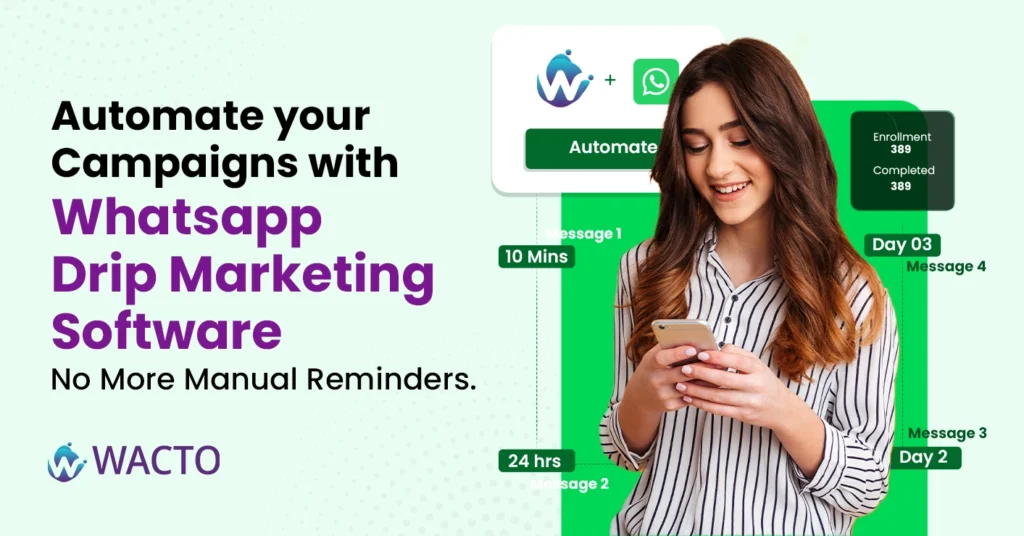
Automate your Campaigns with WhatsApp Drip Marketing Software In today’s busy world many businesses face difficulties in having a smooth engagement with their customers. Staying in touch with your leads and customers is highly tough. You are trying to follow up after a demo, remind them about a payment, send onboarding content and re-engage cold calls. Doing all this Manually? That’s not just exhausting, it’s inefficient and time consuming. That’s where Drip Marketing comes in, especially powered by Whatsapp. In this blog you will explore how drip marketing works and completely automate your customer journey, improves response rate, and finally free your team from sending repetitive messages every day. What is Drip Marketing and How Does It Work? What is Drip Marketing? Drip Marketing is a strategy of sending a series of automatic WhatsApp messages to customers or leads over time. These messages are usually triggered by actions or inactions like signing up for a trial, abandoning a cart, or downloading an E-Book. Instead of bombarding users with a one-time message, you drip content and gradually guide them toward a decision. And when this happens over whatsapp, the engagement is next level. Why Use WhatsApp for Drip Marketing? Email open rates are dropping, and SMS gets ignored. But WhatsApp messages have a high open rate of over 98%. This means that the vast majority of messages sent through the platform are actually seen and opened by recipients, making it a very effective communication channel for businesses. That’s why many brands are shifting drip Marketing campaigns to WhatsApp. Here’s what makes WhatsApp the perfect channel. Instant delivery and read receipt Rich media support ( Images, PDFs, videos, and links) Feels personal and conversational Higher response and click-through rates. With a good WhatsApp drip marketing tool, you can automate the entire customer journey from onboarding to feedback collection. What is WhatsApp Drip Marketing Software? A WhatsApp drip marketing software helps you to send messages automatically based on customer actions and avoids time delay reminders. Think of it like this- A lead signs up for your demo → WhatsApp message sent instantly 2 days later → Auto-follow-up with a case study 5 days later → Reminder to book the call or check in After purchase → Thank you message + upsell offer All of this happens automatically without lifting a finger. Key Features of WhatsApp Drip Marketing Tool When choosing a drip marketing for WhatsApp, make sure it offers the below: Trigger based messaging Send messages when users complete an action like sign up, payments, form fill. Time – based sequences Create delays between messages like Day 1, Day3 and Day7 etc CRM Integrations Connect with your CRM like Zoho, Fresh sales, Google sheets to pull lead data in real time. Customizable Templates Use approved WhatsApp message templates that match your brand voice. Analytics & Performance Tracking See which messages were opened, clicked, or replied to and you can optimize accordingly. Use Cases of WhatsApp Drip Campaign Software Education / Coaching Drip course materials or free lesson previews Follow-up reminders for demo classes Payment reminders or upselling other programs Ecommerce & D2C Abandoned cart reminders Post-purchase care tips Re-engagement offers after 30 days B2B SaaS or Services Demo booking flows Case studies & testimonials over 5–7 days Onboarding sequences for trial users Wacto – A Smart Drip Marketing Solution Wacto makes drip marketing simple, powerful and scalable. Let’s see what Wacto does with Drip marketing Build customized drip sequences for every lead stage Integrate with your CRM for real-time personalization Schedule messages based on time gaps or user activity Use pre-approved WhatsApp templates for instant delivery Track campaign performance from a single dashboard Whether you’re running a school, online store, or B2B sales team — WACTO’s Drip Marketing Software helps you connect better, sell faster, and support smarter. Explore WACTO Drip Marketing Tools Final Thoughts If your team is still sending follow-ups manually, you’re already falling behind. A well-planned WhatsApp Drip Marketing Campaign can: Save hours of manual effort Improve engagement dramatically Move leads down the funnel faster Keep your brand top-of-mind at every step And with the right Drip Marketing Software, all of it can happen while you sleep. Ready to automate your WhatsApp campaigns? Schedule your free WACTO demo today: Click Here Here are some examples from Legal Teams in 2025 1. Case Updates Clients no longer need to call your office. A simple message like: “Hey, your next hearing is on Sept 2 at 10 AM. Let us know if you need anything.” goes a long way in building trust. Plus, it takes seconds to send — or can be automated entirely. 2. Document Sharing Need KYC docs? Proof of address? An affidavit draft? Send and receive files on WhatsApp. Clients love the convenience, and you save time. 3. Appointment Scheduling Your bot can check your calendar, suggest times, and confirm bookings. You get notified. The client gets a reminder. No calls, no double-booking. 4. Billing & Payments WhatsApp is perfect for sending payment links, reminders, or invoices. Since people read WhatsApp faster than email, payments come in quicker. Integration and its benefits Of course, this works best when WhatsApp is integrated into your workflow — not tacked on as a side tool. With platforms like WACTO, you can achieve seamless CRM Integration with WhatsApp by connecting it directly to your CRM or case management system. That means: 1. Messages can be triggered based on case activity 2. Each conversation stays linked to the right client 3. Bots handle common questions; humans step in when needed 4.No more switching tabs. No more “Did we update the client?” confusion. Law firms if still relying on email and phone calls alone, you’re probably missing a big opportunity.
Top 5 Gallabox Alternatives – Best WhatsApp Business Platform Tools (Wacto 2025)
WhatsApp Business Platform Tools – Top 5 Gallabox Alternatives In 2025, WhatsApp Business platform are more important than ever. Whether you’re running a D2C brand, an agency, or a service-based business, customers expect fast, real-time communication — and WhatsApp is where those conversations are happening. Gallabox has gained its popularity in the market for Automation features and WhatsApp Marketing. But it’s not the only player in town, and it may not be suitable or the best fit for all business types. In this article, you will explore the top 5 alternatives to Gallabox, which will be the best fit for your business. Also, you will find out the best tools that offer powerful WhatsApp Business Capabilities, including Wacto, India’s fast-growing WhatsApp CRM Integration Services. Why must you consider Gallabox Alternatives? While Gallabox is a solid platform, many businesses seek alternative for: More affordable plans Advance CRM Integrations Local support and faster onboarding Better Automations Transparent pricing without any hidden cost. If any of these matters to your business here are the top alternatives of Gallbox in 2025 to be considered. WACTO – Built for Indian Businesses ( All Industry ) Lets begin with the one that’s changing the game in 2025 business industries – Wacto Wacto is more than just a WhatsApp API Provider. It is a full-featured WhatsApp Business Platform designed for SMBs, Startups, and large-scale industries that want to boost their business communication and Automation. Lets see what are the key features of Wacto: CRM Integrations – Wacto has smart integration options with Zoho, Corefactors, Freshsales, Google Sheets, Opencart, and many more. Automated replies and Workflow rules – based on sales stages. Multi-agent chat – from a single WhatsApp number. Broadcast Campaigns – with templates and personalization. Real-time Notifications – for all lead updates, orders, and payments. What makes Wacto a Better Gallabox Alternative? Transparent Pricing, no hidden cost. Faster support from expert team with Indian time coverage. Very Strong API documentation Seamless onboarding for both tech and Non tech users. Popular Integrations WACTO connects with WhatsApp Business API Integration to help businesses streamline customer conversations, automate replies, and boost engagement effortlessly. Zoho CRM Google Sheets Corefactors WooCommerce / Shopify / OpenCart Razorpay Facebook Lead Ads Facebook Catalog Webhooks & Custom APIs WACTO vs Gallabox: Best WhatsApp Business Platform in India 2025 Deeper CRM Integrations ( Real Time, No patch works) Unlike Gallabox provides only limited and basic CRM connections, Wacto natively integrates with tools like: Zoho CRM Freshsales Google Sheets Corefactors CRM OpenCart & WooCommerce This ensures real-time lead syncing, automatic follow-ups, and zero manual data entry. Transparent Affordable price Gallabox pricing can often feel like a black box with feature-based limits and high entry points. Wacto offers transparent, scalable pricing, ideal for startups, agencies, and growing organizations or teams. You only pay for what you use with no surprise add-ons. Faster, Customer support Wacto is built for Indian businesses, especially with local onboarding teams, dedicated accounts managers, and faster query resolution. Gallabox users often report limited customer support and delays. Highly Customizable Automations and Workflows WACTO enables: Lead-stage based WhatsApp flows Razorpay payment confirmations CRM-triggered messages Webhook-based custom automation Gallabox is more template driven and less flexible when it comes to cross platform logic. Full Funnel Use – Not just Marketing Gallabox focused only on marketing and sales messaging but Wacto covers end to end business use cases. Sales Support Operations Payment reminders Order updates Appointment/delivery flows Whether you are in D2C, EdTech, HealthTech, or any other service, Wacto is a complete WhatsApp solution Provider. Here are some of the quick reviews of top Gallabox alternatives, including their strengths. Final Thoughts: Wacto leads where it matters. If your goal is to: Automate conversations Connect WhatsApp with your CRM Run support, sales, and operational updates Get reliable local onboarding and service WACTO is the most well-rounded and future-ready Gallabox alternative in 2025. Ready to switch from Gallabox? Book a free demo with WACTO and compare pricing and features.







