WhatsApp Chatbot for Customer Support – Automate your Business FAQ’s
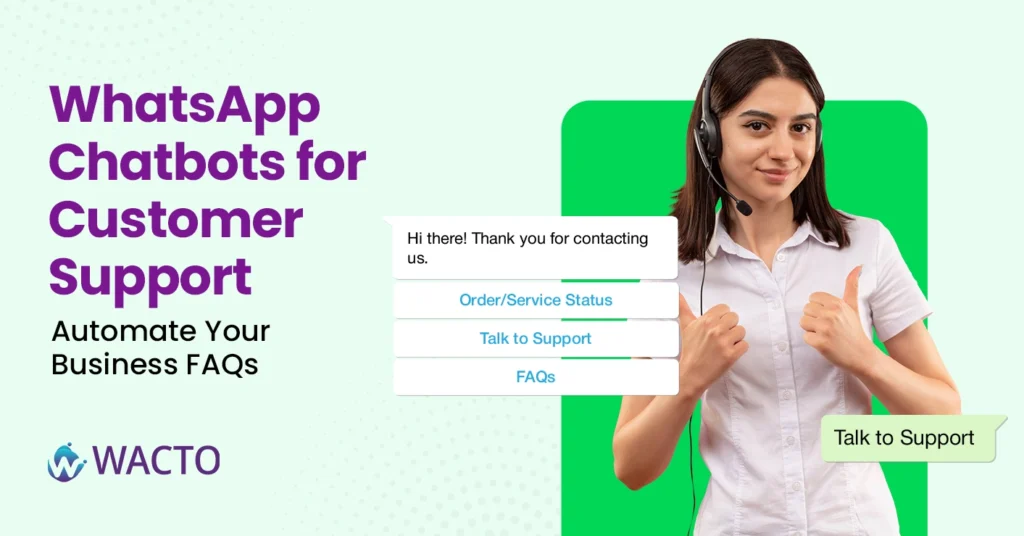
WhatsApp Chatbot for Customer Support – Automate your Business FAQ’s If you have ever run a business, you already know how quickly customers’ queries pile up. What is your return policy? Do you deliver on weekends? How do I track my order? At first, these questions feel easy enough to answer. But once your customer base grows, the inbox gets flooded, and phone lines stay busy – that’s when customer service starts to feel like a never ending loop. This is exactly where the WhatsApp Chatbot for Customer Support steps in. Instead of making your team repeat the same answers all day, a chatbot handles FAQ’s automatically, keeps customers engaged, and frees up your staff for the conversation that actually matters. Why Whatsapp for Customer Services? Think about it – your customers are already on WhatsApp. It is the world’s most popular messaging app, unlike emails that go unread or apps people forget to open, WhatsApp notifications get instant attention. When paired with WhatsApp business services, it becomes much more than a messaging app. Businesses can send order updates, share documents, run promotions, and, most importantly, deliver customer communication automation at scale. So, instead of waiting in long call queues, customers get real-time answers through a platform they’re comfortable with. The Role of AI Chatbots in Customer Support Here’s the beauty of a WhatsApp AI chatbot: it never gets tired, never takes a lunch break, and always answers politely. An AI chatbot support for WhatsApp can: Instantly answer repetitive FAQs (shipping details, pricing, policies). Handle multiple customer conversations at once — something no human can do efficiently. Personalize responses using past interactions. Escalate complex issues to live agents when needed. This means businesses can maintain fast, consistent communication without overwhelming their support teams. How Chatbots Improve Customer Engagement Customer support today isn’t just about solving problems — it’s about building trust. A customer service chatbot ensures no message goes unanswered. Here’s what that looks like in action: A customer asks about product availability at midnight. The chatbot answers instantly. Someone wants a refund. The bot guides them step by step through the process. A loyal customer receives a proactive update about a new service through WhatsApp customer engagement campaigns. Every interaction is quick, clear, and consistent. That’s how businesses build relationships in the digital age. Why Businesses Are Turning to Chatbot Service Providers Let us be real: building and maintaining a chatbot from scratch isn’t easy. That’s why most companies choose a WhatsApp chatbot Provider in India who can integrate automation into their existing workflows. A good provider helps with: Setting up official Whatsapp Business services through the API. Customizing the chatflow based on your industry. Training the bot to handle sector-specific FAQ’s Adding features like payment integrations, feedback collection and more. It is not just about plugging in the technology. It is about tailoring automation to your chatbot for customer service unique needs. Benefits of Chatbot for Customer Support If you are still on the fence, here are the real wins businesses are seeing with chatbots for customer support: Faster Response Time – Customers get answers in seconds, no wait time for the response in hours. 24/7 Availability – No more “ we will get back to you tomorrow.” The chatbot is always on and checks your enquiries. Reduced Workflow – Human agents can focus on complex or high-value interactions. Scalability – Whether you have 100 queries or 10,000, the bot handles it without stress. Better Customer Engagement – Consistent updates keep customers connected with your brand. In short, automation isn’t replacing customer service – it is elevating it. How to Contact WhatsApp Support Using a Customer Service Chatbot A WhatsApp support number helps businesses provide fast and reliable customer service through a familiar messaging platform. Customers can easily connect with your team using a dedicated WhatsApp support to get answers, resolve issues, and receive real-time assistance. Customers can contact your business instantly through a dedicated WhatsApp support number. A verified WhatsApp support phone number enables faster responses and better customer engagement. The Future of Customer Support Chatbot Communication As businesses grow, so do customer expectations. People don’t just want answers, they want them now, and they want them on the channels they use. Whatsapp for customer service checks all these boxes, and with AI-Powered chatbots, it becomes a powerful engagement tool. We are entering a world where chatbot for customer service will not just answer FAQ’s but also predict customer needs, make proactive recommendations, and create a personalized support journey for every individual. Final Thoughts Customer support doesn’t have to be overwhelming. With the right WhatsApp AI chatbot and a trusted Best WhatsApp chatbot Services in India, businesses can automate repetitive tasks, FAQ’s and engage customers around the clock, and scale communication without losing the human touch. If you have been struggling with endless support queries, maybe it is time to stop answering the same question a hundred times a day. Let a customer service chatbot do the heavy lifting, while your team focuses on building stronger relationships and delivering the experiences your customers deserve.
Best WhatsApp Chatbot for Education: Complete Guide
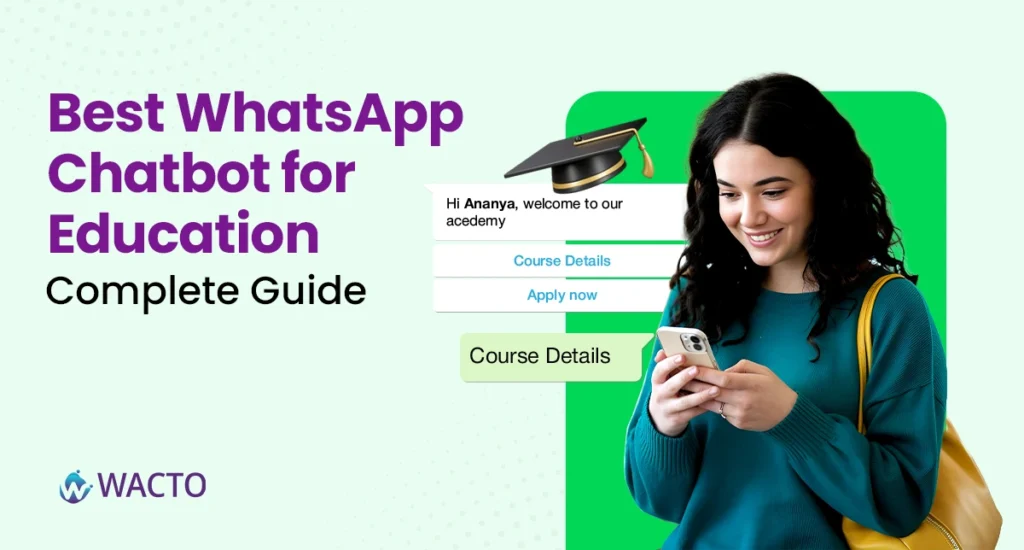
Best WhatsApp Chatbot for Education: Complete Guide If you’ve spent any time in a school, college, or university, you’ll know one thing for sure: communication is the backbone of education. From parents chasing fee reminders, to students looking for exam updates, to universities handling thousands of admission queries at once, the flow of information never stops. And here’s the catch: emails get buried, phone calls often go unanswered, and SMS feels outdated. That’s why more and more institutions are leaning on WhatsApp automation. It’s instant, familiar, and cuts through the noise. But not all chatbots are created equal. In this guide, we’ll break down how a WhatsApp Chatbot for Education works, why it’s a game-changer, and why solutions like WACTO’s Smart Chatbot are helping colleges, schools, and universities deliver smarter, faster communication. Why Education Needs Digital Communication Let us be honest, education is no longer confined to the classroom. Universities are marketing themselves to international students, schools are constantly engaging with parents, and students today expect real-time information. This is where AI chatbots for education come into play. Unlike traditional systems, a higher education chatbot doesn’t just respond to questions; it guides, assists, and sometimes even reassures. Think of it as a digital assistant that never sleeps. Imagine: A parent gets an instant answer about school timings. A student books a consultation with their professor through WhatsApp without standing in a queue. An admission query is resolved at 11.00 pm, with no staff member online. That’s the promise of chatbots in education and why institutions are racing to adopt them. What is a WhatsApp Business Chatbot for Education? A WhatsApp chatbot is essentially a conversational tool built on top of the WhatsApp Business API. Unlike a simple auto-reply, it uses automation and AI to handle complex queries and workflows. For education, that means: Answering FAQs about admissions, fees, and schedules. Sending out WhatsApp broadcast software campaigns for exam dates, events, or health advisories. Simplifying outpatient bookings for university hospitals or medical colleges. Helping international students navigate visa and travel requirements. And because it’s on WhatsApp the app students, parents, and teachers already use daily, adoption is effortless. WACTO’s Smart Chatbot: A Case in Point Among many WhatsApp API service providers, WACTO’s Smart Chatbot stands out because it isn’t just about “ automation for the sake of automation.” It is designed with the nuances of education in mind. Here‘s how institutions are using it: Admissions: Automating application status updates, deadlines, and FAQs. Course Updates: Sending timetables, exam alerts, and last-minute changes. Student Engagement: Running surveys, collecting feedback, and sharing learning resources. Healthcare Tie-ins: For universities with hospitals, running vaccination reminders, health advisories, and outpatient scheduling. The result? Less administrative chaos, more clarity, and a smoother student experience. Benefits of AI Chatbots for Higher Education Let’s break it down. What do schools, colleges, and universities really gain by adopting a chatbot for higher education? 24/7 Availability – Students can ask about deadlines at midnight and get instant answers. Efficiency – Staff spend less time answering repetitive questions and more time focusing on meaningful work. Personalization – Chatbots can tailor messages to specific groups — say, only final-year students or only parents of new admissions. Scalability – Whether you’re handling 100 queries or 10,000, the system doesn’t break a sweat. Engagement – Real-time updates keep students involved, reducing the chances of missed information. Choosing the best WhatsApp chatbot for Education Choose a provider who makes communication with students and parents easy and fast. If you are an educational institute considering this leap, here’s what to look for in a WhatsApp Business API service Provider or AI Chatbot development company in India. Official WhatsApp API access – Avoid quick-fix hacks, go for providers that are Meta-approved. Customization – Education isn’t one-size-fits-all. Your chatbot should adapt to your workflows. Scalability – Whether it’s a small school or a university with 20,000 students, the chatbot should handle it. Automation + Human Handoff – For complex issues, the chatbot should seamlessly transfer to a live agent. Analytics – You’ll want insights into queries, response times, and engagement trends. Providers like WACTO, which combine WhatsApp automation with sector-specific solutions, tend to deliver the most value. The Future of Chatbots in Education It is tempting to see this as just a tech upgrade, but it’s more than that. The educational chatbot is slowly becoming the backbone of students engagement strategies. As AI grows smarter, these bots will not only answer questions but also guide career choices, personalize learning paths, and help institutions build communities that feel connected. The best part? Students already trust WhatsApp. It’s not a new app they have to download or learn. By meeting them where they already are, schools and universities aren’t just saving time, they’re showing that they value students’ time too. Final Thoughts The future of education is conversational. Whether it’s a chatbot for higher education, a WhatsApp broadcast software, or a small chatbot powered by AI, the message is clear. Institutions that adopt this early will stand out. Sri Ramachandra Hospital used WhatsApp automation to simplify patient care. Sairam Engineering College used it to boost student engagement. Your institution could be next. So if you’re looking for the best WhatsApp chatbot for education, don’t think of it as just a tech tool. Think of it as an invisible partner, one that makes learning, teaching, and growing a little easier for everyone involved.
WhatsApp Business API for Automotive: Streamline Sales & Customer Service
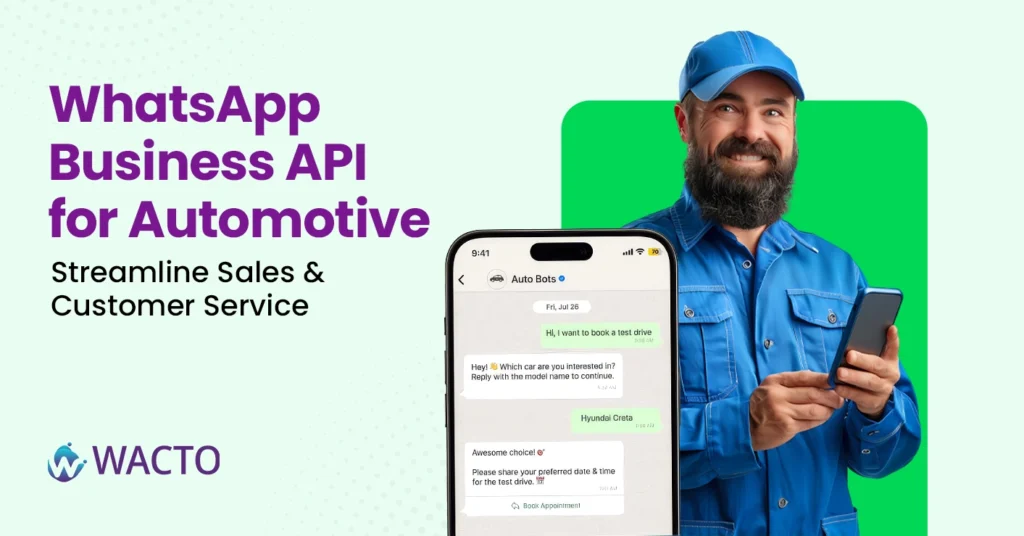
WhatsApp Business API for Automotive: Streamline Sales & Customer Service You’re running a car dealership, and a potential buyer checks your website at 10.00 pm. They’re curious about the new SUV’s EMI options, but your office is closed. Traditionally, that lead would slip away until morning (by then, they may have already messaged your competitor). But now, imagine if a WhatsApp Automotive Chatbot could instantly answer their questions, schedule a test drive, and even share a brochure right then and there. That’s the promise of the WhatsApp Business API for Automotive. It’s not just a buzzword; It’s reshaping how car dealerships, service centers, and automotive brands connect with customers. Why Automotive Chatbot Needs API-Powered Conversations The Automotive industry has always been high touch. Customers expect personal attention whether they’re buying a car, booking a service, or asking about spare parts. But let’s be honest, managing thousands of inquiries through phone calls and emails can overwhelm even the best sales team. That’s where API Automotive Solution like WhatsApp Business API come into play. They bridge the gap between your customer instant messaging habits and your business workflows. Think of it as: Instant Replies – Customers don’t wait on hold. Automated Updates – Service reminders, taste drive confirmations, and loan approvals pop right into WhatsApp. Always-On Support – No matter the hour, there’s a digital assistant ready to help. In short, it makes customer service feel less like a chore and more like a natural conversation. WhatsApp Chatbot for Automotive: More Than Just FAQs When people hear “chatbots for automotive industry,” they often imagine a clunky bot spitting out scripted lines. The truth is, modern automotive chatbot solutions are far more advanced. For example: A chatbot for the automotive industry can recommend cars based on preferences (budget, mileage, or style). It can guide customers through financing or insurance queries. The best automotive chatbot can even sync with dealership calendars to book test drives in real time. And here’s a bonus: bots don’t forget follow-ups. Missed calls? Lost leads? Those become a thing of the past. WhatsApp Automotive Chatbot: A Perfect Match Let’s be real, your customers are already on WhatsApp. From Morning greetings to sharing road trip photos, it’s where most conversations happen. So why not meet them there? Using WhatsApp automotive solutions, dealerships and service centers can: Share personalized offers directly on WhatsApp. Send service reminders (“Time for your 2nd free check-up!”). Offer quick repair status updates without customers having to chase by phone. Collect feedback after service visits in a simple, conversational way. It feels less “formal business” and more “friendly support”—which builds loyalty. A Quick Story: From Test Drive to Repeat Service Here’s a small example. A dealership in Chennai is using WhatsApp API integration in its sales process. When someone booked a test drive online, an automotive chatbot instantly confirmed the slot, shared the location pin, and even sent a gentle reminder on the morning of the test drive. After the sale, the same channel kept the buyer updated about service schedules, EMI reminders, and accessory offers. The result? More repeat visits, less manual calling, and happier customers. Final Thoughts The automotive industry thrives on relationships, and relationships thrive on conversations. With the WhatsApp Business API for automotive, those conversations become faster, smarter, and easier to manage at scale. Whether you’re looking to streamline sales, strengthen service touchpoints, or simply make customer engagement less of a headache, adopting API automotive tools and best automotive chatbots is the way forward. Because in today’s world, if your dealership isn’t chatting with customers on WhatsApp, chances are your competitors already are.
WhatsApp Broadcast vs Group: Best Messaging Option for Businesses
WhatsApp Broadcast vs Group: Best Messaging Option for Businesses If you are running a business in 2026, one thing is clear: Whatsapp has become the backbone of customer communication. Whether it’s sending updates, promotions, or customer support messages, Whatsapp offers two popular features Broadcast and Groups. But which one works best for your business? Many owners get confused between a broadcast list on WhatsApp, a broadcast group on WhatsApp, and regular WhatsApp Groups. In this guide, let’s break everything down clearly and help you choose the right messaging option based on your goals. What Is WhatsApp Broadcast? A WhatsApp broadcast is a feature that lets you send a message to multiple people at once—without putting them all into a group. To the receiver, your message appears as a personal, private chat, not a group message. A broadcast message on WhatsApp is ideal when you want to send: New product launches Festival greetings Business announcements Appointment reminders Offers & discounts What Is a WhatsApp Group? A WhatsApp Group brings multiple people together in a single chat room where all members can see each other’s messages. It’s best for collaboration, community building, and discussions. Businesses use groups for: Internal team communication Customer communities Training groups Support groups Educational classes In groups, everyone participates, unlike broadcast lists where only you send the messages. WhatsApp Broadcast vs Group: Key Differences Here’s a quick comparison so you understand how they differ. Broadcast: Customers cannot see each other. 100% private. Group: Everyone can see each other’s numbers and messages. Benefits of Using WhatsApp Broadcast for Business The main advantage of a broadcast message on WhatsApp is that it behaves like a personal one-on-one chat. Customers are more likely to reply, read, and engage. Looks Personal – Each customer receives the message directly from you. Saves Time – Send 1 message → reach hundreds instantly. No Spam Feeling – Unlike group messages, broadcasts don’t feel overwhelming. Works Great for Marketing – Businesses use WhatsApp broadcasting software to send: Bulk offers Greeting messages Transactional alerts Payment reminders Flash sale notifications More Control – Only you send messages—no random group replies or spam. Engagement Broadcast: One-way communication Group: Two-way or multiway communication Uses of WhatsApp Broadcast vs Group Broadcast: Perfect for marketing, promotions, and updates. Group: Best for discussions and community interaction. WhatsApp Broadcast Limit WhatsApp normally limits how many people you can add to a broadcast list. But with a WhatsApp broadcasting tool like Wacto, you can send messages to thousands of customers without restrictions. What About “Broadcast Group in WhatsApp”? Many business owners search for terms like: broadcast group in WhatsApp broadcast WhatsApp group WhatsApp broadcast group These terms usually refer to the same thing: the broadcast feature, not an actual group. A broadcast list is not a group, even though the name can be confusing. When Should Businesses Use WhatsApp Broadcast? Use broadcast lists when you want: Marketing communication Automated promotions Bulk customer alerts One-way updates Professional outreach If you’re sending frequent marketing messages, consider using a WhatsApp broadcast tool. This helps you overcome the WhatsApp broadcast limit and send unlimited: Images Videos PDFs Catalogs Templates This is especially useful for eCommerce, real estate, insurance, beauty salons, and service-based businesses. When Should Businesses Use WhatsApp Groups? Choose a WhatsApp Group if you want: Community engagement Discussion-based communication Training and coaching groups Support groups Classroom-style interaction Groups create bonding, but they can also get messy if not moderated well. Final Verdict: WhatsApp Broadcast vs Group — Which Is Better for Business? If your business needs: ✔ Marketing ✔ Bulk messaging ✔ Privacy ✔ Professional one-way communication → Choose WhatsApp Broadcast. And if you want to scale it, use a WhatsApp broadcast software that removes limitations and helps you send messages to thousands effortlessly. If you need: ✔ Customer interactions ✔ Group discussions ✔ Community building → WhatsApp Group is the better choice. Most businesses use both — Broadcast for marketing and Groups for community building with WhatsApp Broadcast Services in India.
Whatsapp Marketing Strategies for D2D Growth: Increase Sales & Customer Loyalty
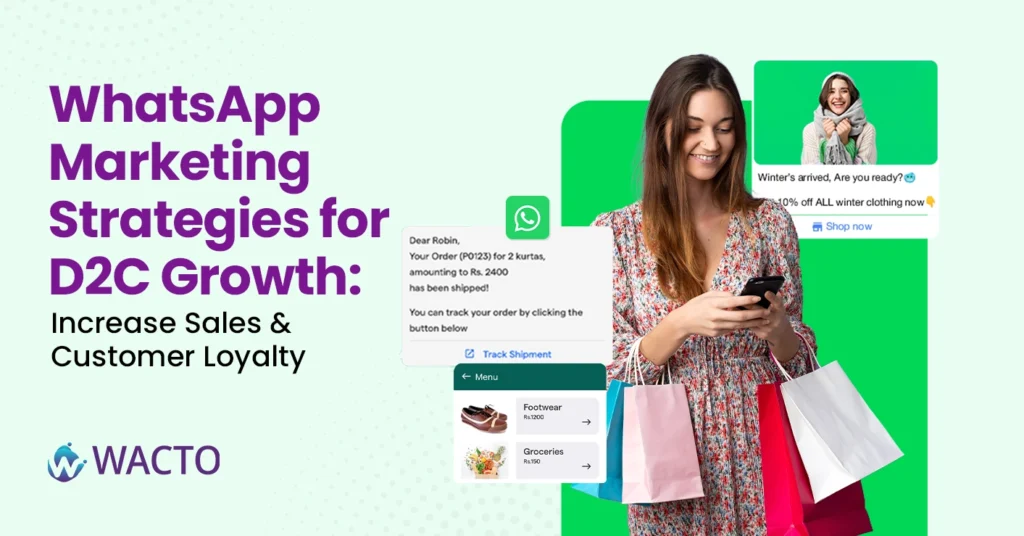
Whatsapp Marketing Strategies for D2D Growth If you are running a D2D brand in India, you’ve probably already noticed one thing: customers are no longer checking their boxes as often as they check WhatsApp. An email offer might sit unread for days… but a WhatsApp notification? Almost always opened instantly. That’s where WhatsApp Marketing strategy steps in, and honestly, it’s been a game-changer for D2C businesses looking to scale. Now, before you think “Oh, another marketing buzzword,” let’s pause. This isn’t about spamming people with bulk forwards. Done right, WhatsApp Business marketing in Chennai (or anywhere in India) is about building relationships, keeping customers engaged, and yes—nudging sales upward without feeling pushy. Why D2C Brands Need WhatsApp Business Marketing Think about your own habits. You probably reply faster to a WhatsApp message than an email, right? That’s exactly how your customers behave too. A well-timed reminder about a new product drop or a gentle nudge about an abandoned cart feels natural on WhatsApp, while on email, it sometimes feels like… noise. That’s why so many brands now rely on a WhatsApp marketing company in India to personalize how they talk to customers. And no, it’s not just about sending offers. It’s also: Quick customer support (no one likes waiting 24 hours for a reply). Loyalty programs, shared directly inside a WhatsApp chat box. Order updates that actually reduce anxiety “Your package will arrive tomorrow!”. For D2C, where customers trust everything, this kind of personal connection makes all the difference. Smart WhatsApp Marketing Strategy for Growth Alright, let’s get practical. Here are a few strategies that have worked really well for D2C brands using WhatsApp business solutions: Welcome Journeys – When someone makes a purchase from you for the first time, set up an automated “welcome” message. It feels personal and sets the tone for future interactions. Cart Recovery – Instead of a boring email, send a friendly WhatsApp reminder: “Hey! You left these sneakers in your cart. Want us to hold them for you?” Works like magic. Product Demos & Tutorials – Share a short video (yep, WhatsApp makes this easy) showing how to use your product. Customers love it when you go beyond the sale. Exclusive Communities – Some brands even create VIP broadcast lists for early access to sales or launches. It’s not just about discounts; it makes customers feel special. Customer Feedback Loops – Collect reviews right inside WhatsApp. It feels less like a “survey” and more like a quick chat. Why WhatsApp Business API Marketing Requires Expert Support Now, here’s where a lot of brands get stuck. Setting up these journeys isn’t always a DIY-friendly process. That’s where a WhatsApp marketing company in Chennai or a trusted WhatsApp service provider comes in handy. Instead of juggling APIs, compliance rules, and templates yourself, they take care of the heavy lifting. You get dashboards, insights, and automation flows without drowning in tech jargon. And if you’re based in Chennai (or serving customers across India), partnering with someone local makes a difference. They understand the market, the customer behaviors, and the kind of tone that works here. Learn how the right Bulk WhatsApp Marketing Software can help businesses automate campaigns and improve customer engagement. WhatsApp for Customer Service – The Loyalty Secret One last thing most D2C founders underestimate: customer service is marketing. When someone asks, “Where’s my order?” and get a reply in 30 seconds on WhatsApp, they’re more likely to come back. Simple as that. This is where the WhatsApp Business Platform really shines. It allows you to handle FAQs, payments, delivery updates, and even returns smoothly. The faster your customer support, the stronger your loyalty loop. Final Thoughts D2C growth isn’t just about acquiring new customers—it’s about keeping them. And WhatsApp has quietly become the most powerful tool to do just that. Whether you’re exploring WhatsApp business solution provider in India for the first time or considering a partnership with a WhatsApp service provider, the bottom line is this: your customers are already on WhatsApp. The question is—are you there too?
WhatsApp Chatbot for Law firms in India: Improve Client Engagement & Support
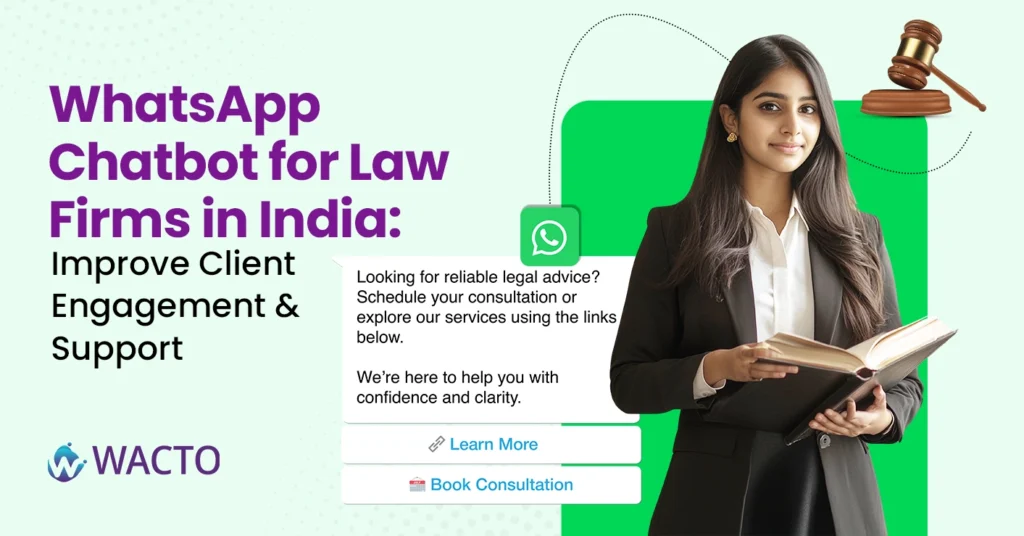
WhatsApp Chatbot for Law Firms in India – Improve Client Engagement & Support If you run a Chatbot for law firms in India, you already know this — clients don’t just want good legal advice, they want communication. Quick responses, reminders about hearing dates, answers to routine questions and let’s be honest, it’s not easy to keep up with everything. You could hire more staff, sure, but even then, someone’s always chasing updates on WhatsApp. That’s why more firms are now turning to a WhatsApp chatbot for business. It’s not some sci-fi robot taking over your practice. Think of it more like an extra pair of hands that quietly takes care of repetitive stuff, so you and your team can focus on, well, actual law. Why WhatsApp Chatbot Services Are Growing in India The client pings you on WhatsApp, asking, “Do we have court tomorrow?” Normally, that message sits there until morning (and you wake up guilty for not replying). However, with WhatsApp chatbot services in India, the client receives an instant automated response with their schedule. No stress, no delay. This is exactly why chatbot software is gaining ground in the legal space. It’s not about replacing lawyers. It’s about improving the client experience. And in a profession where trust is everything, that makes a difference. Everyday Problems Solved: WhatsApp Chatbots for Law Firms Let’s break it down. A WhatsApp chatbot for business can: Send case updates without your staff typing them out each time. Handle appointments, so clients can book consultations directly. Collect documents through secure prompts (no more chasing by email). Send payment reminders politely and automatically (because talking about money can be awkward). Reply 24/7 to FAQs like “What documents should I bring?” or “Where’s your office?” It’s basically a virtual assistant, only faster and cheaper than hiring more people. Choosing the Best Chatbot Services for Business Now, not all chatbots are created equal. Some are clunky, some don’t play well with WhatsApp Software, and some simply aren’t built for industries like law, where confidentiality matters. When looking for the best chatbot services, keep these in mind: Data security (client details can’t leak, period). Easy integration with WhatsApp Business. Support for multiple practice areas (criminal, corporate, family law, etc.). Local support in India, so you’re not stuck with an overseas team on a different time zone. Several providers of WhatsApp chatbot service in India now customize solutions specifically for professional firms — and honestly, that’s where you should be looking. Why Business Chatbot Beats Emails and Calls Let’s face it, clients often skip emails. And half the time, they miss phone calls too. But a WhatsApp message? Almost everyone opens it instantly. That’s why a WhatsApp business chatbot feels less like an optional tool and more like a necessity today. Say your chatbot sends a message like: “Reminder: Your consultation is scheduled for tomorrow at 3 PM at our office.” The client sees it right away, shows up on time, and you avoid a wasted slot. Simple, but powerful. Final Thoughts For law firms in India, investing in a Chatbot for WhatsApp Business isn’t about replacing the personal touch. Quite the opposite — it’s about freeing you up to actually be more personal when it matters most. The best chatbot service for business helps you answer faster, reduce no-shows, and give clients the confidence that they’re in good hands. And in today’s competitive legal world, that little edge could be the difference between keeping a client and losing them to another firm. So, whether you’re a solo practitioner in Chennai or a mid-sized firm in Delhi, adopting a chatbot service provider in India might just be the smartest move you make this year.
Best WhatsApp Templates for Businesses to Improve Customer Support
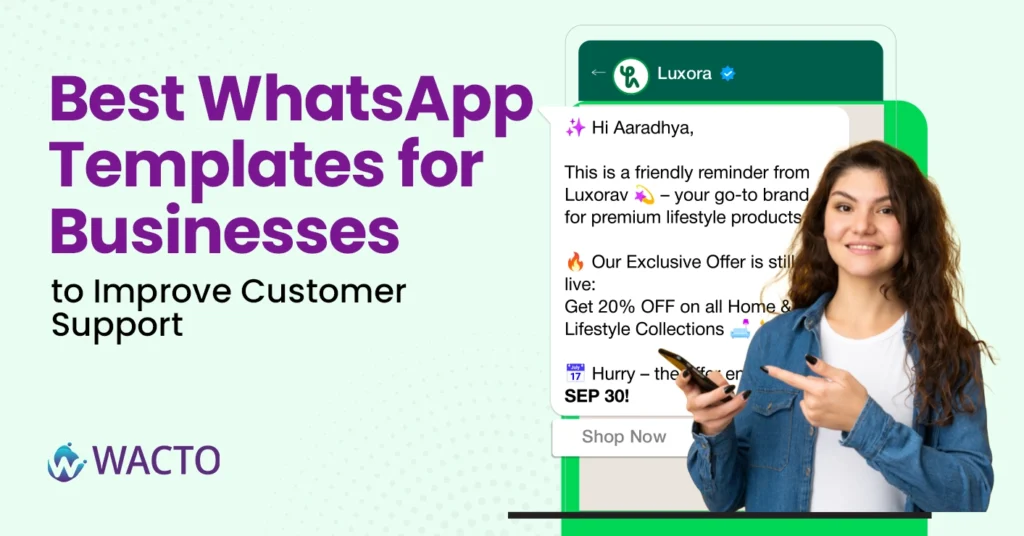
Best WhatsApp Templates for Businesses to Improve Customer Support Customer support isn’t what it used to be. A decade ago, people would send an email and wait patiently for a reply. Now? They send a message on WhatsApp and expect a response almost instantly. Businesses that adapt to this new reality win more loyalty. Those that don’t do well, let’s say, customers don’t wait around. This is where WhatsApp templates come in. Think of them as ready-to-use formats for your communication quick replies, personalized messages, even fun visuals. Instead of typing the same line 50 times a day, you set up templates once and keep your customer interactions smooth, fast, and consistent. Let’s look at some of the best WhatsApp templates for businesses in 2026, and how they can upgrade your support game. Types of WhatsApp Business Templates A WhatsApp Business Message Template helps companies communicate efficiently with customers using pre-approved messages. These boost engagement, automate replies, and enhance the customer experience. You can use different types for marketing, support, notifications, and more – making interactions easier on both sides. WhatsApp Message Template This is your bread and butter. A WhatsApp message templates is a pre-approved message format you can use for confirmations, reminders, or updates. For example: “Hi [Name], your order #[Order ID] has been shipped. Track it here: [Tracking Link].” It looks simple, but the magic lies in speed. You don’t waste time typing it out each time the system plugs in the customer’s details and sends it instantly. Template for WhatsApp Message is perfect for businesses handling dozens (or hundreds) of requests every day. WhatsApp Chat Template Customer support isn’t just about one-off messages. It’s a back-and-forth exchange. A WhatsApp chat template structures your replies, allowing your support team to stay professional while still being personal. For instance, a whatsapp template chat for FAQs might look like: Greeting: “Hi [Name], thanks for reaching out. How can I help you today?” Common answers: “Yes, we do home delivery.” / “Your appointment is confirmed for [Date].” Closing: “Is there anything else I can assist you with?” It feels natural to the customer, but your team doesn’t need to reinvent the wheel each time. WhatsApp Video Template Let’s face it — text can only do so much. Sometimes, sending a quick WhatsApp video template makes all the difference. Imagine you’re running a hospital or a fitness studio. Instead of a plain text saying, “Your appointment is booked,” you share a short branded video confirming it, maybe even introducing the staff they’ll meet. For example whatsapp template video “Hi [Name]! Your appointment is successfully booked for [Date & Time].We’ve shared a quick video to guide you before your visit. Looking forward to seeing you!” That’s customer engagement on a whole new level with WhatsApp Video Call Template for seamless communication. WhatsApp Meme Template Now, this one’s not for every business, but used smartly, a WhatsApp meme template can do wonders. Let’s say you’re in e-commerce and a customer abandoned their cart. Instead of a boring reminder, you send a meme that makes them smile and nudges them back to checkout. “Hey [Name]! Looks like you left something behind… your cart is feeling lonely Complete your order before it disappears!” It’s fun, it’s shareable, and it keeps your brand relatable. WhatsApp Chatbox Template A WhatsApp chatbox template is more of an internal tool. It helps your support team handle incoming queries without chaos. With a clear structure for greetings, questions, and responses, your team can work faster while keeping a uniform tone of voice. 1. Greeting Message “Hi [Name]! Welcome to [Brand Name]. How can I assist you today?” 2. Understanding the Query “Sure, I’d be happy to help! Could you please share more details about your concern?” 3. Quick Response / Solution “Thanks for the information. Here’s what you can do: [Solution Steps]. Let me know if you need further help.” 4. Closing Message “Is there anything else I can assist you with? Thank you for contacting [Brand Name]!” Customers notice when your support feels consistent across agents — it builds trust. WhatsApp Profile Picture Template Often overlooked, but yes, even a WhatsApp profile picture template matters. Customers take you more seriously when your profile looks polished. A clean, branded template for your display picture helps you look professional, credible, and easy to identify. Some Profile Picture Ideas Company logo in the center Light green background (brand theme) Clean circular design with minimal text Optional tagline (e.g., “24/7 Support” or “Official Account”) Imagine you run a digital marketing agency. Instead of using a random image, your WhatsApp DP shows your logo with a soft green background and a small tagline like “Official Business Account”. It’s a tiny detail that sets the tone before a chat even begins. Template Fond WhatsApp Ever noticed how the design or “feel” of a template changes the mood of your conversation? That’s what the template found WhatsApp is about — giving your messages a touch of personality with styled text or background designs. Hello [Name]!Exclusive Offer Just for You Get 20% OFF on your next purchase Use Code: SAVE20Valid till [Date] Tap below to grab the deal now! Used sparingly, it makes your communication stand out without looking cluttered. WhatsApp Status Template A WhatsApp Status Template helps businesses share promotions, updates, announcements, and customer engagement messages in a quick and visually appealing way. For example Limited Time Offer! Hey [Customer Name], exciting deals are here! Get up to 25% OFF on your favorite products today. Contact us now before the offer ends! Template status whatsapp helps businesses increase engagement and connect with customers WhatsApp Sales Template A WhatsApp sales message template helps businesses promote products, share offers, and drive customer conversions through personalized messaging. Delivering promotional content directly and creating better opportunities for lead generation and sales growth. For example Special Offer Just for You!Hey [Customer Name], don’t miss our exclusive deal.Get up to 30% OFF on selected products today.Contact us now and grab your offer before it ends! WhatsApp Web
WhatsApp Conversational AI Service – Automate and Engage at Scale
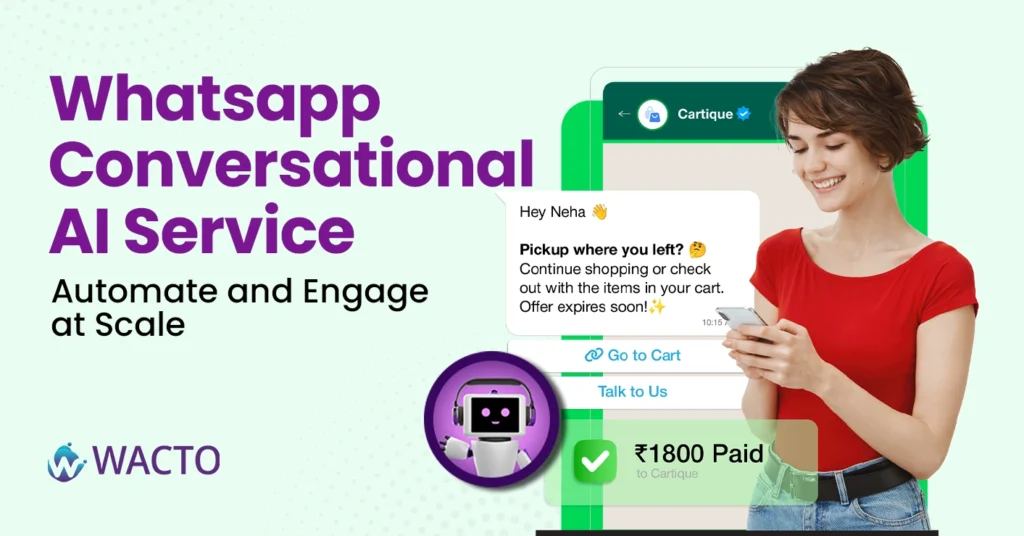
Best WhatsApp Conversational AI Service – Automate and Engage at Scale Let’s be honest—no one likes waiting for replies anymore. Customers expect answers now, not in “two to three business days.” And when they don’t get them? They simply move on. That’s where WhatsApp Conversational AI Service comes in. It’s not just another fancy tech term—it’s the bridge between your business and real-time customer conversations, without you (or your team) being glued to your phone 24/7. What exactly is a Conversational AI Chatbot for WhatsApp? Think of a conversational AI Chatbot as your smartest, most reliable team member. It’s always on, always polite, and somehow never has a bad day. It uses AI to understand messages, respond naturally, and guide customers toward solutions—whether that’s answering FAQs, booking appointments, or helping them track an order. And because it’s on WhatsApp—everyone’s favorite chat app—it’s accessible right where your customers already spend a huge chunk of their day. The Shift towards Conversational Marketing We’re moving away from “broadcasting” messages and toward conversational marketing, where the focus is on actual two-way engagement. Instead of sending a one-size-fits-all promo, you’re having personalized conversations. Imagine a customer asking, “Do you have this product in blue?” Your AI chatbot instantly replies, “Yes, it’s in stock. Would you like me to share the payment link?” That’s not just marketing, it’s building trust, one message at a time. Why WhatsApp is the Perfect Conversational Messaging Platform Sure, email still has its place, but WhatsApp is faster, more personal, and more likely to be opened (responded to). With a conversational messaging platform plugged into WhatsApp, you can: Automate customer support without sounding robotic. Qualify leads before handing them over to your sales team. Send tailored offers that feel like they were written for just one person. Maintain conversations at scale—whether that’s 10 people or 10,000. Learn how businesses boost engagement and efficiency with an advanced Conversational AI Platform Scaling Up With the Right WhatsApp API Service Provider Here’s the secret sauce: not all providers are built the same. The right WhatsApp API service provider will give you more than just message-sending power; they’ll give you automation tools, analytics, and integrations that actually work with your existing CRM or ecommerce platform. Some even let you blend AI automation with live chat, so when a conversation needs that human touch, your team can step in without breaking the flow. The Real-World Impact Let’s say you run a busy retail store with conversational messaging on WhatsApp. You automate product inquiries so customers get instant responses. You follow up with abandoned cart shoppers without sending a generic “Buy now” blast. You handle order tracking questions without taking your staff away from in-store customers. Suddenly, you’re saving time, increasing sales, and customers feel like they’re chatting with a helpful friend, not a faceless business. Conclusion WhatsApp Conversational AI service aren’t about replacing human interaction—they’re about enhancing it. Automating repetitive tasks means your team can focus on the moments that truly matter: solving complex problems, closing high-value deals, and building lasting relationships. In this blog, customers expect speed, personalization, and convenience. A conversational chatbot on WhatsApp delivers all three at scale. And the best part? Once it’s set up, it works while you sleep.
How to enable OTP on WhatsApp for Businesses – Step-by-step Guide
How to Enable OTP on WhatsApp for Businesses You’ve probably noticed it—more and more businesses are sending their OTP on WhatsApp (one-time passwords) right inside WhatsApp instead of SMS. And honestly? It makes sense. People check WhatsApp way more than their text inbox. If you’re running a business, using WhatsApp OTP is like putting your verification process in the fast lane. No delays, no “message not delivered” drama, and customers get that instant ping on their phone. Why WhatsApp OTP is Becoming a Big Deal Here’s the thing: people trust WhatsApp messages. They read them faster, and they’re less likely to be missed. For businesses, this means: Higher OTP delivery rates. Happier customers who don’t have to refresh their SMS inbox 12 times. A smoother onboarding or payment process. And if you’re wondering, yes, there’s even such a thing as an unlimited OTP bot for WhatsApp. That’s basically automation magic, sending secure codes to your customers without you lifting a finger. Step-by-Step: How to Enable OTP on WhatsApp for Your Business Step 1: Get WhatsApp Business API Access You can’t just use the normal app for this. The API is what allows you to send automated OTPs, notifications, and even use a bulk WhatsApp sender if needed. Step 2: Choose Your Provider Pick a reliable service that integrates OTP flows into WhatsApp. Look for security, delivery rates, and easy setup. Step 3: Integrate With Your System If you’re verifying users for login, payments, or signups, connect your platform with the WhatsApp Business API. Most providers have plug-and-play options for popular CRMs and eCommerce platforms. Step 4: Set Your OTP Flow Trigger: What action requires the OTP? (Login, payment, signup, etc.) Message format: Keep it short and clear. Example: “Your OTP is 458392. It’s valid for 5 minutes.” Step 5: Test Before You Go Live Send OTPs to yourself, your team, maybe even your mom—just to check delivery speed and accuracy. How to Login WhatsApp Without OTP Logging into WhatsApp without the use of an OTP could be done through connected devices, through login via a QR code or even through access to a previously authenticated account on trusted devices. Those who are using WhatsApp services for their businesses can do likewise via connected platforms. Why WhatsApp OTP Not Coming? Facing a WhatsApp OTP not coming issue? This problem can happen due to network errors, incorrect phone numbers, or temporary server delays. Check your mobile connection and verify your number to receive the WhatsApp verification code quickly. Bonus – Sending Bulk Whatsapp Messaging without being Spammy While we’re here—yes, you can use the same setup for sending bulk WhatsApp messages. Whether it’s transactional updates or a gentle “Hey, don’t forget your appointment,” a bulk WhatsApp sender can save hours of manual work. The trick? Don’t blast irrelevant stuff. Customers will block you faster than you can say “unsubscribe.” Whatsapp OTP vs Whatsapp SMS – The quick Reality Check Delivery Speed – WhatsApp delivery speed is very high. Even though a high rate of users are using the App. WhatsApp usually wins. Open Rate – Almost 98% on WhatsApp, way higher than SMS. The most highly used App is WhatsApp only. Cost – Depends on your provider, but often worth the improved reliability. Conclusion Switching to WhatsApp OTP isn’t just about being trendy—it’s about meeting your customers where they actually are. Combine it with tools like an unlimited OTP bot for WhatsApp or a WhatsApp bulk message sender, and you’ve got a communication system that’s fast, reliable, and, honestly, just a better experience for everyone involved. Your customers get their codes instantly. You get fewer “I didn’t get my OTP” support tickets. And everybody wins.
Build your own chatbot for WhatsApp Business (Fast and Easy)
Quick Guide: Build your own chatbot for WhatsApp Business (Fast and Easy) Let’s be honest—these days, if your customers can’t reach you on WhatsApp, they’ll probably just… move on. People expect fast replies, even at odd hours, and let’s face it—you can’t sit there 24/7 answering “What’s your pricing?” for the 147th time. That’s exactly where a chatbot for WhatsApp swoops in and saves your sanity. Before getting into this blog, let’s know that WhatsApp is a Chatbot What Exactly Is a WhatsApp Chatbot? Think of it as your friendly, tireless assistant who never needs coffee breaks. Chatbot for whatsApp business is an automated messaging tool that answers customer queries, sends updates, collects information, and even books appointments—all inside WhatsApp. The beauty? Customers still feel like they’re talking to you. Why is the WhatsApp chatbot so popular in the market these days? Why Is Everyone Suddenly Talking About It? I’m not exaggerating—whether you’re a local bakery, a real estate consultant, or an event planner, the best WhatsApp chatbot can turn casual inquiries into paying customers without you having to type a single word after setup. In India, especially, the adoption curve is wild. Businesses are calling up their local chatbot company in Chennai or big WhatsApp Chatbot Services India to get one built right now. And honestly? They’re onto something. How to build your WhatsApp Business Chatbot Pick Your Goal Are you automating FAQs? Taking orders? Scheduling consultations? Be clear on the one main thing you want your chatbot to do first. Choose the Right Platform or Partner – You’ve got options here: Build it yourself with no-code tools (good for quick, simple bots). Work with a chatbot development company in Chennai if you need something custom and scalable. Get WhatsApp Business API Access This is the tech key that lets your chatbot actually talk to customers on WhatsApp. Most chatbot companies in India will help set this up for you. Write Conversational Flows (Not Robot Talk) Your bot shouldn’t sound like it’s reading a manual. Instead of: “Please provide your query.” Try: “Hey! How can I help you today?” Test Before You Launch Ask a few friends (or that brutally honest cousin) to try it out. If they get confused or stuck, fix it before you roll it out. How long will it take? Honestly? If you use a ready-made builder, you could have a basic WhatsApp chatbot live in a few hours. If you’re going all-in with a custom build from the best chatbot company, expect anywhere from a week to a month, depending on complexity. Benefits that make it worth your Money 24/7 response – Never miss a customer while you sleep. Higher conversion rates – Quick answers keep customers from drifting away. Cost savings – No need to hire extra staff for repetitive queries. Data collection – Every interaction can feed into your CRM for better targeting. Choosing the best WhatsApp Chatbot Services India ( or anywhere) Here’s a quick tip: don’t just go for the cheapest quote. Look beyond that. Past work with businesses like yours. Ability to integrate with your tools (CRM, payment gateways, booking systems). Ongoing support—because you’ll need tweaks over time. Want to know how automation improves customer engagement? Check out our detailed guide on the benefits of WhatsApp Business bot to learn more. Conclusion Building your own chatbot for WhatsApp isn’t as intimidating as it sounds. Start small, keep it human, and make sure it actually solves your customers problems. Whether you do it yourself or team up with the best WhatsApp chatbot for business in India, the important thing is to get moving. Because in 2025, customers expect instant responses, and the companies that deliver them will win.