
How to Send WhatsApp Broadcast Message to Reach Thousands Instantly
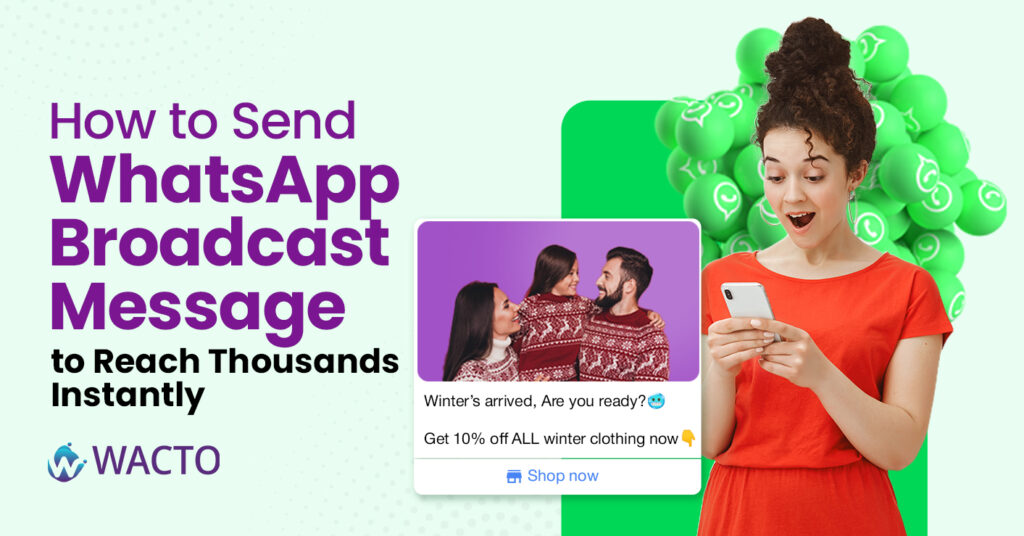
How to Send WhatsApp Broadcast Message to Reach Thousands Instantly If you’ve ever sat there, forwarding the same message to dozens (or hundreds) of people one by one… you know it’s not just boring—it’s a total time killer. That’s where the magic of WhatsApp broadcast message comes in. It’s basically your shortcut to talking to a crowd without actually creating a noisy group chat. Everyone gets your message privately, but you only typed it once. No awkward “who’s this?” replies from strangers. No endless notifications from people sending thumbs-up emojis. What is WhatsApp Broadcast? A WhatsApp broadcast is kind of like making an announcement, but in a way that still feels personal. Imagine you run a little bakery. You’ve just introduced a new chocolate lava cake, and you want 150 regular customers to know about it. Instead of sending 150 individual messages, you just pop them into a broadcast list on WhatsApp, write one tasty-sounding update, and send. Each person gets it in their chat with you—like it was meant just for them. How does Whatsapp Broadcast Limit Works Here’s the not-so-fun part: the standard WhatsApp Business App lets you send a broadcast to only 256 contacts at a time. If your customer list is bigger than that, you’re stuck repeating the process over and over. The fix? Use the WhatsApp Business API. With it (and a tool like WACTO), you can send broadcast messages on WhatsApp to thousands of people—without breaking rules or your sanity. If you’re wondering about the WhatsApp broadcast message limit, businesses using the standard app may face restrictions when sending messages to larger audiences. Understanding the broadcast limit in WhatsApp helps you choose the right solution WhatsApp Broadcast List vs WhatsApp Broadcast Group – Don’t Confuse Them People often mix these up: A broadcast group in WhatsApp doesn’t actually exist. Usually, people mean a group chat, where everyone can see and reply to each other’s messages. A broadcast list on WhatsApp is different—it keeps every conversation one-on-one. The recipients won’t know who else got the message. For marketing, promotions, or important updates, the broadcast list whatsApp limit is your best friend. How to Send Broadcast Message in WhatsApp How to Use WhatsApp Business Broadcast Messages Open WhatsApp and tap the three dots (top-right). Select New Broadcast. Add your contacts. Write your message. How to Broadcast Message on WhatsApp Some ideas that work really well: Promos & discounts – “20% off for orders today only.” Event reminders – “Don’t forget, our webinar starts at 6 PM.” Service updates – “Our store will be closed for maintenance this Friday.” New arrivals – “Fresh stock just in—check it out!” Examples of WhatsApp Broadcast Messages Businesses send personalized offers, updates, and promotions at scale while improving engagement and customer response rates. Promotional offer messages for customers Festival and seasonal greeting broadcasts Order confirmation and delivery updates Event invitations and reminder messages Product launch and discount announcement messages How to Send Messages to Multiple Contacts Sending messages in many contacts saves time and ensures frequent communication with your audience. Whether it is for publicity, reminder, or update, promotes engagement once. With the right tool, you can also personalize messages when sending to bulk, which makes humans feel human rather than your communication automated. This approach increases reaction rates and strengthens customer relationship. Automating bulk messaging also reduces errors and manual work. This allows businesses to focus on strategy and creative materials while the system basically handles communication. Tips to Make Your WhatsApp Broadcast Channel Work Better Keep it short. Nobody wants to read an essay in WhatsApp. Personalize if possible (use their name). Avoid sounding like spam. (No need for 10 emojis or ALL CAPS.) Make sure you have permission before sending marketing messages. Breaking the 256 Barrier For bigger lists, the WhatsApp Business API Solution is the way to go. Using WACTO, you can: Import contact lists directly from Google Sheets. Schedule and automate broadcast WhatsApp group-style campaigns. Track who opened, clicked, or replied to your message. It’s basically your broadcast feature—on steroids. Final Thoughts The broadcast feature in WhatsApp is one of the easiest, fastest ways to connect with your audience. It keeps conversations personal, yet lets you talk to hundreds (or thousands) at once. Start small—maybe with a weekend offer or an event reminder. Once you get the WhatsApp broadcast software, upgrade to the WhatsApp Business API so you can forget about limits and focus on growing your reach. Because in business, the faster you can reach people, the faster they can respond—and that’s exactly what keeps you ahead. Frequently asked questions Is WhatsApp broadcast available on WhatsApp Web? Yes — you can create and send broadcast messages from WhatsApp Web on a desktop browser, just like on the mobile app. Can you send media (photos, videos, documents) via broadcast? Yes — you can send images, videos, audio, and documents through a WhatsApp broadcast list. Why is my WhatsApp Broadcast message not delivered? Your broadcast message won’t be delivered if the recipient hasn’t saved your number in their contacts. Only contacts who have your number saved will receive the message. Also check your internet connection and ensure the recipient’s WhatsApp is active. How do you forward a message to a WhatsApp Broadcast list? Yes, you can! Long-press the message → tap the Forward icon → select your Broadcast List → hit Send. The message goes to all contacts on the list as individual private messages. How many contacts can be added in a WhatsApp Broadcast list? You can add up to 256 contacts in a single WhatsApp Broadcast list. Need to reach more people? Simply create multiple broadcast lists. Yes — you can create and send broadcast messages from WhatsApp Web on a desktop browser, just like on the mobile app. Yes — you can send images, videos, audio, and documents through a WhatsApp broadcast list. Your broadcast message won’t be delivered if the recipient hasn’t saved your number in their contacts. Only contacts who have your number saved
WhatsApp Bulk Message Software from Google Sheets: Automate Your Messaging Now
WhatsApp Bulk Message Software from Google Sheets If you have ever tried sending WhatsApp messages manually, you know the drill of copy, paste, send, and repeat. And if your contact list has hundreds or thousands, it’s a full-time job. But here is the good news: you can skip all that repetitive work by using WhatsApp Bulk Message Software that connects directly with your Google sheet. Do you want to avoid that send button every time? This smart setup will automatically do all the work of managing your data, contacts, messages, and campaigns in a single place and then send them out on bulk Whatsapp software automatically-without touching the send button. What is Google Sheet Automation? Google Sheets is a free, cloud-based spreadsheet tool from Google that works much like Microsoft Excel—but it lives online, so you can use it from any device with an internet connection. Here’s what makes it useful: Create and edit spreadsheets online – No software installation needed. Real-time collaboration – Multiple people can work on the same sheet at the same time, seeing changes instantly. Automatic saving – Your work is stored in Google Drive, so there’s no risk of losing files if your computer crashes. Access anywhere – Open your sheets from your phone, tablet, or laptop. Think of it as your online notebook for numbers, lists, and data, but with powerful formulas, charts, and integration options—like connecting it to WhatsApp bulk messaging tools to send automated messages. If you like, I can explain how Google Sheets and WhatsApp can work together in a step-by-step example. Why Connect Google Sheets with WhatsApp? Google Sheets is simple to use, free, and cloud-based, so you can access your data from anywhere. When you integrate it with bulk WhatsApp marketing software, you can unlock: One-click campaigns – Send messages straight from your sheet. Real-time contact updates – Any edits you make in Google Sheets reflect instantly in your campaign list. Easy personalization – Merge customer names, order details, or event info directly into messages. Team collaboration – Your whole team can update and track the same spreadsheet. It is not just convenient, it’s game changing for businesses that rely on regular customer communication. Why Google Sheets Automation is Perfect for any Business Whether you are running a small shop, an e-commerce store, or a large service-based company, this combination works like a charm. Here are a few examples. E-commerce updates – Send shipping details, offers, or product launches. Event invites – Share dates, locations, and RSVP links instantly. Customer service follow-ups – Keep in touch with regular clients without manual reminders. Payment reminders – Gently nudge customers about pending bills. How does Automation work in Google Sheets? Prepare your Google sheet – Add customer names, numbers, and any custom message fields. Connect to WhatsApp Bulk message software – Use a platform like Wacto that supports WhatsApp API integrations. Write your message template – Personalize it with placeholders like name or order ID. Click Send – Watch hundreds of messages go out automatically, without risking your WhatsApp account. Benefits of Google Sheets Automation Saves hours of manual work – Your team can focus on selling, not sending. Scales with your business – Whether you send 50 or 5,000 messages, the process stays the same. Keeps you compliant – Using an official WhatsApp Business API helps avoid bans. Boosts engagement – Personalized, timely messages are more likely to be read and replied to. Bulk WhatsApp Marketing Tool with Google Sheets Automation The bulk WhatsApp marketing software enables businesses to send personalized messages directly from Google Sheets by using automated workflows. By using a reliable WhatsApp messaging software, various activities can be carried out easily, including scheduling messages and tracking them. A highly effective WhatsApp marketing Software that can connect to Google Sheets and automate bulk WhatsApp messaging and follow-ups in real-time is a useful WhatsApp tool for teams. Furthermore, a reliable bulk messaging tool like WhatsApp can send messages based on updates, customer actions, and/or the status of the WhatsApp campaigns, thus making WhatsApp messaging faster, smarter, and more efficient. Bulk WhatsApp Sender Software for Business Using the Google Sheets automation feature, when the bulk WhatsApp sender tool is used, it automatically sends out messages when there is any change in data, which can be of great help in making follow-ups, issuing notifications, and even in campaigning. Bulk WhatsApp message sender software also helps businesses send messages in bulk directly from Google Sheets. It helps businesses simplify the process of creating and sending messages at scale without much hassle. Why does Wacto make it even better? Saves hours of manual work – Your team can focus on selling, not sending. Scales with your business – Whether you send 50 or 5,000 messages, the process stays the same. Keeps you compliant – Using an official WhatsApp Business API helps avoid bans. Boosts engagement – Personalized, timely messages are more likely to be read and replied to. With Wacto’s Google sheet + Whatsapp Bulk Message integration, you don’t need coding skills or expensive IT Support. The interface is clean, the setup takes minutes, and you can track message delivery and responses in real time. It’s perfect for businesses that want the speed of WhatsApp automation with the personal touch of WhatsApp. Final Takeaway If you are still sending WhatsApp messages one by one, you are missing out on a faster, smarter, and more professional way to connect with customers. By combining Google Sheets with Whatsapp bulk messaging software, you can automate campaigns, save time, and grow your business without extra effort. Because in business, the faster you connect, the more customers you keep.
WhatsApp Business API for Event Management Software
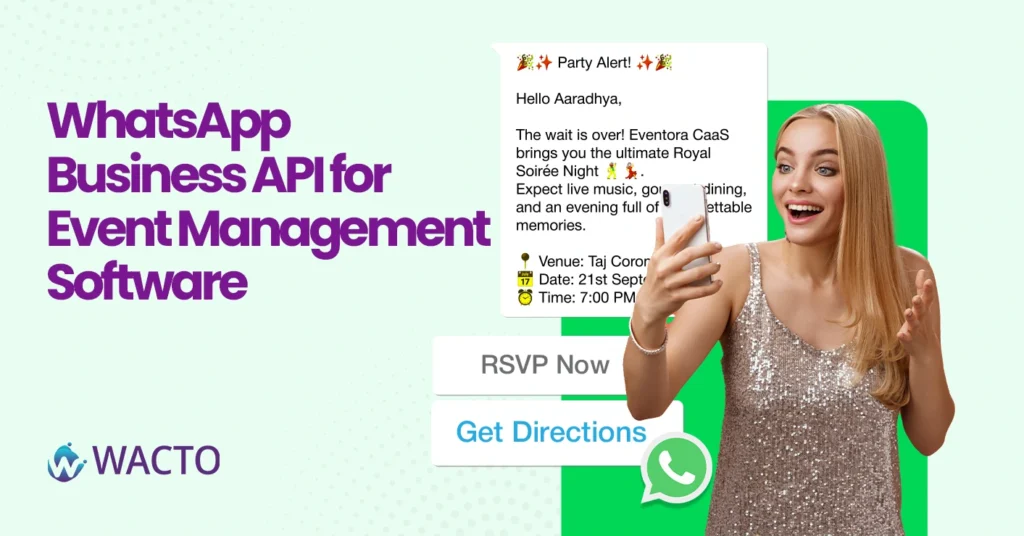
WhatsApp Business API for Event Management Software The process of organizing events now goes beyond just finding the right venue and distributing invites. Modern businesses look out to create effective communication channels that engage their audience and help coordinate everything seamlessly. This is where the WhatsApp Business API for event management software takes center stage for any event organizer. This app comes in handy whether you are organizing an event for corporate organizations, online webinars, exhibitions, weddings, education seminars, or a product release event. With WhatsApp, you will be able to instantly interact with your attendees via auto messages, reminders, updates, and customer care services. Modern companies are also pairing online event management systems with WhatsApp to facilitate communication within a single platform. The advantage of WhatsApp over emails is higher message read rates since events can be organized in real time, resulting in a better user experience for participants. Companies using modern event management software can easily register, confirm, share tickets, schedule reminders, and provide live support via WhatsApp Business API. This helps achieve operational efficiency and make the event management process more professional. Companies looking for the most suitable CRM solution for event management can include direct WhatsApp communication capabilities into their CRM solutions to help manage leads, attendees, sponsors, and customers communication. How to Use WhatsApp for Event Management WhatsApp can support every stage of an event lifecycle, from pre-event promotions to post-event engagement. With proper automation and CRM integration, businesses can manage communication without depending on multiple platforms. Promote Upcoming Events Easily Event organizers can send promotional campaigns directly to targeted users through WhatsApp. Instead of traditional SMS marketing, WhatsApp messages include images, brochures, registration links, and event details in a more engaging format. Benefits include: Instant communication with attendees Higher message open rates Quick registration sharing Personalized event invitations Better customer engagement Using a reliable internal solution like WhatsApp Marketing tool helps businesses manage campaigns efficiently while maintaining organized communication. Automate Event Registrations Manual registration handling consumes time and increases the possibility of errors. WhatsApp automation allows businesses to: Send registration confirmation instantly Share payment links automatically Deliver digital tickets directly on WhatsApp Provide event schedules automatically Handle FAQs through automated replies This process improves customer experience while reducing workload for event teams. Send Event Reminders Many attendees forget event schedules even after registering. WhatsApp automation helps event managers send reminders before the event begins. Examples include: Event countdown reminders Venue location sharing Session timing updates Speaker announcements Last-minute event notifications Automated reminders improve attendance rates and reduce confusion among participants. Improve Attendee Support Customer support is one of the biggest challenges in event coordination. WhatsApp enables instant two-way communication between attendees and organizers. Support teams can quickly respond to: Registration queries Payment confirmation requests Ticket issues Venue information Schedule changes Businesses using WhatsApp CRM Integration can track all attendee conversations inside one dashboard for better communication management. Event Management Software Integrated with WhatsApp Modern event companies prefer centralized systems instead of handling communication separately. Integrating WhatsApp with event management software allows businesses to automate communication workflows and improve productivity. Using WhatsApp with event management software helps event organizers manage everything from attendee engagement to marketing campaigns within one platform. Benefits of Automated Workflow Management Integration Event software integrated with WhatsApp can automatically trigger messages based on attendee actions such as: New registrations Ticket purchases Event reminders Feedback collection Follow-up communication Integration Features for Event Businesses When selecting event software integrated with WhatsApp, businesses should look for features such as: CRM integration Automated messaging Bulk campaign support Ticket management Analytics dashboard Chatbot automation Multi-agent support Lead tracking API customization Choosing the right solution improves event operations and customer engagement simultaneously. WhatsApp Automation for Event Management Automation is becoming essential for event businesses handling large attendee databases and multiple communication tasks. WhatsApp automation simplifies repetitive activities and helps businesses save time. Instead of manually replying to every attendee, organizers can automate workflows using chatbots and API-based messaging systems. Registration Confirmation Once a user registers for an event, automated WhatsApp messages can instantly send: Confirmation details QR tickets Payment receipts Event instructions Event Notifications Automated workflows help organizers send updates at scheduled times without manual intervention. Advantages of WhatsApp Automation for Eveny Management: Saves Time: Automation reduces repetitive manual communication tasks for event teams. Improves Customer Experience: Attendees receive instant responses and timely information. Increases Event Attendance: Automated reminders reduce no-shows and improve participation. Better Data Tracking: Businesses can track delivery reports, engagement rates, and attendee responses. Scalable Communication : Large-scale events can communicate with thousands of attendees simultaneously. Using the Best WhatsApp Automation Tool can help event businesses manage customer communication more efficiently while improving attendee satisfaction. WhatsApp CRM for Event Management CRM systems play a major role in organizing attendee information, managing leads, and improving customer communication. Integrating WhatsApp with CRM platforms creates a unified event communication ecosystem. Businesses looking for the best CRM for event management often prioritize systems that support WhatsApp integration because it improves engagement and simplifies attendee management. How CRM Integration Helps Event Organizers Lead Management: All attendee inquiries, registrations, and interactions can be stored inside the CRM. Personalized Communication: Businesses can send customized event messages based on attendee interests or registration type. Sales Follow-Ups: For business expos and networking events, sales teams can follow up with leads directly through WhatsApp. Sponsor Communication: Sponsors and partners can receive automated updates and reports through integrated systems. Important CRM Features for Event Businesses Contact segmentation Automated follow-ups WhatsApp communication tracking Lead scoring Campaign management Customer history tracking Reporting dashboards Businesses using WhatsApp API Integration can connect CRM platforms with automated messaging systems to improve event engagement and customer relationship management. WhatsApp API for Event Management Platforms WhatsApp API allows event management platforms to create scalable communication systems that support thousands of attendees simultaneously. Working with them is a pleasure since the team is always professional, fantastic in the way they think, and eagerly ready to assist you at all times. From small parties
Best WhatsApp Chatbot for Hospitals – Smart Patient Engagement Solutions
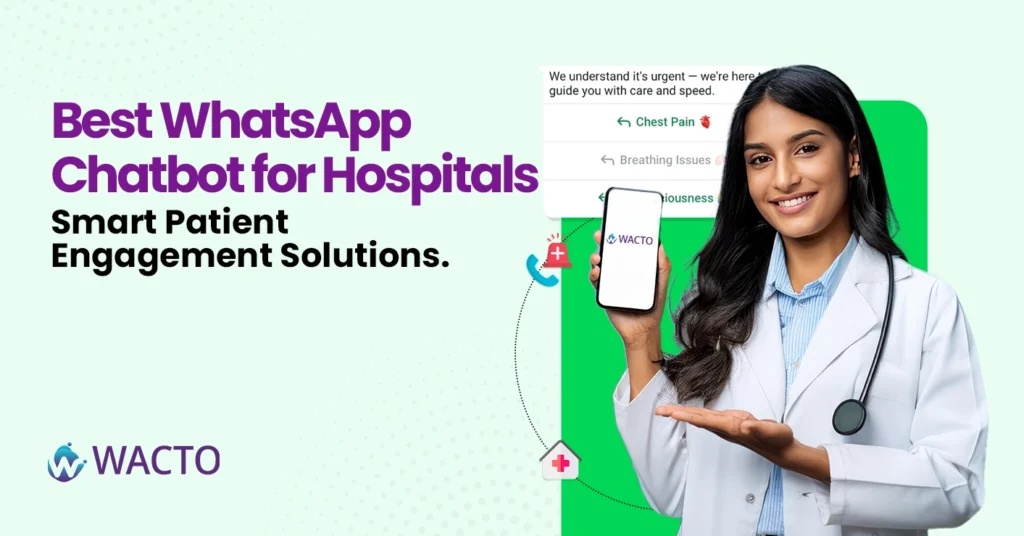
Best WhatsApp Chatbot for Hospitals – Smart Patient Engagement Solutions Hospital industries are the most busiest at the peak in today’s world compared to the other industries. Everyday operations and patient handling is a very big task for every hospital from emergency cases to normal enquiry. If there is one thing that hospitals learnt over the past few years, it’s that patient communication needs to be fast, easier and more personal. Patients don’t want to wait for a long time in the call queue just to confirm an appointment or ask about a report. All they wanted was a quick answer or response all through one app, which everyone uses – WhatsApp. That’s where the best WhatsApp chatbot for hospitals comes in. It’s not only about automated replies, it’s about smart patient engagement chatbot – helping people feel cared for even before they step through the hospital doors. Why Hospitals Need WhatsApp Chatbots A few years ago hospitals relied on phone calls, emails, websites for patients appointments and communications, it worked but it was not up to the mark and fast enough. Now, with the help of a AI Medical chatbot services in India, everything from booking appointments to sending test results can happen instantly on WhatsApp. This means less pressure on front desk staff and a smoother experience for patients. Lets be honest when you make things easier for patients, they’re far more likely to choose your hospital again. Benefits of WhatsApp Chatbot for Hospitals & Healthcare Today’s patients expect quick, reliable, and convenient healthcare services. This is where medical chatbots act as a virtual assistant, they simplify the patient’s journey by handling queries, scheduling, reminders, and more – without long waits or repeated calls. Use of Chatbots in Healthcare Instant Appointment Booking – It is the days of waiting on hold to fix an appointment. With a chatbot, patients can choose a favorite time slot, confirm it immediately, and even receive a reminder before traveling. It saves time for both patients and hospital staff, ensuring a smooth scheduling process. Report Delivery – Coordination of endless phone calls for no more chasing the hospital desk or test report. Medical chatbots can share lab results or clinical reports within the chat directly. It is safe, immediate, and convenient – patients can deliver their health chatbot records anytime, anywhere. 24/7 Support – Health bot concerns do not always follow commercial hours. Whether it is midnight or morning, chatbots are available at the clock time. They answer questions, share information, and guide the patients – even when hospital staff are away from duty. Health Reminders – Staying on top of check-ups, vaccinations, or daily medication can be tough. Chatbots in medicinesend automated reminders that keep patients in line with their health routine. This active support creates patient belief and improves long-term care results. Multilingual Support – In multicultural cities, language can be a barrier to care. Chatbots with multilingual aid help patients get the correct information in the language with which they are most comfortable. This inclusion ensures that no patient is left behind due to communication intervals. Symptom Checks – Before fleeing the hospital, patients often want to understand what they are experiencing. Medical chatbots provide an initial symptoms assessment based on the input, and provide guidance on whether to book counseling, go to the ER, or manage symptoms at home. Doctor Availability – Instead of calling several times to check whether a doctor is available or not, the patient can simply ask the chatbot. This doctor provides real-time updates on schedule and availability, causing a hospital tour to be more approximate and less stressful. Treatment Details – Patients have questions about frequent ongoing treatment, recovery time, or procedures. Chatbots can share accurate, easy-to-understand-supported treatment information, making sure that patients feel informed and confident about their healthcare treatment. From Hospitality to AI Healthcare Chatbot You might have heard of chatbots in the hospitality industry. Hotels use them for bookings, room service requests, and guest engagement. The logic is similar in AI chatbot healthcare, except here the stakes are higher. Just like a chatbot for hospitality makes a guest feel at home, a hospital chatbot can make a patient feel heard and valued—without making them wait. The Role of Conversational AI Chatbot for Healthcare A good hospital chatbot isn’t just a FAQ machine. It’s built on a strong conversational AI healthcare platform that understands context, remembers patient history, and adapts over time. Pair that with expert conversational AI for healthcare, and you have a tool that’s not only smart but genuinely helpful—almost like having a personal medical assistant in your pocket. Choosing the Best WhatsApp Chatbot in Healthcare Industry Best healthcare chatbots is important for improving patient care, streamlining communication, and reducing employees workload. A well-designed chatbot can handle appointments, reply to FAQ, and immediately connect patients to the correct departments. Beyond the convenience, hospitals should ensure safety, compliance, and spontaneous integration with their existing healthcare chatbot systems. With the right solution, your hospital can provide fast, safe, and more personal care. When looking for the right solution, keep an eye on: HIPAA/GDPR compliance for patient data security. Easy integration with hospital management systems. Multi-department handling (so it can help cardiology, orthopedics, and lab services in one place). Analytics to track common queries and improve service over time. Improve patient support and appointment management with our smart AI Chatbot for Healthcare solutions. Final Thoughts The best WhatsApp chatbot for hospitals is just beyond technology – it creates confidence with patients. Using a smart chatbot, hospitals can reduce waiting time and make communication sharp and smooth. Patients receive immediate reactions to their questions, which improves their overall experience. Employees can focus on more important tasks while regular questions are automatically handled. Over time, it leads to high satisfaction and more efficient hospital operations. Investing in a WhatsApp Chatbot is not just a technical upgrade – this is a step towards better patient care and clever healthcare management.
8 WhatsApp Support Tips to Keep Your Customers Coming Back
8 WhatsApp Support Tips to Keep Your Customers Coming Back In today’s fast-paced world, running a business is a big game in the market, but apart from that, the main goal of all businesses is keeping their customers stable without moving out is the biggest achievement and a difficult task. The competition in today’s market is very high for all businesses and industries. Getting adapted to the current technology, tools, and AI is a bit challenging for many new startups and small businesses. Because customers believe only in businesses that are very adaptive and have fast and quality results without delay for all customer support, queries, promotion, and marketing, and smooth delivery. When your competitors are well in advance with the current trends, high technologies, then your business will automatically go down as your customers are moving out to your competitors. WhatsApp has become the go-to platform for brands to offer fast delivery and personalized customer support. From small scale to large scale, using WhatsApp is not optional; it is a necessity. Respond faster than your Competitors Customers choose WhatsApp because they want instant replies. If you make them wait for hours, then they might move to your competitor, and the deal will be lost. Use the WhatsApp API for automated acknowledgments so customers know you have received their query. Keep response time scheduled to be under 5 minutes during working hours. Pro Tip: Use a Whatsapp Chatbot to instantly answer the FAQ’s while your team handles complex queries. Personalize every Conversation Nobody likes to feel like “Just another customer” so treat every customer as if they are special, use their names, past history, purchases they have done and recommend them for new products and services based on their requirements which will be beneficial for their business and also for your business. For example: Instead of sending them a message saying “Your order is confirmed,” send them personalized messages like, “Hi Priya, your order has been confirmed, thanks for ordering the Italian cheesecake again, we’ve packed it fresh and it will reach you by 6.00 pm today”. Use a WhatsApp Chatbot for 24/7 Support Even your best support team can’t be online all the time. That’s where the Best WhatsApp chatbot for Business shines. Do business even while you sleep with WhatsApp Chatbot. Your bot will automatically respond to all your customer queries on time, quick responses and no wait time for customers to get their enquiries done. Handle after hours queries automatically. Provide quick answers for common questions like “Where is my order?” or “ What is your return policy?” Reduce the workload on your support agents so they can focus on more important tasks. Send Helpful, not just Promotional messages If every message is a sales pitch, customers will mute you. Mix helpful content with promotional offers. Share how-to guides, order updates, and service tips. Example: A clothing store can send “3 ways to style your new denim jacket” instead of just “20% off sale today.” Leverage the WhatsApp API for seamless CRM integrations WhatsApp Integration with CRM allows you to track customer queries, history, performance, preferences, and previous interactions. No more asking customers to “repeat their issues” Agents can instantly see context and resolve problems faster. Keep the tone friendly and human WhatsApp is a personal space to avoid sounding like a corporate email. Use simple language, emojis where required and necessary only and conversational tone. Instead of saying “ Your order is on the way,” say like “ your goodies are on the way!” You’ll get them by tomorrow. Offer Instant Payment and Catalog Browsing With the WhatsApp Business catalog feature, customers can browse products without leaving the chat. Pair it with payment links for a smooth buying experience. Example: “Here’s the new shoe collection. Tap to see sizes and buy instantly.” Follow up after Service Don’t let the conversation end after the sale. Send a quick follow-up to check if they are happy with their purchase or need further assistance. A friendly “Hi Ankit, just checking in — did the blender work well for your smoothie today?” goes a long way in building loyalty. Final Thoughts When done right, whatsapp for customer service can be a powerful relationship-building tool. By combining quick responses, personalized communication, tools like the Whatsapp API and Whatsapp Chatbot you can turn casual buyers into repeat orders or customers who can trust your brand. Remember: Great customer support isn’t about closing a ticket; it’s about opening the door for the next conversation.
Automate your Campaigns with WhatsApp Drip Marketing Software – No More Manual Reminders.
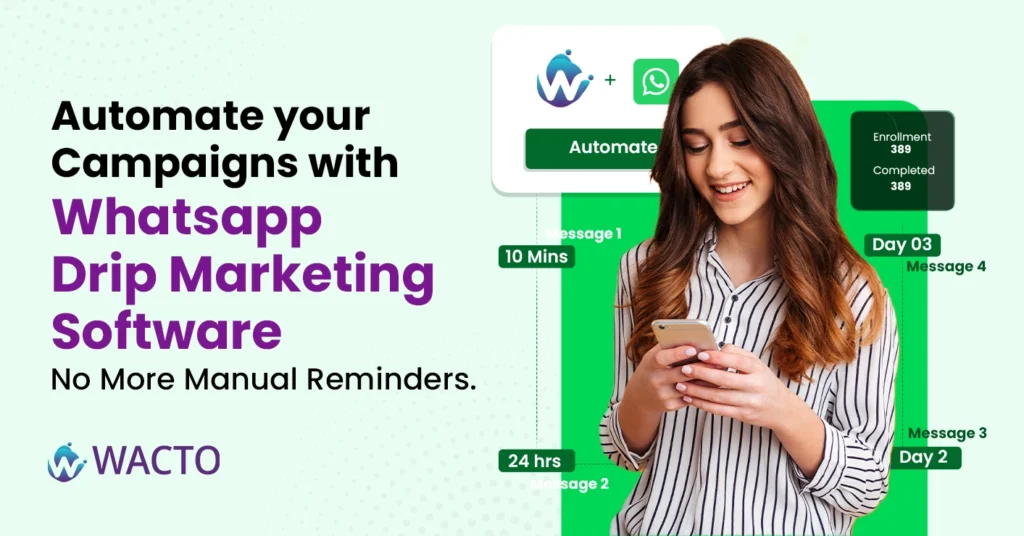
Automate your Campaigns with WhatsApp Drip Marketing Software In today’s busy world many businesses face difficulties in having a smooth engagement with their customers. Staying in touch with your leads and customers is highly tough. You are trying to follow up after a demo, remind them about a payment, send onboarding content and re-engage cold calls. Doing all this Manually? That’s not just exhausting, it’s inefficient and time consuming. That’s where Drip Marketing comes in, especially powered by Whatsapp. In this blog you will explore how drip marketing works and completely automate your customer journey, improves response rate, and finally free your team from sending repetitive messages every day. What is Drip Marketing and How Does It Work? What is Drip Marketing? Drip Marketing is a strategy of sending a series of automatic WhatsApp messages to customers or leads over time. These messages are usually triggered by actions or inactions like signing up for a trial, abandoning a cart, or downloading an E-Book. Instead of bombarding users with a one-time message, you drip content and gradually guide them toward a decision. And when this happens over whatsapp, the engagement is next level. Why Use WhatsApp for Drip Marketing? Email open rates are dropping, and SMS gets ignored. But WhatsApp messages have a high open rate of over 98%. This means that the vast majority of messages sent through the platform are actually seen and opened by recipients, making it a very effective communication channel for businesses. That’s why many brands are shifting drip Marketing campaigns to WhatsApp. Here’s what makes WhatsApp the perfect channel. Instant delivery and read receipt Rich media support ( Images, PDFs, videos, and links) Feels personal and conversational Higher response and click-through rates. With a good WhatsApp drip marketing tool, you can automate the entire customer journey from onboarding to feedback collection. What is WhatsApp Drip Marketing Software? A WhatsApp drip marketing software helps you to send messages automatically based on customer actions and avoids time delay reminders. Think of it like this- A lead signs up for your demo → WhatsApp message sent instantly 2 days later → Auto-follow-up with a case study 5 days later → Reminder to book the call or check in After purchase → Thank you message + upsell offer All of this happens automatically without lifting a finger. Key Features of WhatsApp Drip Marketing Tool When choosing a drip marketing for WhatsApp, make sure it offers the below: Trigger based messaging Send messages when users complete an action like sign up, payments, form fill. Time – based sequences Create delays between messages like Day 1, Day3 and Day7 etc CRM Integrations Connect with your CRM like Zoho, Fresh sales, Google sheets to pull lead data in real time. Customizable Templates Use approved WhatsApp message templates that match your brand voice. Analytics & Performance Tracking See which messages were opened, clicked, or replied to and you can optimize accordingly. Use Cases of WhatsApp Drip Campaign Software Education / Coaching Drip course materials or free lesson previews Follow-up reminders for demo classes Payment reminders or upselling other programs Ecommerce & D2C Abandoned cart reminders Post-purchase care tips Re-engagement offers after 30 days B2B SaaS or Services Demo booking flows Case studies & testimonials over 5–7 days Onboarding sequences for trial users Wacto – A Smart Drip Marketing Solution Wacto makes drip marketing simple, powerful and scalable. Let’s see what Wacto does with Drip marketing Build customized drip sequences for every lead stage Integrate with your CRM for real-time personalization Schedule messages based on time gaps or user activity Use pre-approved WhatsApp templates for instant delivery Track campaign performance from a single dashboard Whether you’re running a school, online store, or B2B sales team — WACTO’s Drip Marketing Software helps you connect better, sell faster, and support smarter. Explore WACTO Drip Marketing Tools Final Thoughts If your team is still sending follow-ups manually, you’re already falling behind. A well-planned WhatsApp Drip Marketing Campaign can: Save hours of manual effort Improve engagement dramatically Move leads down the funnel faster Keep your brand top-of-mind at every step And with the right Drip Marketing Software, all of it can happen while you sleep. Ready to automate your WhatsApp campaigns? Schedule your free WACTO demo today: Click Here Here are some examples from Legal Teams in 2025 1. Case Updates Clients no longer need to call your office. A simple message like: “Hey, your next hearing is on Sept 2 at 10 AM. Let us know if you need anything.” goes a long way in building trust. Plus, it takes seconds to send — or can be automated entirely. 2. Document Sharing Need KYC docs? Proof of address? An affidavit draft? Send and receive files on WhatsApp. Clients love the convenience, and you save time. 3. Appointment Scheduling Your bot can check your calendar, suggest times, and confirm bookings. You get notified. The client gets a reminder. No calls, no double-booking. 4. Billing & Payments WhatsApp is perfect for sending payment links, reminders, or invoices. Since people read WhatsApp faster than email, payments come in quicker. Integration and its benefits Of course, this works best when WhatsApp is integrated into your workflow — not tacked on as a side tool. With platforms like WACTO, you can achieve seamless CRM Integration with WhatsApp by connecting it directly to your CRM or case management system. That means: 1. Messages can be triggered based on case activity 2. Each conversation stays linked to the right client 3. Bots handle common questions; humans step in when needed 4.No more switching tabs. No more “Did we update the client?” confusion. Law firms if still relying on email and phone calls alone, you’re probably missing a big opportunity.
Top 5 Gallabox Alternatives – Best WhatsApp Business Platform Tools (Wacto 2025)
WhatsApp Business Platform Tools – Top 5 Gallabox Alternatives In 2025, WhatsApp Business platform are more important than ever. Whether you’re running a D2C brand, an agency, or a service-based business, customers expect fast, real-time communication — and WhatsApp is where those conversations are happening. Gallabox has gained its popularity in the market for Automation features and WhatsApp Marketing. But it’s not the only player in town, and it may not be suitable or the best fit for all business types. In this article, you will explore the top 5 alternatives to Gallabox, which will be the best fit for your business. Also, you will find out the best tools that offer powerful WhatsApp Business Capabilities, including Wacto, India’s fast-growing WhatsApp CRM Integration Services. Why must you consider Gallabox Alternatives? While Gallabox is a solid platform, many businesses seek alternative for: More affordable plans Advance CRM Integrations Local support and faster onboarding Better Automations Transparent pricing without any hidden cost. If any of these matters to your business here are the top alternatives of Gallbox in 2025 to be considered. WACTO – Built for Indian Businesses ( All Industry ) Lets begin with the one that’s changing the game in 2025 business industries – Wacto Wacto is more than just a WhatsApp API Provider. It is a full-featured WhatsApp Business Platform designed for SMBs, Startups, and large-scale industries that want to boost their business communication and Automation. Lets see what are the key features of Wacto: CRM Integrations – Wacto has smart integration options with Zoho, Corefactors, Freshsales, Google Sheets, Opencart, and many more. Automated replies and Workflow rules – based on sales stages. Multi-agent chat – from a single WhatsApp number. Broadcast Campaigns – with templates and personalization. Real-time Notifications – for all lead updates, orders, and payments. What makes Wacto a Better Gallabox Alternative? Transparent Pricing, no hidden cost. Faster support from expert team with Indian time coverage. Very Strong API documentation Seamless onboarding for both tech and Non tech users. Popular Integrations WACTO connects with WhatsApp Business API Integration to help businesses streamline customer conversations, automate replies, and boost engagement effortlessly. Zoho CRM Google Sheets Corefactors WooCommerce / Shopify / OpenCart Razorpay Facebook Lead Ads Facebook Catalog Webhooks & Custom APIs WACTO vs Gallabox: Best WhatsApp Business Platform in India 2025 Deeper CRM Integrations ( Real Time, No patch works) Unlike Gallabox provides only limited and basic CRM connections, Wacto natively integrates with tools like: Zoho CRM Freshsales Google Sheets Corefactors CRM OpenCart & WooCommerce This ensures real-time lead syncing, automatic follow-ups, and zero manual data entry. Transparent Affordable price Gallabox pricing can often feel like a black box with feature-based limits and high entry points. Wacto offers transparent, scalable pricing, ideal for startups, agencies, and growing organizations or teams. You only pay for what you use with no surprise add-ons. Faster, Customer support Wacto is built for Indian businesses, especially with local onboarding teams, dedicated accounts managers, and faster query resolution. Gallabox users often report limited customer support and delays. Highly Customizable Automations and Workflows WACTO enables: Lead-stage based WhatsApp flows Razorpay payment confirmations CRM-triggered messages Webhook-based custom automation Gallabox is more template driven and less flexible when it comes to cross platform logic. Full Funnel Use – Not just Marketing Gallabox focused only on marketing and sales messaging but Wacto covers end to end business use cases. Sales Support Operations Payment reminders Order updates Appointment/delivery flows Whether you are in D2C, EdTech, HealthTech, or any other service, Wacto is a complete WhatsApp solution Provider. Here are some of the quick reviews of top Gallabox alternatives, including their strengths. Final Thoughts: Wacto leads where it matters. If your goal is to: Automate conversations Connect WhatsApp with your CRM Run support, sales, and operational updates Get reliable local onboarding and service WACTO is the most well-rounded and future-ready Gallabox alternative in 2025. Ready to switch from Gallabox? Book a free demo with WACTO and compare pricing and features.
Top 5 CRMs with WhatsApp Integration to Boost Your Customer Retention
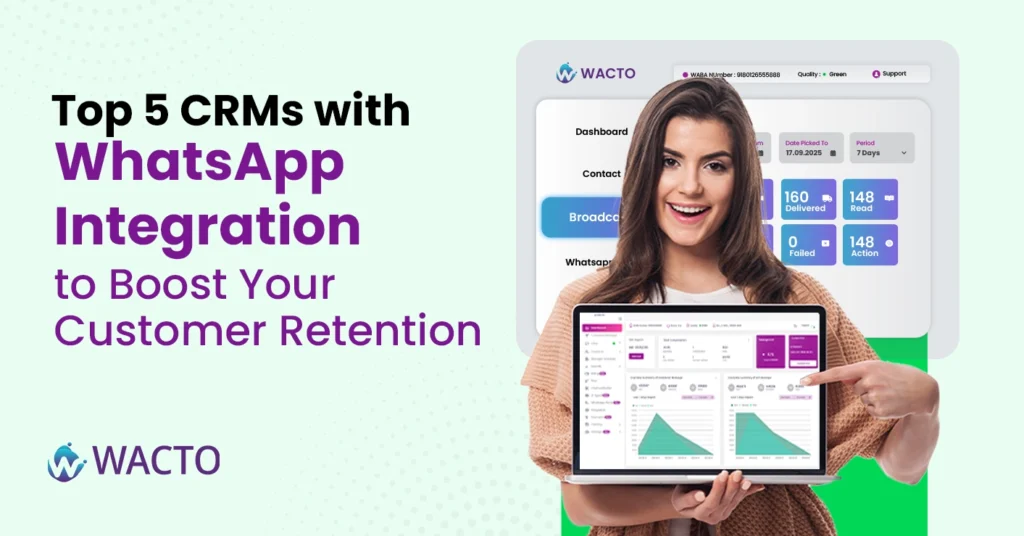
Top 5 CRM with WhatsApp Integration to Boost Your Customer Retention In today’s hyper-connected world, businesses need more than just emails and phone calls to connect with their customers for 10X growth. People want fast, easy, user-friendly, and familiar ways to talk to brands, and that’s exactly where WhatsApp Business Integration comes in. Imagine being able to update leads instantly, share order updates, or close deals all from the same platform where your CRM for WhatsApp lives. Interesting right? Let’s explore the top CRM integration services that are changing the way businesses use WhatsApp, and which WhatsApp business CRM is the right fit for you. Why Your Business Needs WhatsApp CRM Integration When you are integrating CRM with WhatsApp, you are doing more than just chatting or calling; you are building relationships with them. Real-time conversations tied to your customer records. Personalized follow-ups based on the CRM data. Automation, which reduces your manual work and saves time with better customer responses. The right CRM Integration with WhatsApp will give your team the power and support to deliver good customer service, follow up leads, close deals faster, and never miss a prospect. Now, let’s see what are the Top 5 CRM Integration with WhatsApp WhatsApp for Business CRM using Zoho, Cofactors, and Google Sheets to manage leads, automate messages, and improve customer communication easily. Choose a CRM that integrates with WhatsApp to send bulk messages, track customer chats, and grow your business faster. 1. Zoho CRM + WACTO — Made for Speed & Simplicity. If you are already using Zoho CRM, then integrating it with WACTO is a no-brainer. Key Benefits of WhatsApp Integration With Zoho CRM All your lead management will be collected under Zoho CRM whatsapp integration automatically, making your team manage all leads at a single platform. Customers will get instant auto replies and no manual work, like “Your payment is confirmed” or “Your appointment is scheduled.” Your sales team can chat directly via Zoho WhatsApp. WACTO is one of the WhatsApp CRM providers in India, zoho WhatsApp integration with CRM for all business industries, more affordable, fast with support, and a simple process and setup. 2. WooCommerce + WACTO — Made for Direct Customers. If you already have WooCommerce, then integrating it with Wacto is a no-brainer Key Benefits of WhatsApp Integration with WooCommerce D2C WhatsApp CRM, combined with WooCommerce D2C (Direct-to-Consumer), enables all D2C brands to create direct, personal connections with their customers at every step of the buyer journey. Instant Order updates – Send automatic order update messages like “Order Delivered”, “Shipped”, “Order Confirmed” in Wacto. Abandoned Cart Recovery – This is similar to drip marketing, bringing the shoppers back to purchase. Trigger personalized messages automatically, like wishes or reminders, to increase the upsell. Fast Support – Customers can get real-time answers and quick responses for all their order-related questions and product-related inquiries. Upselling Opportunities – Recommend related products based on past purchases through WhatsApp messages. 3. OpenCart + WACTO — Made for E-commerce Customers. If you already have opencart, then integrating it with Wacto is a no-brainer Key Benefits of WhatsApp Integration with OpenCart CRM Integrating OpenCart with Wacto will bring your e-commerce business to life. Live chat from Product pages – Live engage with your customers directly via WhatsApp for all inquiries. Order Notifications – Automate all updates related to payments, orders, dispatch, cancellations, and delays. Multi-Language Support – Use any language option to communicate with your customers based on their comfort level for better understanding. Boost Repeat Purchase – Reminders can be set in order to resell the products, give updates on discounts or offers, and repeat your sales. 4. Google Sheet CRM + WACTO — Best for small businesses or startups. If you already have a Google Sheet CRM, then integrating it with Wacto is a no-brainer Key Benefits of WhatsApp Integration with Google Sheet CRM For small businesses or startups, using Google Sheets as their WhatsApp Integration CRM becomes a lightweight and very powerful communication tool. Automatic messages from the sheet – Use triggers like row updates to send WhatsApp messages to leads or your customers. Easy lead follow-up – Create your templates for lead nurturing directly from the sheet. Data Sync – You can track and record reports from the sheet for all customer interactions. No Code setup – This Google spreadsheet CRM is the perfect tool for businesses looking for a cost-effective CRM with good communication. Explore the best google sheet CRM software for WhatsApp Bulk Messaging to automate customer communication easily. 5. Corefactors CRM + WACTO — Best for automation lead support. Integrating WhatsApp with CRM for Corefactor’s enhances its leads and supports the automation capabilities. Key Benefits of WhatsApp Integration with Corefactor CRM Lead stage messaging – Auto trigger messages based on lead stages like “Demo scheduled”, “Trial Expired”. Unified Inbox – View all WhatsApp conversations along with call and SMS history for a full customer picture. Quick Ticket closure – Reduce resolution time with real-time conversations. Campaign Messaging – Send bulk WhatsApp campaigns to targeted lead segments. Not every CRM + WhatsApp combo is the same. You will also need the following things: Easy Onboarding Strong support, especially if you are new to WhatsApp API Customize Automations Native integrations vs. third-party patchwork. Final Thoughts: Is WhatsApp Business CRM worth the investment? Choosing the Best WhatsApp CRM Integration Services in India for your business. When implemented correctly with the right provider, WhatsApp Business integration can significantly reduce your workload, enhance customer satisfaction, and boost revenue. Since your customers are already on WhatsApp, it’s time for your CRM with WhatsApp Integration Tool to connect with them there.
Best WhatsApp API for Conversational Messaging in 2025 – Top 5 Comparison
Best WhatsApp API for Conversational Messaging – Top 5 Comparison In today’s rapidly moving world, WhatsApp has gone a wild way for not only personal uses but also for many businesses. Conversational messaging is not just a today’s trend it is a core part of modern customer engagement. Brands are connecting with their customers via WhatsApp to get quick online sales, better communication, and promotion. In this article, we have shown the comparison of the top API providers of Twilio, Gupshup, Wati, and Kaleyra – for you to choose the best WhatsApp API provider for conversational messaging & business growth. Why Does Conversational Text Messaging with Business WhatsApp API Matter? Conversational texting helps businesses connect with customers in a fast and personal way through WhatsApp. Over 2.5 billion active users are using WhatsApp, which is the world’s most used messaging App. The WhatsApp Business API is designed for small-scale to large business enterprises to scale with customers, better communication, Automations, and generate sales. From WhatsApp API bot integrations to conversational API services, choosing the right provider will help to achieve your business growth and ROI. Compare Top WhatsApp API Providers for Conversational Messaging WhatsApp Conversation Pricing for API: What you should know WhatsApp API Pricing is conversation-based, divided into many types: Marketing (Paid) Utility (eg, order updates) Authentication Service (inbound support) Most providers follow a meta-based pricing model and later add a platform access fee. API Providers like Wacto provide affordable packages perfect for startups testing conversational AI marketing and support at scale. How to Choose the Right Conversational Messaging Platform for WhatsApp Business API? Ask yourself: Do you need developer flexibility or plug-and-play tools? Is your focus on marketing, support, or both? What’s your budget and message volume? Do you want built-in conversational AI or just message delivery? For tech-savvy teams and budget-conscious startups, Wacto offers great value. Compared to Wati, Gallabox, and Gupshup, Twilio or Kaleyra they only focus on balanced options for growth-related brands. But with multiple companies in the market as WhatsApp Business API providers, how do you choose the Best WhatsApp API provider in India? Use Cases of Conversation AI Services Across Industries E-Commerce Send order updates, abandoned cart reminders, and delivery notifications. Enable catalog browsing and in-chat purchase options using WhatsApp. Provide real-time support via chatbot and live agents. Healthcare & Clinics Automate appointment confirmations and reminders. Offer 24/7 patient support using AI-powered bots. Securely handle follow-up and prescription renewals. Education & Edtech Share class schedules, payment links, and updates instantly. Use bots for student inquiry handling and lead qualification. Run campaigns to engage students and parents with broadcast messaging. Logistics & Delivery Provide real-time delivery tracking via WhatsApp. Enable automated customer updates on pickup, transit, and delivery. Resolve delivery issues faster through instant support. Explore WACTO, the best Conversation AI Services in India across all industries What Makes Wacto Ideal for Startups? No need for heavy tech teams—ready-to-use UI Plans that start under ₹1,000/month Includes chatbot, automation, and LTI-agent features by default Hands-on customer onboarding & support No lock-in contracts or cancellation penalties Integration-Ready with Leading Tools WACTO easily integrates with: CRM tools: Zoho, Salesforce, Corefactors E-commerce platforms: Shopify, WooCommerce, Marketing tools: Mailchimp, Razorpay, Google Sheets Explore seamless WhatsApp Business Integration with CRM, eCommerce, and marketing tools. Final Thoughts: Choosing the best WhatsApp service provider in India is based on your business size, use case, and technical resources. Whether, bulk broadcast, Automation, Chatbots, or customer support, these platforms offer strong capabilities. Investing in the right WhatsApp Business API provider like Wacto ensures higher engagement, faster resolution, and stronger brand loyalty.
How to Unlock WhatsApp Account If Your Number Gets Blocked
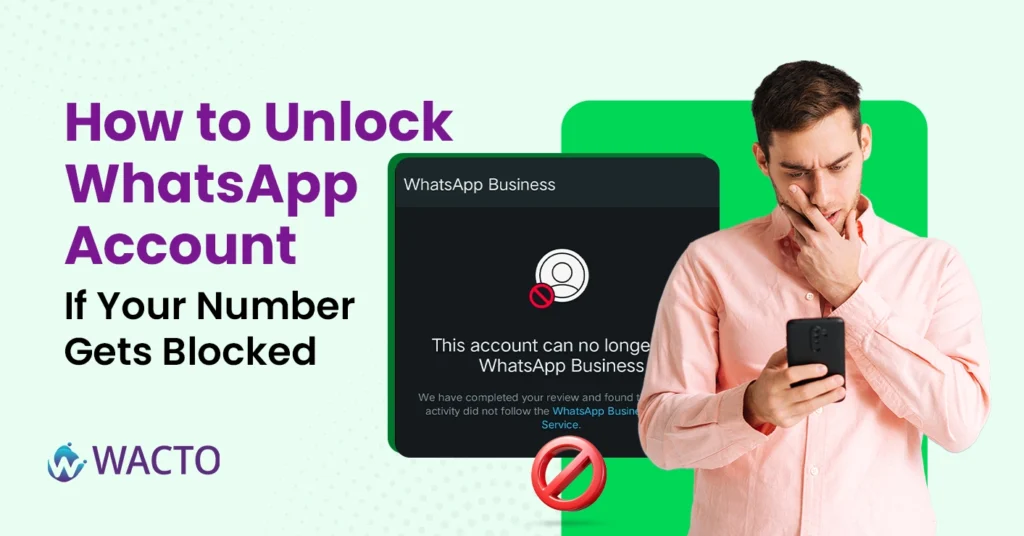
How to Unlock WhatsApp Account If Your Number Gets Blocked For many businesses that use the WhatsApp API services for regular customer updates and marketing activities, getting blocked WhatsApp number can be a serious setback. Whether you’re sending order updates, customer messages, or marketing broadcasts, a blocked number can result in missed sales and disrupted customer communication. In this blog, you will see some useful solutions on why your number is getting blocked on WhatsApp and how you can prevent this problem in the future. 5 Major reasons – Why your WhatsApp number is getting blocked? Many businesses face WhatsApp number blocks due to spam messages, bulk messaging, policy violations, or low customer engagement. Understanding these common reasons can help protect your WhatsApp Business account and improve safe communication with customers. Reaching out to non-contacts through mass messaging: Sending a broadcast message too quickly to users who haven’t saved your number can increase the risk of getting your number blocked. WhatsApp is committed to blocking spam messages to prevent users from being harassed by unknown senders. Sending WhatsApp bulk messages to unknown numbers? Be careful! WhatsApp will usually issue a warning if it detects suspicious activity. If you continue sending bulk messages without proper consent, there’s a high chance your number could get permanently blocked by WhatsApp. Sharing spam or irrelevant content: WhatsApp does not allow users to send suspected or corrupted files or even some spam content. WhatsApp will officially monitor every message you send and the contents or files. If they are not relevant to their policies, WhatsApp will block the sender to prevent the same. Accessing WhatsApp through a pirated app – Modified versions Many Android users will use modified versions of the WhatsApp app, which are GB WhatsApp, YO WhatsApp (YoWA), FM WhatsApp, WhatsApp Plus, and many more on the market. Although these modified versions have advanced functions, WhatsApp officials will not approve them. Once they detect using non-official builds of the WhatsApp app, there is are chance that WhatsApp will be blocked. Using a fake profile or misrepresenting your identity WhatsApp will not allow users to use other people’s information to create an account. If your account represents the misrepresentation of other people, like celebrities, public officials, or any other government representatives, WhatsApp will block the relevant account for safety measures. Joining many groups within a short span Being active and participating in many WhatsApp groups might seem normal, but joining in too many groups in a short span might cause WhatsApp to mistake you for a bot, which can block number in WhatsApp to prevent spam. Now let’s see – How to unblock a WhatsApp account? If WhatsApp account blocked, don’t panic — follow the official recovery steps to restore your account quickly and securely. Verify your number, check WhatsApp policy violations, and request a review to unblock your WhatsApp account easily. Check whether Temporary or Permanent block Open your WhatsApp Business API dashboard. If it shows Flagged or Restricted, your account may still be recoverable. Wait for 3 to 4 days for the status. Re-register your WhatsApp number 1. Uninstall your WhatsApp App / WhatsApp Business App and re-download it.2. Enter your blocked mobile number in the registration interface.3. Check for the verification code received.4. If the status is the same, wait for 30 days and try again. Apply for Review through WhatsApp Follow the same procedure you did for Re-Registration. Click “Support.” Fill out the review application and upload supporting documents if required. Email WhatsApp Support If the situation permits, email WhatsApp directly – Click here to contact WhatsApp. Find alternatives, like creating a new account. If your attempts are unsuccessful, you may want to consider creating a new account. This can be inconvenient, but a better opportunity and a fresh start for your business activities. Finally, blocking your WhatsApp number can disrupt business flow, but following the right steps can help you recover easily. To avoid future issues, always follow WhatsApp policies and best practices. More importantly, choose a reliable partner who ensures safe messages. The best WhatsApp Business API provider in India will guide you with proper onboarding, compliance, and scalable messaging solutions. This reduces the risk of restrictions and increases your customer engagement. Stay up-to-date with platform rules and utilize verified solutions to develop your business with confidence. Note: A WhatsApp Verified Business account is always the best option to prevent your account from being banned.